Arduino est venu chambouler le monde de l’électronique de loisir. Ce qui n’était pas possible sans de grandes connaissances dans le passé, peut maintenant être réalisé par des passionnés même débutant, grâce à une gamme de microcontrôleurs bon marché disponibles et à l’énorme communauté qui entoure le projet.
Il est devenu presqu’enfantin de construire ses propres objets électroniques, et cela ne coûte pas plus cher qu’un autre hobby. Merci Arduino !
Arduino, qu’est-ce que c’est ?
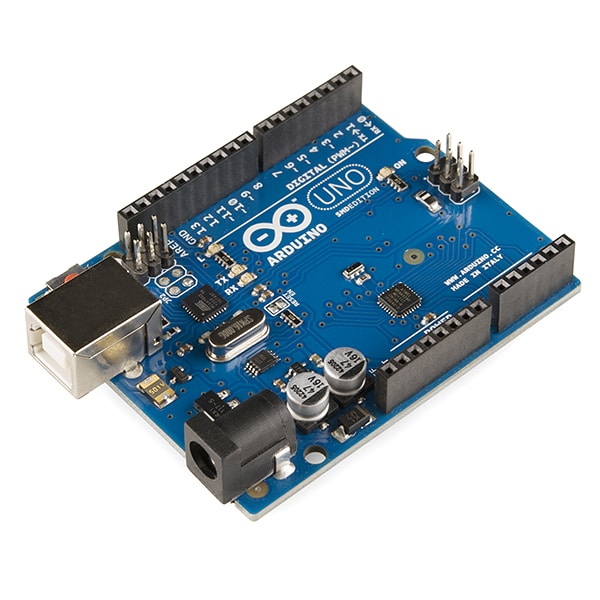
Arduino, c’est beaucoup de choses : une marque, du matériel, un langage de programmation et tout une gamme de produits. Mais de manière générale, lorsque nous parlons d’Arduino, nous faisons référence à une plateforme de prototypage électronique open-source.
C’est en Italie, en 2005, que la première carte Arduino a été produite en petite série dans le but d’initier des étudiants en design à l’utilisation (et aux possibilités de programmation) des microcontrôleurs. Les passionnés d’expérimentation avec une forte affinité pour la technologie, et les fabricants émergents ont accueilli avec enthousiasme ce nouveau projet, car il était peu coûteux et facile à utiliser.
Pour faire court, Arduino est un petit ordinateur que vous pouvez programmer pour faire tout un tas de choses. Il peut obtenir des données si on y connecte des capteurs en entrée, et peut interagir en ajoutant des éléments comme des actionneurs (moteurs), des LED et d’autres choses en sortie.
6 projets pour débuter avec Arduino
Vous cherchez à découvrir le monde d’Arduino et à voir ce que vous pouvez faire avec cette technologie ? Vous trouverez ci-dessous quelques projets pour débutants, parfaits losqu’on débute en programmation.
Ces projets peuvent aussi vous donner une idée du potentiel d’Arduino et peut-être trouverez-vous l’inspiration nécessaire pour vous lancer ou avoir envie d’en apprendre davantage sur cette plateforme polyvalente.
Arduino est un matériel open-source : toute personne ayant suffisamment de connaissances peut fabriquer ses propres projets. Il existe bien sûr de nombreux kits pour débutants qui comprennent une carte Arduino et des composants de base, tels que des capteurs, une breadboard (c’est la platine d’expérimentation), des relais, des contrôleurs, des LED, des fils de liaison et des moteurs.
Tous les projets mentionnés ci-dessous utilisent des composants Arduino parmi les plus courants.
1. Robot suivant la lumière
Le « robot suiveur de lumière » fait partie des projets Arduino qui, s’il est facile à réaliser, reste pourtant assez spectaculaire. De plus, il ne demande que quelques composants pour être mis en œuvre.
Pour créer ce robot, il vous suffit de monter deux résistances photosensibles sur votre breadboard, chacune étant reliée à un moteur, de sorte que les capteurs auront un champ de vision qui leur est propre. Les deux résistances photosensibles mesurent la lumière à intervalles réguliers, alors que les moteurs permettent à l’ensemble d’avancer.
Vous trouverez le tutoriel en détail en suivant ce lien.
2. Ruban LED réagissant à la musique
Toujours à l’aide de quelques composants seulement, vous pouvez transformer une pièce en (mini) discothèque.
Dans ce projet Arduido, vous aurez besoin d’un microphone qui mesure l’intensité de la musique et qui transmet cette information à l’Arduino. Ce dernier agit sur un bandeau LED, de sorte qu’il fasse clignoter différentes couleurs en accord avec la musique.
Le projet est à découvrir ici.
3. Dé électronique
Vous avez prévu une soirée « jeux de société » avec vos amis mais vous ne trouvez pas de dé ? Que diriez-vous si, en passant la main sur votre Arduino, vous génériez aléatoirement un chiffre compris entre un et six, à la manière d’un jet de dé ?
Voici le tutoriel pour fabriquer un dé électronique.
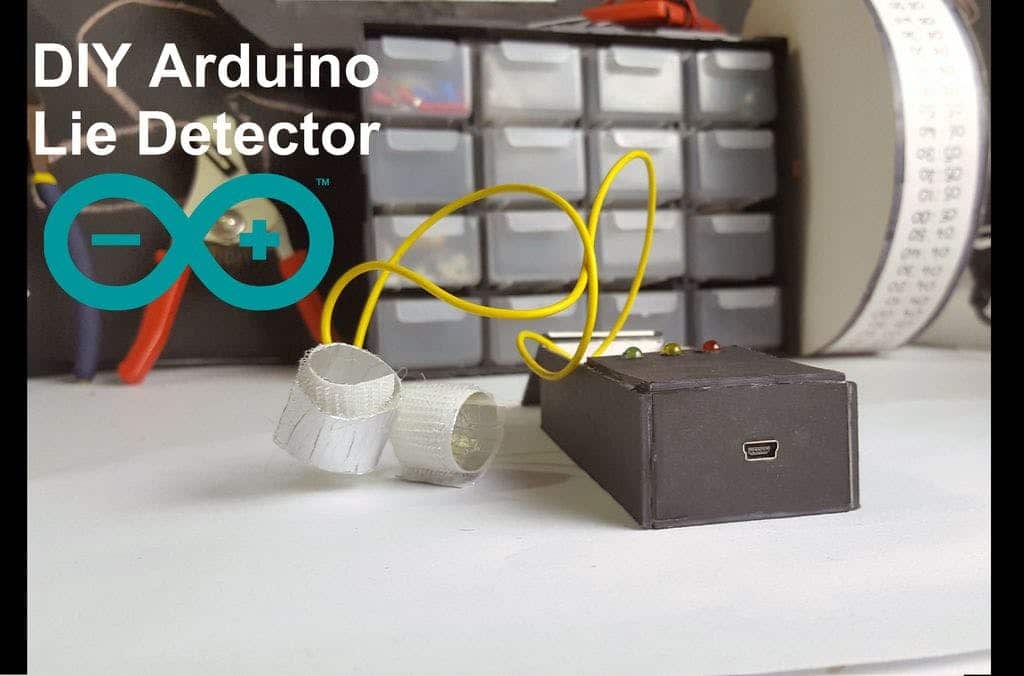
4. Détecteur de mensonge (enfin, presque)
Voici un autre projet Arduino ingénieux, rapide à construire et qui nécessite peu de matériel. Bien sûr, il ne s’agit pas d’un véritable détecteur de mensonge, puisqu’il ne mesure pas vraiment si quelqu’un ment : ce qu’il mesure en réalité, c’est la conductivité électrique de sa peau. C’est ce paramètre qui indique le degré de nervosité du sujet, qui peut indiquer un éventuel mensonge.
A toutefois ne pas prendre au sérieux ! Rendez-vous ici pour fabriquer votre détecteur de mensonges avec Arduino.
5. Horloge numérique
Dans ce projet, vous aurez besoin d’un écran pour créer votre propre horloge !
Gardez à l’esprit que vous devrez régler l’heure à chaque fois que vous allumerez l’Arduino, (ce sera comme remplacer la pile d’une montre).
Il s’agit tout de même d’un projet amusant pour débutants et le résultat donne satisfaction. Vous pouvez aussi vous contenter de regarder votre montre…
6. Thermomètre et hygromètre
Vous pouvez choisir d’acheter un thermomètre / hygromètre, mais pourquoi ne pas le fabriquer vous-même ?
Maintenant que vous possédez un écran et connaissez les bases de son utilisation, il faut aller plus loin ! Il peut en effet être utilisé avec une bibliothèque graphique prenant en charge de nombreux écrans monochromes différents.
Il suffit d’ajouter un capteur d’humidité et de température à votre installation.
Besoin d’un freelance pour aller plus loin dans votre projet Arduino ? Développeurs, graphiste et webdesigners sont sur Codeur.com !


