La rédaction d’un scénario de chatbot demande une réflexion minutieuse et un savoir-faire en matière de communication. Surtout si vous souhaitez offrir un support client efficace et une expérience utilisateur fluide !
Pensez à faire appel à un rédacteur web spécialisé en script chatbot sur Redacteur.com pour élaborer des échanges performants.
Maintenant, découvrons ensemble les détails du processus de rédaction du scénario d’un chatbot de la définition de votre cible à l’élaboration des questions et réponses !
Connaître les attentes de votre cible
Avant de commencer à écrire le scénario de votre chatbot, vous devez d’abord comprendre qui sera votre public cible. S’agit-il de clients existants, de prospects potentiels ou du service après-vente ? Chacun de ces groupes aura des attentes différentes lorsqu’il interagira avec votre agent conversationnel :
- Les clients peuvent avoir des questions sur vos produits ou services.
- Les prospects peuvent rechercher des informations générales.
- Le service après-vente peut nécessiter une assistance technique.
Il est essentiel de définir clairement les personas de votre public cible et de comprendre les types de questions auxquelles votre robot devra répondre. Cette étape est cruciale pour personnaliser le scénario de votre chatbot et le rendre plus efficace.
Utiliser la donnée existante pour voir les besoins récurrents
Une fois que vous avez identifié votre public cible, passez en revue les données existantes de votre entreprise. Analysez les questions fréquemment posées par les clients sur les réseaux sociaux, les requêtes les plus courantes sur votre site web ou les demandes soumises à votre service client.
Cette analyse vous permettra d’identifier les besoins récurrents de votre public et de prévoir les réponses appropriées.
Quel type de chatbot utiliser ?
Les agents conversationnels se positionnent comme des outils incontournables pour optimiser la relation client et améliorer l’efficacité opérationnelle. Au cœur de cette dynamique, se distinguent deux catégories majeures de chatbots : le chatbot conversationnel et le chatbot à arbre fermé.
Le chatbot conversationnel
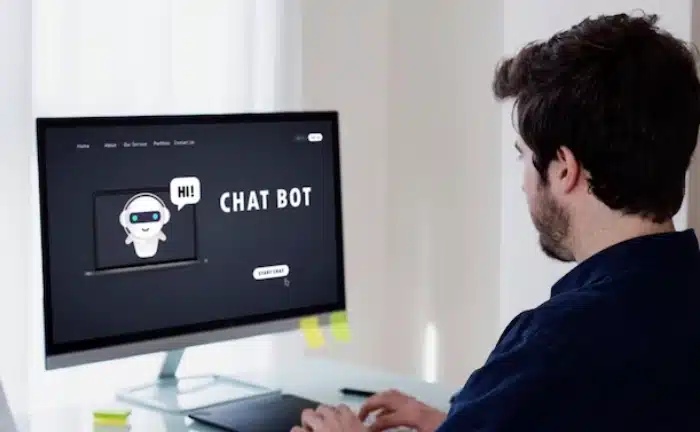
Souvent propulsés par l’intelligence artificielle, les bots conversationnels offrent une expérience utilisateur plus naturelle et interactive. Dotés de la technologie de Compréhension du Langage Naturel (NLP), ils transcendent les barrières de la communication digitale en interprétant et répondant aux requêtes des utilisateurs de manière fluide.
Ils se distinguent par leur capacité à apprendre continuellement de leurs échanges, affinant ainsi leur précision et leur pertinence dans la résolution des demandes.
De plus, leur disponibilité constante et la possibilité de personnaliser les réponses en font des alliés de taille pour un support client efficace et instantané.
Toutefois, ces avantages viennent avec leur lot de défis. Leur mise en place peut s’avérer coûteuse et complexe, requérant une expertise technique pointue et une formation continue pour garantir la justesse des interactions. De plus, leur performance est étroitement liée à la qualité des données sur lesquelles ils sont entraînés, mettant en exergue l’importance d’une gestion de données rigoureuse pour en exploiter pleinement le potentiel.
Le chatbot à arbre fermé
Structuré autour de scénarios prédéfinis, le chatbot à arbre fermé garantit une navigation fluide et une résolution rapide des demandes courantes. Ils sont idéaux pour des tâches spécifiques et des interactions client plus directes.
Ce sont des solutions pragmatiques pour les entreprises cherchant à automatiser des tâches spécifiques comme la qualification de prospects, et à fournir des réponses précises à des questions courantes. Leur fonctionnement repose sur une navigation guidée, où chaque interaction de l’utilisateur est dirigée vers des options prédéterminées.
L’objectif principal est de faciliter des interactions fluides et efficaces, idéales pour des services tels que la FAQ, le support client de premier niveau ou la qualification de prospects pour votre marketing automatisé. Ils excellent en termes de rapidité de mise en œuvre et de fiabilité, avec un coût d’investissement initial relativement bas.
Toutefois, leur rigidité structurelle manque d’adaptabilité et la personnalisation des interactions reste limitée en comparaison avec les chatbots conversationnels.
De plus, l’absence de capacités d’apprentissage les rend moins évolutifs, nécessitant des mises à jour manuelles pour rester pertinents face aux besoins changeants des utilisateurs.
En somme, les chatbots à arbre fermé se révèlent être des outils efficaces pour des interactions directes et structurées, tout en restant économiquement accessibles pour une large gamme d’entreprises.
Créer un arbre de réponses
Une fois que vous avez déterminé le type de chatbot que vous allez utiliser, il est temps de créer un arbre de réponses. Cela signifie définir un chemin logique pour les interactions entre l’utilisateur et le chatbot.
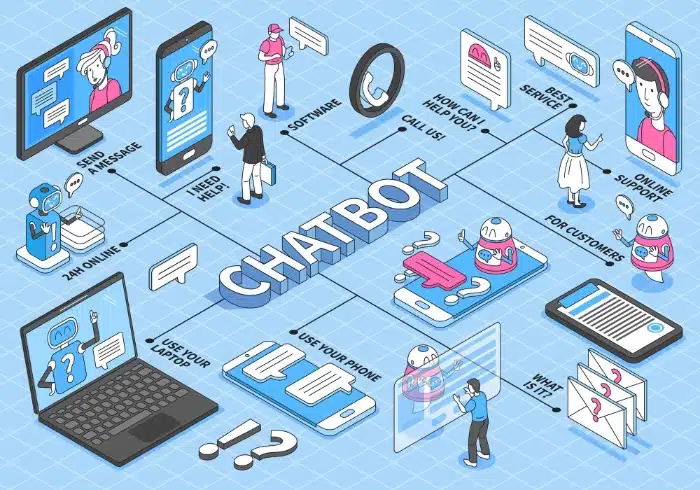
L’objectif est de résoudre efficacement les problèmes et de fournir des réponses précises.
La création d’un arbre de réponses requiert une approche méthodique pour garantir une navigation intuitive et des réponses pertinentes. Voici nos conseils pour réussir cette étape :
Esquisser le schéma initial
En premier lieu, identifiez la ou les questions d’accueil qui serviront de point d’entrée dans l’interaction avec le chatbot. Puis organisez des sessions de brainstorming avec votre équipe pour identifier les principaux nœuds (questions) et branches (réponses) qui composeront votre arbre.
Utiliser des outils de modélisation
Utilisez des outils de modélisation tels que Lucidchart, Draw.io ou des logiciels spécialisés pour créer un schéma visuel de l’arbre de réponses.
Bon à savoir : optez pour des outils qui permettent la collaboration en temps réel si vous êtes plusieurs à travailler sur le scénario du chatbot.
Développer les branches
Prévoyez plusieurs réponses possibles pour chaque question, et envisagez des sous-branches pour guider l’utilisateur vers la réponse la plus précise. Plus l’internaute arrive à naviguer à travers les informations recherchées, plus votre entreprise pourra le convertir ou le fidéliser.
Optimiser le parcours utilisateur
Essayez de minimiser le nombre d’étapes nécessaires pour atteindre une réponse, afin de garder l’utilisateur engagé. De plus, pensez à intégrer des options pour permettre aux utilisateurs de revenir en arrière et de choisir une autre branche si nécessaire.
Rédiger de la documentation
Créez un guide complet de votre arbre de réponses, qui servira de référence pour les mises à jour futures ou l’intégration de nouvelles branches.
Rédiger les messages de chaque étape
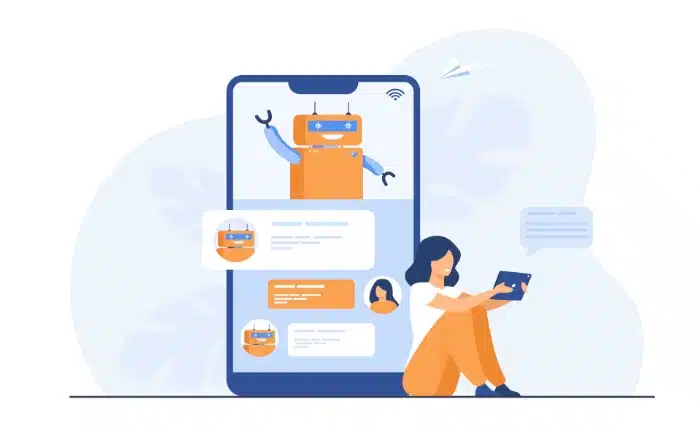
Maintenant que vous avez votre arbre de réponses, il est temps de rédiger les scripts pour chaque étape de l’interaction. La rédaction des messages intégrés au scénario chatbot est un art qui requiert une compréhension claire du public cible et des objectifs de la conversation. Voici quelques conseils pour vous aider dans cette tâche :
- Assurez-vous que le ton utilisé est en harmonie avec la personnalité de votre entreprise, qu’il soit formel, amical ou décontracté.
- Vérifiez l’orthographe et la grammaire pour éviter les erreurs embarrassantes.
- Gardez les phrases courtes et simples, évitez les doubles sens ou les réponses ambiguës.
- Si possible, personnalisez les messages en utilisant le nom de l’utilisateur ou d’autres informations pertinentes pour créer une connexion plus humaine.
- Prévoyez différentes formulations pour les réponses à une même question afin de rendre l’interaction plus dynamique et moins mécanique.
- Abandonnez les termes techniques ou le jargon qui pourrait être incompréhensible pour l’utilisateur moyen.
- Fournissez des retours positifs lorsqu’un utilisateur complète une action ou fournit les informations nécessaires.
Inclure des options de sortie
Dans l’élaboration d’un scénario pour chatbot, la prévision d’options de sortie est cruciale pour maintenir une expérience utilisateur satisfaisante. Il est indispensable que l’utilisateur puisse, à tout moment, être transféré à un agent humain ou explorer d’autres canaux d’information ou de communication (WhatsApp, Messenger, téléphone, email…).
Voici quelques suggestions pour intégrer des options de sortie dans votre scénario :
- Bouton de sortie : Intégrez un bouton visible permettant à l’utilisateur de quitter l’interaction en un clic pour être redirigé vers un agent humain.
- Mots-clés de sortie : Programmez votre chatbot pour reconnaître des mots-clés tels que “agent”, “humain” ou “aide” qui signaleront la nécessité de rediriger l’interaction.
- Options de contact : Fournissez des options de contact alternatives comme le numéro de téléphone, l’adresse email, un numéro WhatsApp ou même un formulaire de contact.
- Lien vers FAQ ou ressources : Proposez des liens vers une page FAQ ou d’autres ressources utiles où l’utilisateur peut obtenir plus d’informations.
Réaliser des tests
Les tests sont une phase incontournable dans l’élaboration du scénario de votre chatbot. Ils permettent de déceler les problèmes potentiels, les ambiguïtés ou les lacunes qui pourraient entraver l’efficacité de l’agent conversationnel. Voici comment procéder :
- Tests internes : Avant de lancer le chatbot, réalisez des tests internes en sollicitant votre équipe pour interagir avec lui et identifier les éventuelles anomalies.
- Groupes de test utilisateurs : Constituez des groupes d’utilisateurs volontaires parmi vos clients fidèles, pour tester le chatbot dans des conditions réelles et recueillir leurs feedbacks.
- Analyse des retours : Évaluez les commentaires, identifiez les points d’amélioration et ajustez votre scénario en conséquence.
Notre astuce pour un scénario de chatbot efficace
Rédiger le scénario d’un chatbot efficace demande une compréhension approfondie de votre public cible, l’analyse des données existantes, le choix du bon type de bot, ainsi que la création d’un arbre de réponses logiques, claires et concises.
Une fois que le scénario est finalisé, mettez en place votre chatbot sur la plateforme ou le canal que vous avez choisi. Surveillez régulièrement son fonctionnement, collectez des données sur les interactions et ajustez le script en fonction des retours d’expérience pour l’optimiser continuellement.
N’oubliez pas que des rédacteurs web expérimentés sont disponibles sur notre plateforme de rédaction, Redacteur.com, pour vous aider à créer un dialogue efficace qui répondra aux attentes de votre cible.
L’article Comment rédiger le scénario d’un chatbot ? est apparu en premier sur Redacteur.com.


