Les constructeurs de pages WordPress divisent la population en 2 catégories : certains les détestent, d’autres ne jurent que par eux. Peu importe dans quel camp vous êtes, ils sont là pour durer.
WordPress est toujours un leader de la conception de sites Web, à la fois utilisé comme outil professionnel pour des sites Web de classe mondiale, que pour les particuliers pour leur site personnel. Si WordPress est si populaire, c’est pour ses options de personnalisation infinies, sa communauté active et le fait qu’il soit open-source : c’est ce qui a rendu possible l’avènement des constructeurs de sites, parmi lesquels 2 semblent s’imposer : Divi et Elementor.
Aujourd’hui, nous allons donc examiner Elementor et Divi, pour faire jaillir leurs différences, leurs points communs, et peut-être déterminer lequel vous conviendra le mieux.
Divi
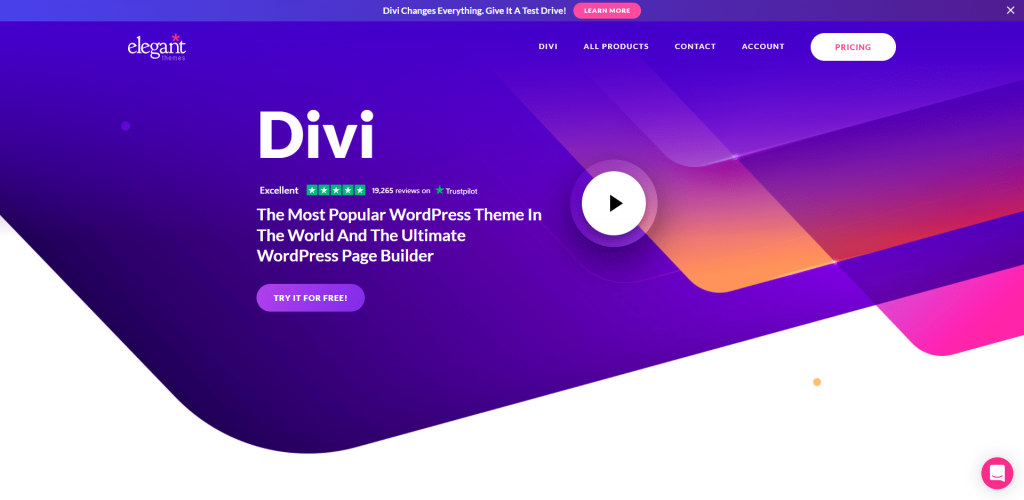
Divi est un thème WordPress, aussi disponible sous forme d’extension, comptant plus de 700 000 ventes (et donc, utilisé par des millions de sites) : c’est sans doute le constructeur le plus populaire pour WordPress. Divi s’adresse à tous : aux agences, aux particuliers, aux freelances indépendants, en les aidant à développer des sites Web d’aspect professionnel.
Les raisons de la popularité de Divi sont nombreuses, voici les principales :
- Accès illimité : Divi donne un accès illimité à l’ensemble des fonctionnalités pour chaque site créé : pas de paliers d’utilisation, ni d’étalement tarifaire, c’est tout compris, sans conditions.
- Plan de tarification clair : ça rejoint le premier point, mais le plan tarifaire de Divi est le plus clair possible, nous le verrons plus loin.
- Communauté et assistance : Divi dispose d’une communauté très active, et Elegant Themes (l’entreprise qui le commercialise) propose également un support de très haute qualité.
Elementor
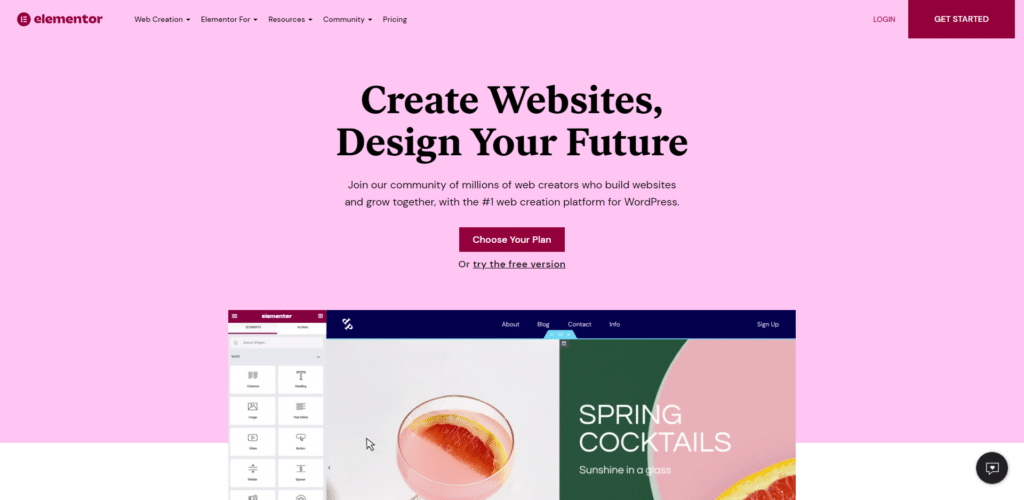
Tout comme Divi, Elementor fait partie des constructeurs les plus populaires et revendique 5 millions de sites web actifs. Connu pour sa vitesse de page fulgurante et son interface facile à utiliser même pour les débutants, il propose une version gratuite de son outil. Cependant, si vous avez besoin de toutes les fonctionnalités, vous devrez obtenir la version premium…
Elementor offre presque tout ce que fait Divi, à l’exception de quelques différences ici et là que nous allons examiner plus loin. Dans les points forts d’Elementor, une courbe d’apprentissage plus aisée ce qui le rend plus facile à utiliser, et donc particulière adapté pour les débutants.
Divi vs Elementor : Similitudes
Interface visuelle par glisser-déposer
Elementor et Divi offrent tous deux une interface visuelle de type « glisser-déposer » : vous pouvez concevoir votre page avec un aperçu en temps réel de ce que vous et avez même la possibilité de modifier le texte en tapant directement sur celui-ci. S’ils sont similaires sur le fond, ils ne le sont pas dans la forme :
Divi propose un éditeur plein écran, dépourvus d’éléments d’interface, bien qu’un bouton en bas de l’écran ouvre quelques options. Pour ajouter et modifier un module, il faut passer la souris sur la page et utiliser les boutons qui apparaissent au survol de la souris. Divi représente chaque élément de la page par des couleurs différentes : de grandes sections, des plus petites, puis à l’intérieur, les modules. Lors de l’édition d’un élément, la fenêtre contextuelle qui s’ouvre alors peut être redimensionnée et déplacée (par glisser-déposer).
Du côté d’Elementor, les utilisateurs ont bien, à gauche de l’écran, une barre latérale fixe, visible en permanence, qui contient tous les éléments de construction nécessaires : il suffit de piocher dedans, et de glisser-déposer l’élément sur la page. Bien que cela atténue le sentiment d’immersion, certains utilisateurs trouvent plus pratique de pouvoir interagir avec une barre latérale fixe, plutôt que le système de boutons qui apparaissent et disparaissent dans l’interface Divi.
Si vous considérez le facteur pratique, l’interface d’Elementor peut vous séduire, surtout qu’elle s’avère exempte de problèmes et plus rapide que celle de Divi. Mais si vous privilégiez une expérience immersive avec un espace de travail clair, alors Divi est le bon choix.
Nombreuses options de style
En ce qui concerne les options de style disponibles, Divi et Elementor font jeu égal, même s’il existe là encore quelques différences entre les deux. Globalement, les deux concurrents offrent beaucoup plus de designs et d’options de style que tous les autres.
Il est difficile de comparer objectivement cet aspect, les deux ayant énormément de petites fonctionnalités rangées dans « style et design ». Voici donc dans les grandes lignes ce que Divi et Elementor offrent en la matière:
- Espacement personnalisé
- Défilement Parallax
- Effets d’animation
- Positionnement des modules facile
- Séparateurs de section de différentes formes
Conception responsive
Divi et Elementor veillent à ce que tout ce que vous réalisez soit responsive, par défaut. Cela signifie que vos travaux fonctionnent parfaitement sur les smartphones, les ordinateurs et les tablettes. Bien sûr, tous deux vous permettent également de personnaliser les paramètres responsive de vos designs. Vous avez la possibilité de masquer certains modules particuliers, (par exemple les grandes images sur les smartphones).
Fonctionnalité de construction de thème
Ces deux constructeurs de pages ne sont pas limités au contenu d’une seule page, et sont des constructeurs de sites, vous permettant de concevoir un thème WordPress entier. Il existe en effet des éléments WordPress qui sont issus du thème actif, et bien souvent les constructeurs de pages ne s’arrêtent qu’au contenu de la page en cours d’édition, sans toucher à ces autres éléments du thème.
Par exemple, avec Divi et Elementor vous pouvez créer des « modèles » qui se déploieront sur l’ensemble de votre site pour :
- Le pied de page
- Les pages d’archives comme la page qui liste tout le contenu de votre blog.
- Le header
- Les pages des articles du blog…
Prise en charge du clic droit
Divi et Elementor prennent tous deux en charge le clic droit, et ce sont les seuls constructeurs à le proposer.
La possibilité de faire un clic droit peut sembler futile, mais c’est vraiment pratique et permet de gagner beaucoup de temps : grâce au clic droit, par exemple, vous pouvez :
- Enregistrer des modèles
- Supprimer un module
- Copier un style, puis le coller dans un autre module
- Copier un module entier, pour le coller ailleurs
- Et bien plus encore.
Divi vs Elementor : Différences
Maintenant que nous avons constaté des similitudes entre Divi et Elementor, partons à la découverte des différences majeures entre ces deux outils.
Elementor possède un créateur de fenêtres pop-up
L’une des différences les plus remarquées entre Divi et Elementor est que ce dernier propose un outil de construction de fenêtres contextuelles, ce qui n’est pas le cas de Divi.
Le générateur de pop-up d’Elementor vous permet de créer des fenêtres pop-up et de les afficher où vous le souhaitez sur votre site Web : vous pouvez utiliser l’ensemble des widgets d’Elementor dans le pop-up, ce qui signifie que vous pouvez concevoir :
- Des fenêtres pop-up d’appel à l’action et de promotion
- Des fenêtres pop-up d’opt-in pour Newsletter
- Des fenêtres pop-up d’inscription et de connexion
- Tout ce que vous voulez.
Bon, si Divi ne propose pas de générateur de pop-ups intégré vous avez toujours la possibilité d’utiliser des plug-ins tiers, d’ailleurs vous avez un accès gratuit au plugin Bloom « email opt-in » lorsque vous achetez Divi. Mais il reste moins flexible que la fonction d’Elementor.

Divi offre une fonction intégrée de test A/B
Si vous souhaitez créer un site professionnel axé sur le marketing ou le e-commerce, vous allez adorer le fait que Divi soit livré avec des tests A/B intégrés. Il suffit de cliquer droit avec votre souris sur un module pour faire apparaître un test A/B et découvrir les performances des variantes de chaque module. Avec cette fonction, vous pourrez tester différentes images, titres, boutons CTA, tout ce que vous voulez.
Si vous avez l’intention de concevoir des landing pages, cette fonctionnalité sera extrêmement utile.
Elementor ne propose pas de test A/B intégré, mais vous serez en mesure de réaliser des tests A/B via des solutions tierces (comme Google Optimize) ou « Split Test for Elementor ». C’est sûr, c’est pas aussi pratique que l’option intégrée de Divi.
Divi est livré dans une version plug-in ou thème
Elementor n’est qu’un plugin. Bien que l’équipe d’Elementor propose son propre thème (« Hello theme »), destiné à être utilisé avec, il s’agit toutefois d’un plugin autonome.
Divi, quant à lui, est livré avec un plugin ou un thème. Si, pour beaucoup, il ne s’agit pas d’une différence très importante, elle l’est : si vous optez pour le thème Divi, vous êtes certain que votre constructeur de pages et votre thème fonctionnent parfaitement bien puisque c’est la même chose. Avec Elementor, ce n’est pas toujours le cas.
Templates et packs de mise en page
Elementor et Divi fournissent un grand nombre de templates pré-conçus que vous pouvez utiliser pour gagner du temps, ils sont donc similaires sur cet aspect. Mais la façon dont ils proposent ces modèles diffère.
Divi propose ce que l’on appelle « des packs de mise en page », qui sont des kits thématiques conçus pour des niches particulières. Par exemple, si vous souhaitez concevoir un site pour un garage, le pack de mise en page Divi pour les garages vous mâchera le travail pour la plupart des pages dont un garage pourrait avoir besoin.
Avec plus de 150 packs, Divi propose donc plus de 1000 modèles de page.
Elementor de son côté déploie progressivement sa propre version de packs, mais il ne dispose actuellement que de quelques kits de site, très peu nombreux.
Elementor et Divi : les prix
Le dernier élément différenciant les deux outils, c’est leur politique tarifaire.
Le coût de Divi se situe à 80$ par an pour toutes les fonctionnalités, et pour autant de sites que vous voulez. Vous pouvez opter pour un seul paiement à vie, au tarif de 249€.
Elementor propose une version gratuite (mais limitée). La version Pro est basée sur le nombre de sites, et coûte entre 49$ par an et 999$ par an.
Notre astuce
Si vous avez besoin d’aide pour créer les pages de votre site WordPress, vous pouvez faire appel à un intégrateur freelance en déposant une annonce gratuitement sur Codeur.com, vous recevrez des propositions de nombreux freelances qui ne demandent qu’à vous aider.


