L’infinite scroll, mais qu’est-ce que c’est ? Tout simplement le fait de pouvoir faire défiler le contenu d’une page web à l’infini, sans jamais voir la fin de la page.
Cette méthode est très utilisée sur les sites one-page notamment ou sur certains blogs. Pour autant est-elle vraiment la plus efficace et la plus intéressante pour l’expérience utilisateur ? Rien n’est moins sûr.
Heureusement, il existe des alternatives efficaces à l’infinite scroll et nous les avons réunies pour vous.
Infinite scroll : définition et avantages
L’infinite scroll est une technique de conception web qui permet de charger le contenu en continu.
Au fur et à mesure que l’utilisateur fait défiler une page, d’autres informations lui sont proposées sans qu’il n’ait besoin de cliquer sur « Voir plus » ou « Page suivante ». L’objectif ? Offrir une expérience de navigation plus fluide.
Cette méthode offre plusieurs avantages en permettant de :
Conserver ses visiteurs sur le site internet
Les réseaux sociaux utilisent l’infinite scroll pour maintenir les internautes sur leur plateforme.
Quand vous êtes sur Facebook, vous pouvez passer de très longues minutes à faire défiler votre fil d’actualité… car celui-ci ne s’arrête jamais ! Dès que vous arrivez en bas de la page, le réseau social vous propose de nouvelles publications, ce qui augmente votre taux de visite.
Favoriser une meilleure expérience sur mobile
Google propose un défilement continu aux mobinautes. En effet, sur mobile, la page des résultats n’est pas numérotée, elle se charge automatiquement dès que l’utilisateur défile vers le bas.
C’est plus pratique pour l’internaute que de devoir cliquer sur un chiffre ou un lien « page suivante ».
Guider les prospects vers la conversion
L’infinite scroll est utile pour garder les visiteurs intéressés sur votre site internet. Vous pouvez construire des pages qui vont les accompagner vers la conversion en commençant, par exemple, par des articles généralistes, avant de proposer des contenus plus spécifiques.
De plus en plus « nourri » par vos informations pratiques, le prospect aura tendance à poursuivre son parcours dans l’entonnoir de conversion, jusqu’à s’identifier, voire se convertir.
Raconter une histoire
Pour faire du storytelling, l’infinite scroll s’avère très efficace ! En faisant défiler un contenu qui raconte l’histoire d’une marque, vous captivez votre audience.
Elle a envie d’en savoir plus, d’apprendre à vous connaître… Ce qui la dirige doucement vers la conversion.
Pourquoi l’infinite scroll n’est pas optimal ?
Certes, l’infinite scroll dispose de nombreux avantages pour votre site internet. Néanmoins, ce n’est pas toujours la solution la plus optimale.
Ce type de navigation peut être extrêmement fastidieux pour vos visiteurs et clients potentiels. Ils ont besoin de visualiser facilement les articles et avec ce type de défilement, il est souvent difficile de revenir en arrière pour retrouver un produit préalablement consulté.
Ce n’est pas la seule raison de passer à des alternatives à l’infinite scroll…
L’infinite scroll cache les informations du footer
Il se peut aussi que vous ayez des informations importantes à communiquer dans votre footer par exemple. Comme les coordonnées de votre entreprise, les liens vers les mentions légales ou conditions générales de vente, les boutons de suivi sur les réseaux sociaux… Avec l’infinite scroll, vos visiteurs ne verront jamais ces données.
Une barrière à la liberté de navigation des visiteurs
Plus globalement, l’affichage de contenus à l’infini laisse peu de liberté de navigation à vos visiteurs.
En fonction des sections qu’ils souhaitent visiter, des produits qu’il veulent consulter ou des informations qu’ils cherchent à obtenir, la contrainte du scroll peut être dissuasive.
Un impact négatif sur votre SEO
L’infinite scroll rassemble plusieurs pages web en une. Elles disposent d’une URL, d’une meta-description et d’une balise title uniques. Si vous souhaitez travailler plusieurs mots-clés ou expressions de longue traîne, ce sera impossible avec cette méthode de conception web.
Par ailleurs, il n’existe pas de garantie que les robots des moteurs de recherche explorent correctement le contenu chargé automatiquement. Vous risquez de passer à côté de certaines requêtes.
Une mauvaise stratégie de backlinks
Avec l’infinite scroll, si un internaute clique sur un lien pointant vers votre site, il est difficile de déterminer le contenu vers lequel il est envoyé. D’autant plus si votre page est régulièrement mise à jour avec du contenu frais…
Résultat : les visiteurs provenant d’autres sites peuvent être déçus en arrivant sur votre page et la quitter immédiatement.
Un temps de chargement plus long
Un site web utilisant la technique de l’infinite scroll doit charger davantage de contenu sur la même page. Ce qui peut rallonger le temps de chargement, et donc d’attente de vos utilisateurs. Cette frustration peut augmenter votre taux de rebond.
Sans compter que ce paramètre compte dans le référencement ! Plus vos pages prennent du temps à s’afficher, moins vous avez de chance d’apparaître en haut des résultats.
Un mauvais suivi des performances de votre site
En raison du mode de fonctionnement de l’infinite scroll, l’insertion d’un code Google Analytics ne vous donnera pas beaucoup d’informations. Vous ne suivez les visites que d’une seule page web.
Vous devrez écrire votre propre implémentation analytique pour suivre le contenu nouvellement chargé : les événements, objectifs, sections visitées, etc. Cela est donc plus coûteux à développer, à maintenir et à tester.
Une désorientation des utilisateurs
Certains blogs et sites d’information utilisent l’infinite scroll. Les articles se suivant les uns après les autres, sans fin. Chaque article successif crée une nouvelle URL dans la barre d’adresse à mesure que l’utilisateur descend.
Cela peut encourager les utilisateurs passifs à lire « un article de plus », mais c’est une expérience frustrante pour la plupart des visiteurs.
Les internautes attendent un sentiment de progression lorsqu’ils lisent un article en ligne, et un sentiment de finalité lorsqu’ils le terminent. Mais l’infinite scroll perturbe ce processus, ce qui entraîne une désorientation.
Une violation des règles d’accessibilité du web
L’infinite scroll peut rendre la navigation particulièrement difficile pour les utilisateurs handicapés. Ils utilisent des technologies d’assistance pour accéder aux pieds de page, aux barres latérales et à d’autres liens pertinents. Ce qui est impossible avec du contenu qui se charge continuellement.
Vous violez donc les directives d’accessibilité aux contenus web.
Quelles alternatives à l’infinite scroll ?
Heureusement, il existe des alternatives plus efficaces à l’infinite scroll. Et elles ne présentent pas les mêmes inconvénients. Voici 4 d’entre elles :
1. La pagination
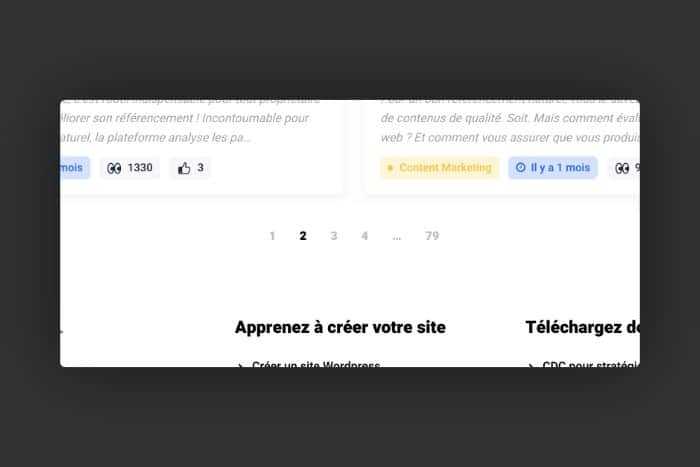
La pagination est très souvent le mode « par défaut » de nombreux thèmes WordPress ou d’autres CMS. De manière simple et logique, ce système de navigation permet d’accéder à un nombre de contenus limités par page et de naviguer en suivant la chronologie des publications.
Très fréquemment utilisé pour les e-commerces ou les blogs, ce système a cependant ses limites. Une étude américaine menée par le Baymard Institute a mis en lumière que ce mode de chargement pouvait parfois être décourageant. Tout particulièrement en matière de e-commerce. Il est fréquemment perçu comme lent. Par dessus le marché, dans le cas d’un type de produit avec beaucoup de références (par exemple des robes sur un site marchand de textiles), le nombre important de page n’incite pas le visiteur à poursuivre sa navigation. Vous en avez sans doute fait l’expérience vous-même.
Pour autant, la pagination n’est pas à mettre de côté. Elle pourra parfaitement convenir à des blogs ou magazines en ligne. Ce type de défilement permet au visiteur de se rendre compte assez rapidement du type de contenus présents sur le site et de revenir en arrière si un article l’a interpellé, par exemple.
2. Les sous-catégories
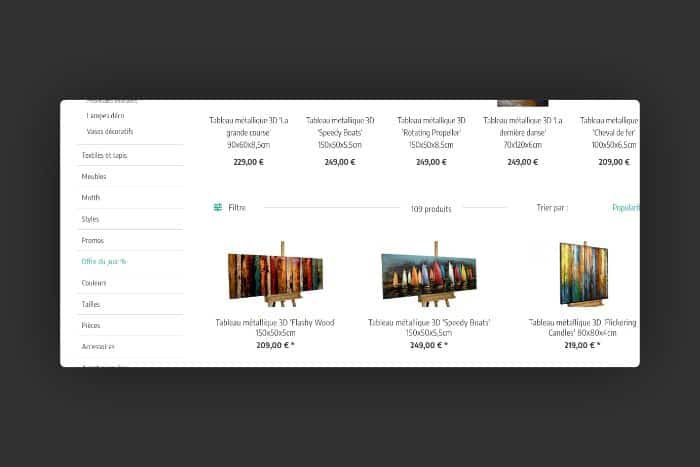
Cette solution est parfaite en matière de e-commerce. Le problème principal de l’infinite scroll est l’apparente désorganisation du contenu. Mais avec les sous-catégories, il devient beaucoup plus simple de le réorganiser.
Le principe est le suivant : proposer au sein d’un type d’article, affiché en infinite scroll, des sous-catégories qui permettront de présenter les résultats par grilles. Si nous reprenons l’exemple de notre site marchand de vêtements, au lieu de voir toutes les robes apparaître, vous pourrez choisir « à motif », « robe longue », « soirée » etc.
Cela résout une grande partie des objections liées à l’infinite scroll.
3. Le bouton « Load more »
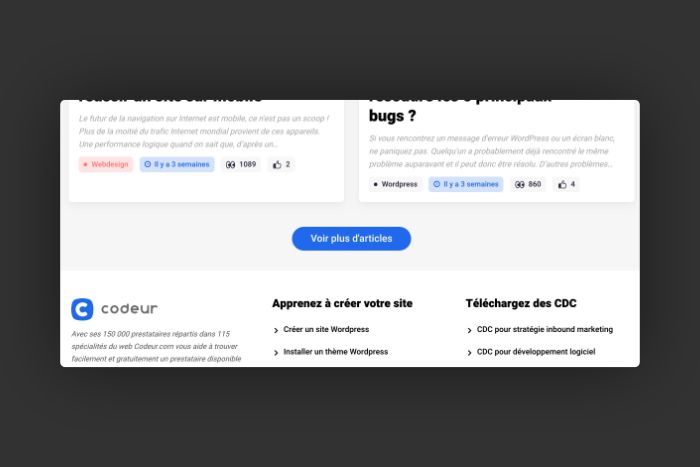
Selon le Baymard Institute, c’est la combinaison de ce bouton et du lazy loading qui serait la plus efficace en matière d’expérience utilisateur.
Si vous n’êtes pas familier du lazy loading, voici un éclairage. Il s’agit d’un mode de chargement du script de votre site web, qui permet de déterminer quels éléments sont à charger en priorité. Cela permet notamment d’afficher les images beaucoup plus rapidement, laissant le temps aux éléments plus lourds de se charger dans un second temps. Le lazy loading est un point essentiel pour rendre votre site web encore plus performant aux yeux de Google et améliorer votre référencement naturel.
La bouton « Load more » ou en français « charger plus », est à la croisée de la pagination et de l’infinite scroll. L’idée est de ne faire apparaître qu’un certains nombre d’articles pour un e-commerce ou de contenus dans le cadre d’un webzine ou d’un blog, puis de proposer d’en charger plus. Mais à l’inverse de la pagination, en cliquant sur ce bouton, vous restez sur la même page, qui vient s’étoffer de nouveaux éléments.
Un excellent moyen de ne pas perdre du temps à charger une nouvelle page, afficher tous les éléments à nouveau, etc.
4. Le modal slideshow
Le modal slideshow consiste à afficher un élément de votre page web devant en désactivant tout autre contenu de la page. L’utilisateur clique sur l’élément pour être amené vers un diaporama d’éléments connexes. On retrouve cette technique sur des sites comme Flickr, mais aussi sur des sites d’hôtel, de restaurant ou d’agence de voyage.

Pour revenir au contenu principal, l’utilisateur doit s’engager en effectuant une action ou en fermant la fenêtre. Cette alternative est utile pour attirer l’attention des utilisateurs sur une action ou un élément d’information important sur votre site web.
Le modal slideshow n’est pas adapté aux sites ayant beaucoup de contenu. Par contre, cette alternative à l’infinite scroll s’adresse plutôt aux entreprises ou freelances qui veulent présenter des visuels de haute qualité via des portfolios.
Il sert à stimuler l’engagement des utilisateurs sans nécessairement les amener à devenir des clients.
Conclusion
Vous savez à présent comment remédier à cela et améliorer l’expérience utilisateur de vos visiteurs. À vous de jouer ! Si vous avez besoin d’aide, publiez gratuitement un projet sur Codeur.com pour trouver le freelance idéal.


