LinkedIn, c’est 3 crédos essentiels : être vu, être trouvé et entrer en relation. Ainsi, le réseau social B2B par excellence, créé en 2002, ne cesse de faire évoluer son algorithme pour offrir une expérience optimale aux abonnés, recruteurs et annonceurs.
Ce qui marque la différence entre LinkedIn et les autres réseaux sociaux ? Une portée organique au top ! Le réseau social vous offre une visibilité naturelle élevée sur une période limitée. Même sans publicité, vous pouvez gagner en notoriété.
Cependant, pour en tirer profit, vous devez savoir comment fonctionne l’algorithme et ce qu’il faut faire pour être bien vu par ce dernier. Cet article vous dit tout !
Algorithme LinkedIn : 4 étapes pour déterminer la portée de votre post
LinkedIn a mis en place un processus en quatre étapes pour la distribution de contenu sur son réseau. L’objectif ? Améliorer l’expérience utilisateur en réduisant la portée des spams ou des contenus inappropriés.
Chaque publication est soumise au processus suivant, avant que la plateforme décide d’amplifier ou non sa portée.
1. Le filtre initial
Chaque fois que vous publiez un contenu (même si c’est un visuel) sur LinkedIn, un robot place immédiatement le contenu dans l’une des trois catégories
suivantes :
- Spam
- Faible qualité
- Clair
Vos posts doivent être classés dans la dernière catégorie pour maximiser votre portée. Cependant, s’ils sont catégorisés comme de « faible qualité », ils peuvent toujours passer aux checkpoints suivants…
2. Le filtre anti-spam
Une fois que votre nouvelle est classée par les robots, elle s’affiche dans le fil d’actualité des membres pour être testée. Dans un premier temps, elle sera disponible uniquement pour un petit groupe d’utilisateurs.
LinkedIn va tenir compte de la popularité du post tout en vérifiant sa bonne réception par l’audience. Si la publication est signalée ou masquée plusieurs fois, sa portée va fortement diminuer. À l’inverse, elle va passer par les étapes suivantes…
3. Le scoring du contenu
Une fois publié, votre contenu va générer de l’engagement. Sauf que toutes les interactions ne se valent pas ! LinkedIn va attribuer des points en fonction des actions prises par les utilisateurs.
Nous ne connaissons pas le barème exact, mais l’ordre d’importance des interactions est celui-ci :
- Partage
- Commentaire
- J’aime
Plus le score est élevé, plus le post va remonter dans le fil d’actualité de vos contacts.
4. L’évaluation par des éditeurs
Si vous obtenez beaucoup d’engagement sur votre publication, elle est transmise à des modérateurs humains qui décideront si elle doit apparaître dans l’onglet « À la Une » du réseau social.
Si c’est le cas, votre contenu sera également suggéré à des utilisateurs hors de votre réseau, propulsant ainsi votre visibilité !
Comment sont classés les contenus sur LinkedIn ?
Sur LinkedIn, les utilisateurs peuvent décider de l’affichage des contenus dans leur feed. Ils ont le choix entre voir d’abord les posts récents (pour un affichage chronologique) ou les plus pertinents. L’option par défaut est la dernière, ce qui explique l’importance de l’algorithme LinkedIn dans votre visibilité…
Les facteurs qui influencent la « pertinence » d’après l’algorithme LinkedIn changent souvent, mais les deux principaux sont :
1. Social Selling Index (SSI)
L’indice de vente sociale mesure votre capacité à établir une marque personnelle, à trouver les bons utilisateurs, à vous engager avec des idées et à établir des relations.
Un SSI élevé place les publications d’un utilisateur en haut du feed. À noter que cet indice impacte principalement la visibilité des contenus provenant des comptes personnels. Si vous interagissez essentiellement en tant que page, cet indicateur n’est pas le plus pertinent.
2. Le Dwell Time
L’algorithme LinkedIn comptabilise le temps qu’un utilisateur passe sur le contenu d’un post. C’est ce que le réseau social appelle le « Dwell Time ».
Plus un utilisateur passe de temps à lire et interagir avec une publication (par exemple, en regardant une vidéo ou en lisant une liste de conseils), plus LinkedIn est susceptible de le faire remonter en tête du flux d’actualité.
Les facteurs de classement de l’algorithme de LinkedIn
Au-delà des facteurs cités plus haut, il existe trois signaux que l’algorithme de LinkedIn utilise pour classer les publications dans le flux d’un utilisateur :
1. Les connexions personnelles
À partir de 2019, LinkedIn ne priorise plus le contenu des méga-influenceurs. Le réseau social met désormais en avant le contenu des connexions personnelles des utilisateurs.
LinkedIn affiche surtout les comptes avec lesquels un utilisateur travaille ou a déjà travaillé, ou ceux avec lesquels il interagit souvent.
En résumé : vous avez plus de chance de voir les publications de vos collègues ou des entreprises pour lesquelles vous avez travaillé. De même, si vous interagissez régulièrement avec un contact ou une page, LinkedIn vous proposera leurs contenus en premier.
2. La pertinence des intérêts
LinkedIn utilise un « graphe d’intérêt » (ou Knowledge Graph en anglais) pour optimiser la pertinence du contenu. Cet indicateur se base sur les relations entre les utilisateurs et des sujets. Cela permet à l’algorithme de mesurer :
- L’intérêt des utilisateurs pour certains sujets
- La relation entre différents sujets
- Les membres du réseau qui partagent les intérêts d’un utilisateur
Pour déterminer l’intérêt, l’algorithme prend également en compte les entreprises, les personnes, les hashtags et les sujets mentionnés dans un post.
Par exemple, si un utilisateur réagit souvent à des publications concernant le référencement, LinkedIn lui affichera des nouvelles comprenant des mots-clés comme « référencement » (bien sûr !), mais aussi « SEO », « SEA », « SERP », etc. Le réseau social pourra également propulser des articles parlant de Google ou Bing auprès de cet utilisateur.
3. La probabilité d’engagement
L’engagement joue un rôle important dans le classement d’un post sur LinkedIn. La plateforme utilise l’apprentissage automatique pour classer l’interaction de deux façons :
- La probabilité qu’un utilisateur commente, partage ou réagisse à un post en fonction du contenu et des personnes avec lesquelles il a interagi par le passé.
- La rapidité avec laquelle un contenu reçoit de l’engagement après sa publication. Plus les utilisateurs interagissent rapidement avec un post, plus celui-ci a de chances d’apparaître en tête du fil d’actualité des autres utilisateurs.
Comment tirer profit de l’algorithme LinkedIn ?
Maintenant que vous en savez plus sur le fonctionnement de l’algorithme LinkedIn, il est temps de lui faire les yeux doux pour élargir la portée de vos publications ! Voici quelques bonnes pratiques pour augmenter la visibilité organique de vos contenus, que vous gériez un profil personnel ou une page d’entreprise :
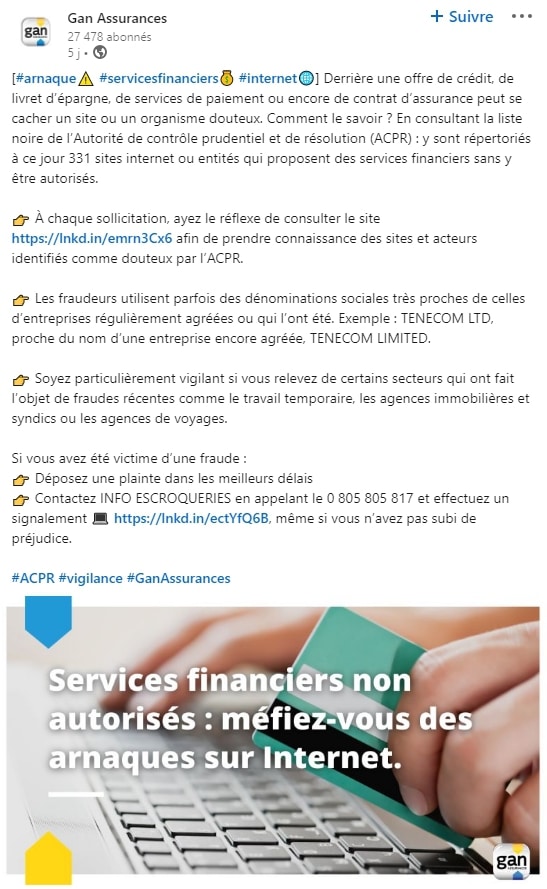
Évitez le piège du spam
La première étape pour obtenir un classement élevé est de montrer à LinkedIn que votre publication n’est pas indésirable.
Voici quelques conseils pour passer le filtre anti-spam :
- Évitez les hashtags comme #follow, #like et #comment
- Faites attention aux fautes de frappe et aux règles de grammaire
- Ne postez pas plus d’une fois toutes les trois heures (en réalité, une fois par jour, c’est déjà amplement suffisant)
- N’incluez pas plusieurs liens dans le texte de votre publication
De manière générale, veillez toujours à publier du contenu de qualité, qui va aider votre audience. Ne recherchez pas le like à tout prix, mais plutôt à susciter un véritable débat avec une information à valeur ajoutée.
Utilisez la partialité de LinkedIn à votre avantage
LinkedIn est clair quant au type de contenu qu’il souhaite afficher. C’est avant tout un réseau professionnel. Il est donc recommandé de :
- Rester pertinent pour votre audience, votre marque et le secteur.
- Se consacrer à une niche spécifique.
- Offrir de la valeur à la carrière de quelqu’un, comme des conseils pour sa croissance professionnelle.
- Utiliser différents formats tels que les vidéos en direct, les LinkedIn Stories, les sondages LinkedIn, les carrousels, etc.
Générer de l’engagement dans la première heure
Les 60 premières minutes après la publication d’un contenu sont cruciales pour sa portée. Si aucun utilisateur ne réagit à votre publication dans la première heure qui suit sa publication, il y a de fortes chances que la portée soit faible.
Pour générer de l’engagement rapidement sur votre publication :
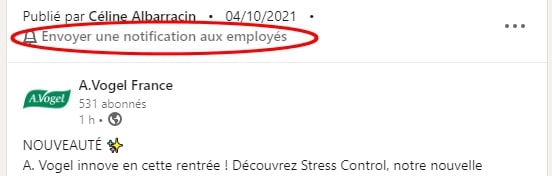
Informez vos employés de la publication
Utilisez vos moyens de communication internes pour sensibiliser les collaborateurs à l’importance de partager vos publications. Utilisez également la fonction « Envoyer une notification aux employés » disponible sur les pages.
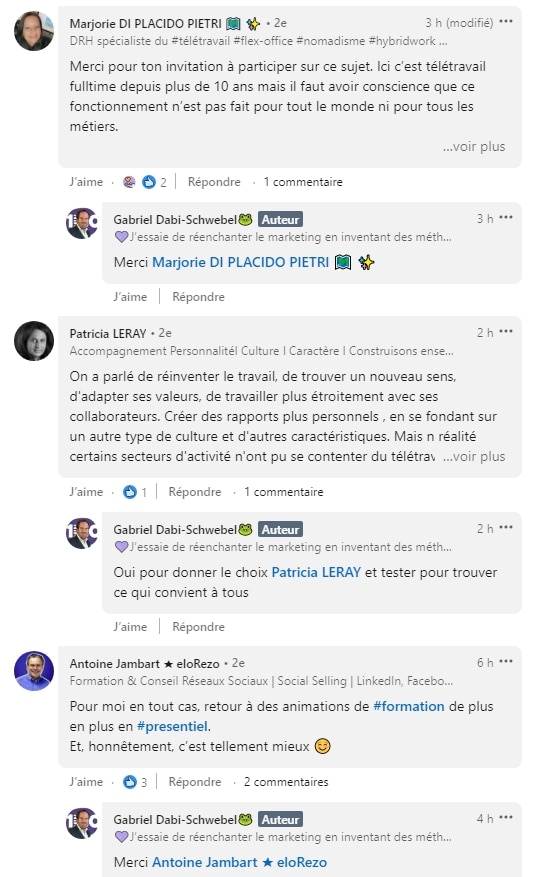
Réagissez ou répondez à chaque commentaire sous votre post
Plus il y a de l’interaction, plus la publication va remonter dans le fil d’actualité de vos contacts, ce qui va générer un effet boule de neige.
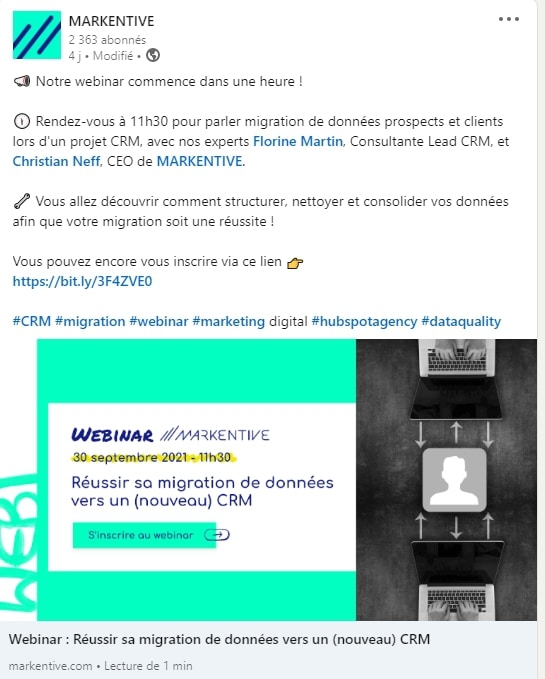
Utilisez les mentions et les hashtags pour augmenter la portée de vos publications
Utilisez un minimum de 5 hashtags dans chaque nouvelle et taguez les utilisateurs concernés (des employés, collègues ou partenaires en lien avec la nouvelle publiée).
Publier du contenu natif
Lorsque vous partagez du contenu provenant d’une autre plateforme que LinkedIn, sa performance s’effondre. Le réseau social tient à conserver ses utilisateurs sur la plateforme et bride la visibilité de vos liens, vidéos YouTube ou articles de blog.
La solution ? Publier du contenu directement sur LinkedIn sans liens externes ! Vous pouvez uploader une vidéo en natif, partager une liste de conseils ou résumer un article en une infographie ou présentation Slideshare.
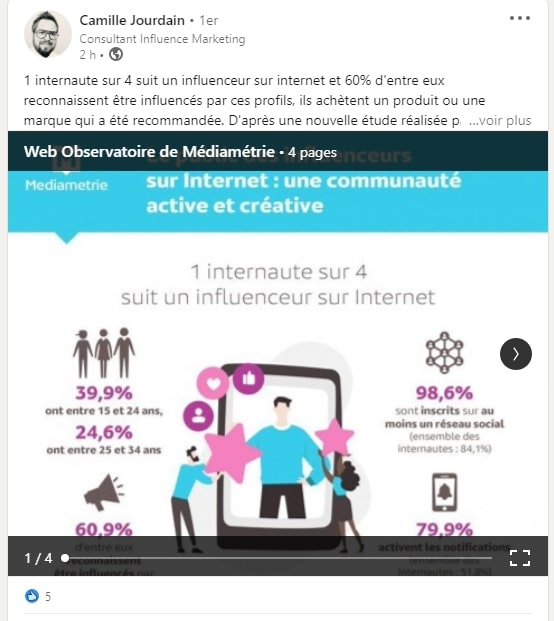
Vous voulez quand même ajouter un lien ? Faites-le en commentaire ou éditez votre post après sa publication.
Essayez les nouvelles fonctionnalités de LinkedIn
Comme tout réseau social, l’algorithme LinkedIn aime que vous utilisiez pleinement son potentiel. La plateforme a récemment lancé de nouveaux formats, comme les sondages, les carrousels d’images ou les événements, alors servez-vous de ces options !
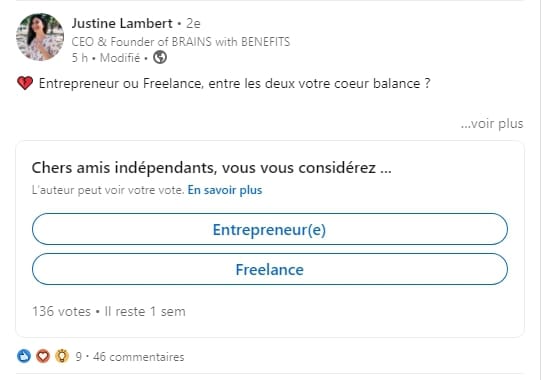
Vous pouvez également épingler un article important sur votre page ou profil, afin de lui donner davantage de visibilité.
Enfin, LinkedIn a lancé des cadres pour les photos de profils #OpentoWork ou #Hiring. Le premier indique à vos contacts que vous êtes en recherche d’opportunités, grâce à l’ajout d’un cadre vert, tandis que le second montre que vous recrutez, via un cadre violet.
Conclusion
L’engagement est essentiel pour l’algorithme de LinkedIn. Il dépend de la pertinence, du dynamisme de votre réseau et de votre réputation.
Pour élargir la portée de vos publications, gardez à l’esprit les intérêts et les besoins de votre audience, encouragez-les à s’engager via des nouvelles percutantes, utiles, qui incitent au débat !
Besoin d’aide pour augmenter votre visibilité sur les réseaux sociaux ? Trouvez un social media manager freelance rapidement sur Codeur.com !


