Lorsque l’on sait que 90% du temps passé sur un mobile est consacré aux applications, on comprends très vite l’enjeu pour une entreprise de posséder sa propre application.
Pourtant, le taux de désabonnement le premier mois d’utilisation approche les 60%. Et oui, un utilisateur mobile est intransigeant et s’il n’est pas entièrement satisfait du produit ou de son design, il le désinstalle.
Alors si vous ne voulez pas que votre application fasse partie de celles aussi vite téléchargées que désinstallées, voici 10 conseils pour soigner le design de votre application mobile.
1. Faire bonne impression, dès l’installation de l’application
La première utilisation d’une application par un utilisateur est souvent le moment le plus décisif : l’application va-t-elle être appréciée ou désinstallée ?
Il est plus que nécessaire de réussir l’onboarding, et pour cela, votre application mobile devra avoir un design intuitif et initier les utilisateurs aux fonctionnalités les plus intéressantes et attrayantes.
Pour faire bonne impression, designez votre application en gardant en tête que les futurs utilisateurs ne sauront pas comment l’utiliser et ne connaîtront pas les fonctionnalités à leur disposition.

2. Garder en tête l’objectif de l’application lors de son design
De nombreuses applications sont développées pour seulement suivre une tendance plutôt que pour résoudre un réel problème. Votre application doit avoir un but et doit proposer un service unique.
L’objectif que vous aurez déterminé influencera intégralement le développement et le design de votre application mobile et vous guidera dans vos prises de décision.
Si votre objectif est clair, les utilisateurs comprendront la valeur ajoutée que vous leur apportez. Dans le cas contraire, votre application sera jugée inutile et donc… désinstallée.

3. Penser à la navigation avant le design
Lors du développement d’une application faites attention à ne pas brûler les étapes.
Le design de l’application est une partie très excitante car c’est à ce moment que votre produit prend forme. Mais avez-vous bien réfléchi à la navigation de vos utilisateurs ?
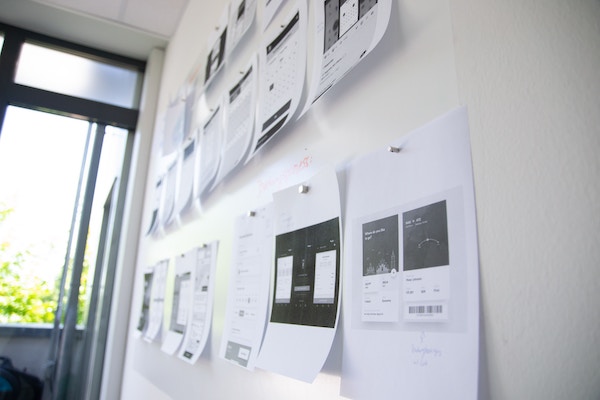
La structure de votre application et les chemins de navigation doivent être minutieusement pensés en créant par exemples des wireframes. Un manque d’organisation et une navigation qui manque de fluidité feront fuir vos utilisateurs.
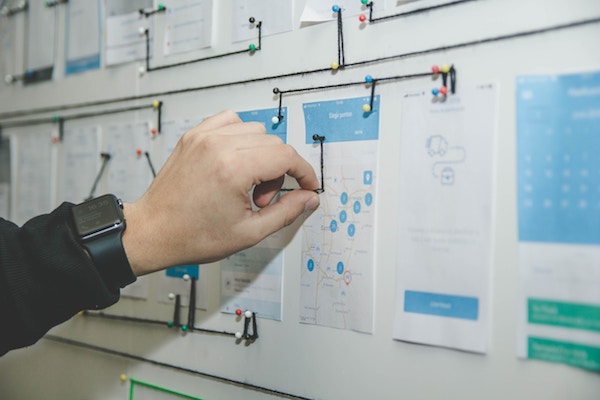
4. Ne pas ajouter trop de fonctionnalités
Les plateformes d’applications mobiles proposent déjà des nombreuses ressources aux utilisateurs, vous n’avez donc pas besoin de le faire. Votre application ne doit pas être un couteau suisse.
Proposer trop de fonctionnalités n’est pas une bonne chose car :
- Vous risquez de désorienter votre utilisateur
- Vous détériorerez l’expérience utilisateur
- Votre application sera plus difficile à commercialiser
Il est conseillé de réaliser des prototypes de votre application pour mettre en évidence les fonctionnalités indispensables et celles qui paraissent excessives. Vous devez également être capable d’expliquer rapidement et de manière concise votre application.
5. Penser au contexte d’utilisation de l’application
Les objectifs et le design doivent être pensés en prenant en compte le contexte d’utilisation de votre application.
Pensez d’abord à vos futurs utilisateurs. Les plus jeunes trouveront certainement des fonctionnalités intuitives alors que d’autres trouveront ces mêmes fonctionnalités difficilement compréhensibles.
Réfléchissez ensuite aux situations où votre application sera utilisée en vous posant les questions suivantes :
- Doit-elle être accessible rapidement pour un temps très court ?
- Possède-t-elle beaucoup de contenu pour permettre aux utilisateurs de rester plus longtemps ?
- Comment le design va refléter le contexte d’utilisation ?
6. Rester simple
Beaucoup tentent de se distinguer des autres applications par un design original. Mais original ne veut pas dire compliqué.
Même si vous voulez rendre vos éléments attrayants, n’oubliez pas qu’ils doivent apporter une valeur ajoutée à l’expérience utilisateur.
Évitez aussi de revisiter les éléments standards d’une application mobile. Certains icônes sont souvent des repères visuels et rendent l’application intuitive.
Enfin, laissez des espaces blancs car une interface encombrée n’est pas très conviviale.
7. Proposer un mode sombre
Le lancement officiel d’Android 10 et d’iOS 13 ont mis en avant, dans leur interface utilisateur respective, le « mode sombre ». Apple et Google consacrent tous deux leurs ressources et leur attention à un mode sombre depuis plus d’un an. Les designers d’applications mobiles doivent désormais adopter ce qui est devenu une nouvelle norme pour les utilisateurs.
Les recherches montrent que 87% des utilisateurs de smartphones utilisent leur téléphone chaque soir dans l’heure qui suit le coucher, lorsque le mode nuit est actif. De plus, les utilisateurs ont la possibilité de définir le mode sombre comme leur style d’interface par défaut. 50 % des utilisateurs d’iPhone ont déjà mis à jour leur iOS 13, un nombre croissant d’utilisateurs naviguent donc sur l’App Store en mode sombre.
Comment designer le mode sombre de votre application ?
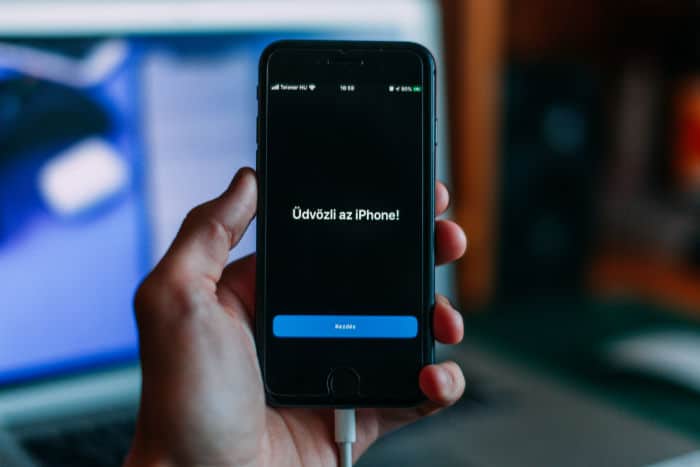
Il y a quelques éléments à prendre en compte lors de l’optimisation pour le mode nuit. Tout d’abord, les directives d’Apple. L’entreprise dispose en effet de directives et de conseils spécifiques pour les développeurs qui souhaitent adapter leurs applications au mode noir.
Étant donné que l’interface utilisateur du Dark Mode offre un contraste différent avec les éléments visuels, vous devez envisager les approches de conception suivantes :
- Adoucir la couleur des fonds blancs pour éviter qu’ils ne brillent et contrastent fortement avec le noir environnant.
- Un thème sombre ne doit pas être composé de texte blanc sur fond noir. Lorsque vous ajoutez le mode sombre à votre application, il est plus sûr d’utiliser le gris foncé comme couleur principale pour les composants du mode sombre, car cela réduit la fatigue oculaire. Il est également beaucoup plus facile de regarder les ombres sur une surface grise que sur une surface noire.
- Les couleurs saturées qui sont très belles sur les surfaces claires peuvent « vibrer » sur le fond sombre, ce qui rend le texte extrêmement difficile à lire.
- N’oubliez pas que le design se fond dans l’interface utilisateur de l’App Store
Pour être certain de réussir le design de votre application mobile, trouvez rapidement un développeur mobile en postant votre projet sur Codeur.com.
8. Être cohérent
Si vous optez tout de même pour un design revisité pour votre application, veillez à garder de la cohérence entre vos différents éléments.
Votre texte doit lui aussi être formaté de la même manière à travers les différentes « pages » de votre appli mobile.
9. Ne pas abuser des notifications
Les notifications push sont très utiles pour communiquer avec vos utilisateurs. Pourtant, beaucoup les désactivent car ils jugent leur fréquence d’envoi bien trop élever.
Outre le nombre de notifications envoyé, leur qualité est tout aussi importante. Vous devez envoyer des notifications utiles, tels que des rappels ou des conseils.
10. Optimiser votre design pour vous démarquer dans les app stores
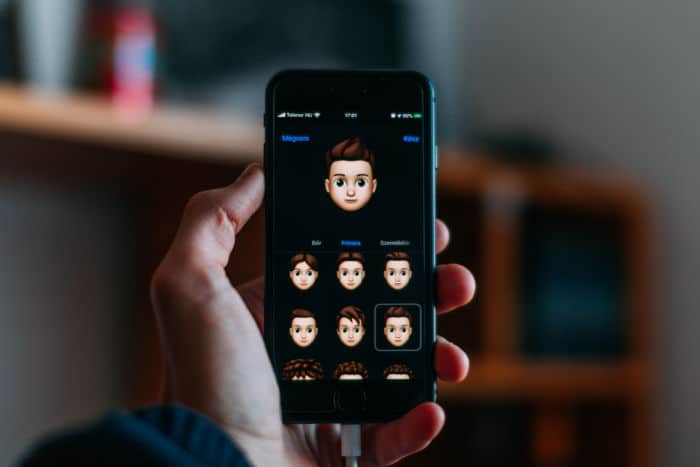
Il est important de savoir que 70 % des installations d’applications sur l’App Store proviennent de recherches. Cela signifie que la façon dont une application apparaît dans les résultats de recherche peut avoir un impact important sur son succès. La façon dont les applis se distinguent par leur design lorsque les utilisateurs effectuent des recherches est donc déterminante.
En général, les designers d’applications doivent suivre les meilleures pratiques d’optimisation de l’App Store. Lors de la conception des captures d’écran ou des icônes, ils doivent étudier le marché et identifier les tendances qui favorisent les conversions. Il peut y avoir certaines palettes de couleurs, éléments de conception, messages, etc. auxquels les utilisateurs réagissent bien.
Parmi les autres meilleures pratiques, on peut citer :
- Mettre en évidence un aspect différent de l’application avec chaque capture d’écran, en commençant par les caractéristiques essentielles.
- Inclure un texte d’appel bien visible pour chaque image.
- Incorporer des mots-clés de premier ordre dans le texte d’appel, afin que les utilisateurs puissent voir comment leurs recherches les ont amenés à cette application.
- Veiller à utiliser les dix captures d’écran autorisées.
- Garder à l’esprit que les trois premières captures d’écran sont les plus importantes pour la conversion depuis les résultats de recherche.
11. Ne pas oublier votre budget design
Vous avez plein d’idées pour votre application, c’est super. Mais avant toute chose, pensez à votre budget.
Vos développeurs et designers pourront très vite vous dire si vous avez assez de ressources pour mettre en place votre application telle que vous la voyez. Le cas échéant, vous pourrez trouver des solutions et des alternatives pour rentrer dans votre budget.
12. Faire des A/B Tests
Vous pensez avoir terminé votre application ? Ne la commercialisez pas sans avoir effectuer des A/B Testing.
Une erreur souvent répandue est de tester soi-même ou avec son équipe l’application mobile. Mais il est indispensable de la proposer à des regards neufs, cela ne vous fera pas perdre de temps, bien au contraire.
Vous pourrez déceler rapidement des erreurs, les éléments manquants, les fonctionnalités inutiles, celles qui ne sont pas comprises, etc. L’idéal est d’effectuer des tests à chaque étape du développement de votre application pour apporter rapidement les modifications nécessaires.
Effectuez des tests A/B pour voir si le taux de conversion change selon votre design, ou organisez des groupes de discussion pour voir comment les utilisateurs réagissent à vos choix design.
Si vous avez prévu un mode sombre pour votre application mobile, il est essentiel de tester les performances de vos créations en mode clair et en mode foncé. Cela peut nécessiter d’ajuster les éléments graphiques ou les couleurs pour trouver un bon équilibre, car ce qui fonctionne bien dans un mode peut ne pas être aussi performant dans l’autre.
Conclusion
Dans cet article nous avons évoqué deux sujets cruciaux pour réussir le design de votre application mobile : d’un côté la conception de l’application elle-même, qui peut devenir un argument de poids si elle est réussie, ou bien un repoussoir si votre application s’avère inutilisable, à cause d’une navigation trop ardue et contre-intuitive par exemple.
Ensuite, le nerf de la guerre : la visibilité dans les app stores. Si votre application est réussie, il faut que le design de vos captures d’écran et sa mise en avant dans les moteurs de recherche d’application mobile soit elle aussi soignée ! Il serait dommage de se priver des nombreux utilisateurs recherchant une application comme la vôtre pour répondre à leurs besoins.
Pour réussir le design de votre application mobile, faites appel à des professionnels. Postez votre projet sur Codeur.com et trouvez rapidement des développeurs mobiles freelances.
Vous cherchez un prestataire uniquement pour optimiser votre référencement dans les app stores ? Là encore, trouvez le freelance qu’il vous faut sur Codeur.com !


