La veille est chronophage, mais pourtant très utile à votre activité. C’est pourquoi, de nombreux outil de veille ont vu le jour, pour vous permettre de l’automatiser.
En analysant régulièrement les tendances de votre marché, les actions des concurrents ou ce qui se dit sur votre marque, vous pouvez constamment adapter vos offres. Vous puisez aussi une inspiration continue pour votre propre communication.
Mais comment gagner du temps et faire un tri plus rapide dans la masse d’informations publiée sur internet ? Grâce à ces 10 logiciels de veille, qui vous aident à automatiser votre surveillance du web très facilement.
Les outils de cet article ont été sélectionnés par notre équipe et ne sont pas sponsorisés. Découvrez comment sponsoriser votre outil.
1. Google Alertes : meilleur outil de veille gratuit
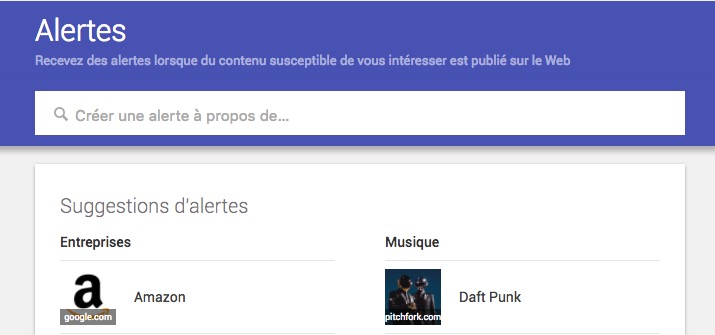
Le plus connu des outils de veille s’appelle Google Alerts. Entièrement gratuit, celui-ci vous permet de créer une alerte sur des mots-clés ou des expressions.
Vous pourrez ensuite recevoir les résultats par email (selon une fréquence que vous aurez déterminée) ou alors sous forme de flux RSS. Ce deuxième choix est pertinent si vous utilisez un agrégateur de flux, comme Netvibes ou Feedly.
Organiser sa veille avec les Google Alerts se fait en quelques minutes et vous permet de recevoir des mails à intervalle régulier, pour surveiller vos concurrents, identifier les tendances ou voir ce qui se dit de votre entreprise sur le web ou sur d’autres sites..
2. IFTTT : solution de veille gratuite

Également gratuit, IFTTT vous permet d’automatiser une partie de votre veille. Cet outil repose sur la programmation de microapplications qui vont effectuer une action de manière automatique. Dit comme cela, ça semble compliqué, mais rassurez, c’est très simple !
L’acronyme IFTTT signifie : IF This Then That. Autrement dit : s’il se passe telle chose, il faut réaliser telle action.
Par exemple, imaginez que vous souhaitez recenser les tweets qui parlent de votre marque. Vous pourriez automatiser la tâche en demandant à l’outil de vous envoyer un DM, remplir une feuille Google Sheet ou vous envoyer un email, dès qu’une personne publie un tweet contenant votre marque.
Vous pouvez aussi effectuer la même action à partir d’un flux RSS et donc combiner l’outil avec Google Alerts.
3. Zapier : outil de veille automatisé

Continuons dans les outils gratuits avec Zapier. Il repose exactement sur le même principe qu’IFTTT, sauf qu’il est plus ancien et donc plus développé. Vous disposez de beaucoup plus d’applications pour automatiser votre veille et vos autres tâches quotidiennes.
L’outil offre aussi des workflows plus complets, car il peut y avoir plusieurs conditions d’automatisation (alors qu’IFTTT n’en autorise qu’une).
Cependant, toutes ces fonctions supplémentaires alourdissent la prise en main de Zapier. Vous devrez donc vous poser la question de savoir si vous avez réellement besoin d’un outil aussi complexe pour votre veille.
4. GigaAlert
L’outil de veille GigaAlert est un complément utile à Google Alertes. Son fonctionnement est similaire à l’outil proposé par le géant américain. Vous avez aussi la possibilité de paramétrer des mots ou expressions et de régler la fréquence d’envoi d’email. En plus, vous pourrez exclure des sources qui ne vous semblent pas pertinentes. Vous recevez ainsi de meilleurs résultats.
Cependant, la principale différence entre cet outil et Google Alertes réside dans le moteur de recherches utilisé : GigaAlert se base sur Yahoo pour faire remonter les résultats. L’avantage est de diversifier les résultats obtenus et donc, d’avoir une veille plus exhaustive.
5. Alerti

Parmi tous les outils présentés, Alerti est le plus complet. À cet effet, il a un coût. Néanmoins, le tarif est très abordable, puisqu’il commence à 15€ par mois pour 1 alerte.
Son atout principal, par rapport aux concurrents, concerne les sources d’informations. Alerti ne se contente pas de sonder les résultats de Google, il fait aussi remonter les tweets, les photos et vidéos Instagram, les publications publiques sur Facebook, les vidéos YouTube, les posts sur les forums, etc.
Vous ne manquez alors aucune mise à jour sur le mot-clé ou l’expression que vous surveillez.
6. X / Twitter
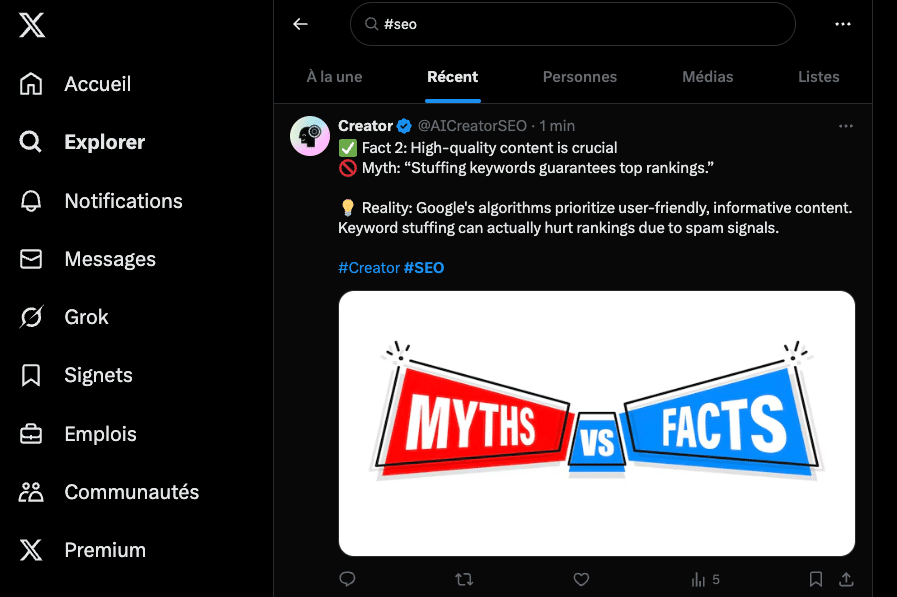
X / Twitter est un réseau social incontournable pour voir et être vu, mais c’est également un outil de veille très complet qui vous aidera à appréhender l’impulsion de votre marque. Bien sûr, vous pouvez aussi l’utiliser si vous êtes intéressé par un secteur donné, une entreprise ou un réseau d’influenceurs.
Leader du microblogging, X brasse une quantité d’informations impressionnante grâce aux “threads” qui inondent la plateforme. Heureusement, il existe plusieurs solutions faciles à mettre en œuvre pour configurer des alertes.
Vous pouvez, par exemple, renseigner les sujets qui vous intéressent avec des mots-clés précédés du fameux hashtag. Vous obtiendrez une liste des activités les plus récentes, hiérarchisée par type de médias. Le suivi de comptes est également une manière simple et efficace d’obtenir des informations en temps réel, à condition de sélectionner des sources fiables.
Pour gagner du temps, téléchargez une application gratuite conçue pour exploiter les données compilées sans X / Twitter. Il existe de nombreux outils faciles à configurer. Twilert, par exemple, intègre un algorithme perfectionné capable de trier et de faire une analyse des publications, puis de vous envoyer une synthèse par email. Tout cela à partir d’une simple liste de mots-clés !
7. Flipboard

Grâce à une collaboration avec de nombreux médias et supports, Flipboard permet à ses usagers de définir des thématiques cibles et de recevoir des actualités liées à la fréquence désirée.
Bien qu’il puisse être utilisé comme un simple journal que l’on achèterait tous les jours, Flipboard possède d’autres avantages. Agissant comme un véritable outil d’information, Flipboard relaie toutes les nouvelles informations depuis de nombreux flux afin de proposer l’information le plus précise, tout de suite. L’un des avantages de Flipboard est son interaction avec les réseaux sociaux et les plateformes vidéo, comme YouTube. Les fonctionnalités de partage intégrées offrent un gain de temps précieux.
Entièrement personnalisable, Flipboard vous fait voir ce que vous souhaitez suivre, mais également les contenus qu’il faut suivre. Vous pouvez même agrémenter la plateforme en publiant des articles depuis votre compte à destination des autres utilisateurs. Totalement gratuit, vous n’avez qu’à créer un compte et définir vos centres d’intérêt et les sujets que vous souhaitez suivre.
8. Feedly
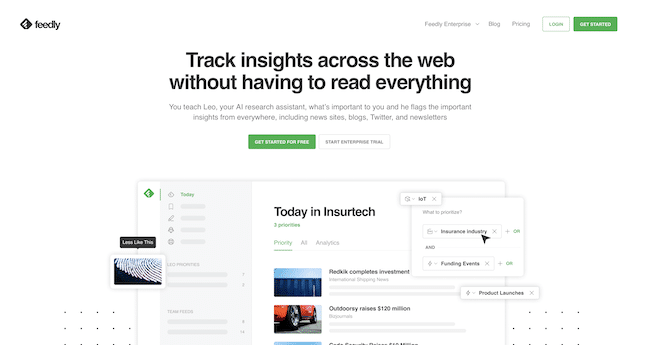
Feedly est un agrégateur de flux RSS compatible avec tous les navigateurs et devices. Il a été créé en 2008. Plébiscité par plus de 15 millions d’internautes, il s’agit de l’un des outils de curation les plus utilisés dans le monde. Son objectif est de regrouper et organiser l’ensemble des flux enregistrés par l’usager. Les mises à jour des contenus sont automatiquement envoyées par email ou par le biais de notifications.
Cet outil de veille est destiné à celles et ceux qui souhaitent contrôler les sources de contenus. Son approche n’est donc pas thématique : ce sont avant tout les sources choisies qui déterminent les contenus affichés. Feedly est particulièrement adapté pour réaliser certaines activités, comme une veille ciblée sur un secteur, un benchmark concurrentiel ou une surveillance de l’e-réputation d’une entreprise ou d’une marque.
Même si Feedly est un agrégateur « brut », il se distingue par une interface claire et intuitive. L’utilisateur peut ordonner les contenus par catégories et sélectionner plusieurs types d’affichage :
- Le mode liste affiche uniquement le titre des articles (parfois tronqué). Il est idéal pour obtenir une vue d’ensemble.
- Le mode vignette met en avant l’image principale associée à un contenu.
- Le mode article permet d’afficher plus de contenu (chapô et premier paragraphe).
Feedly possède des fonctionnalités de partage intéressantes. Il est compatible avec les principaux réseaux sociaux.
9. Netvibes
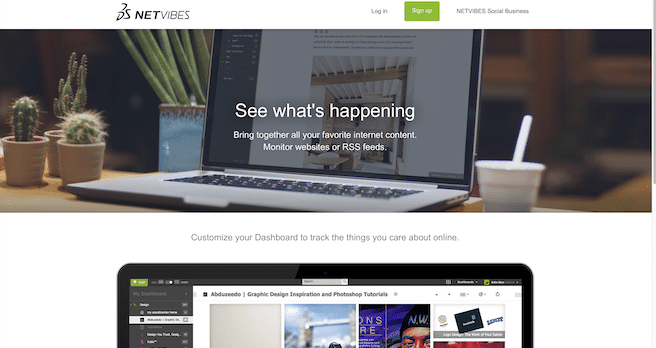
Pionnier du tableau de bord personnel, Netvibes est un outil de veille qui permet de suivre simultanément une multitude de sources d’information. Créé en 2005 avant d’être racheté en 2012 par Dassault Systèmes, il s’est perfectionné au fil des années pour intégrer les réseaux sociaux et suivre les évolutions technologiques. Il repose sur le concept du dashboard personnel, un outil développé pour visualiser en un seul clic l’actualité propre à un sujet donné.
Bien sûr, l’utilisateur peut cumuler plusieurs dashboard en fonction des thématiques suivies et naviguer d’une fenêtre à l’autre très facilement. La création de sous-onglets permet d’affiner des thèmes de recherche encore plus spécifiques.
À noter qu’il existe une version payante de NetVibes qui permet de profiter de fonctionnalités supplémentaires, comme de puissants filtres de recherche et une mise à jour des flux encore plus rapide. Cependant, la version gratuite est amplement suffisante pour un usage personnel ou récréatif.
10. Quora

Fonctionnant sur le même modèle que Flipboard, Quora est “un endroit conçu pour apprendre et partager ses connaissances”. Recueillant les articles d’utilisateurs, la plateforme vous permet d’acquérir et de disposer de nombreuses informations sur des sujets vastes et variés.
Son avantage ? Il reprend également un peu du fonctionnement de Feedly grâce à sa fonctionnalité de suivi des contributeurs. En effet, dès lors qu’un contenu vous plait, vous pouvez suivre l’auteur et ainsi construire une base de données d’auteurs qualifiés qui vous fournissent les informations que vous recherchez.
Sa valeur ajoutée ? La rémunération de ses contributeurs. À contre-courant des grandes entreprises comme Twitter, Quora a mis en place un système de rémunération pour les contributeurs qualifiés et sélectionnés par la plateforme basé sur les revenus générés par leur article grâce aux publicités. Une partie des revenus publicitaires générés par leurs questions leur est réservée afin de récompenser leur contribution.
Comment tirer bénéfice des outils de veille ?
Les outils de veille sont très pratiques pour s’informer en quelques clics, détecter des sujets pertinents pour son activité et suivre sa réputation en ligne. Pour éviter les écueils, pensez à configurer chaque outil selon vos besoins réels.
Si vous souhaitez simplement rester informé de l’actualité de votre secteur, il n’est pas utile de vous polluer avec plusieurs systèmes d’alerte qui risquent d’engendrer des notifications quotidiennes.
Essayez de choisir des mots-clés pertinents et précis lorsque vous définissez des alertes. Méfiez-vous également des termes trop génériques et des synonymes. Le cas échéant, vous risquez de recevoir des informations qui ne correspondent pas à vos attentes.
Enfin, ne cumulez pas plus de 2 ou 3 outils de veille complémentaires au risque de recevoir plusieurs fois des activités similaires.
Notre astuce pour automatiser votre veille
Avec ces 10 outils de veille et d’analyse, vous prenez régulièrement la température du marché, tout en réalisant quotidiennement une analyse concurrentielle.
Aucun post concernant votre entreprise ne vous échappera ! Aucun article de vos concurrent ne sera publié sans que vous en soyez informé. Vous êtes ainsi sûr de ne louper aucune publication importante.
Si vous souhaitez gagner du temps dans votre veille quotidienne, postez une annonce sur Codeur.com, pour trouver un freelance prêt à vous aider !


