Le CMS SEO friendly, c’est cet ami qui a toujours les bonnes places pour les concerts.
Même si vous avez déjà un moyen d’entrer dans les SERP, opter pour une solution intégrant des fonctionnalités SEO augmente vos chances d’occuper les meilleures places. Et donc d’être devant la scène, prêt à attirer l’attention de vos prospects stars !
Cependant, parmi toutes les plateformes du marché, laquelle choisir ? Quel CMS booste votre SEO ? On vous apporte les réponses dans cet article…
Les éléments à prendre en compte pour choisir un CMS SEO friendly
Votre CMS constitue le pont entre les moteurs de recherche et votre contenu. Autant dire qu’il doit être solide ! Un CMS sans les fonctionnalités SEO requises risque d’entraver la découverte de vos pages par les moteurs de recherche (et donc par vos prospects).
Avant de choisir une solution, voici les éléments que doit absolument comporter un CMS SEO friendy :
Une interface utilisateur intuitive
Une interface conviviale est importante pour l’expérience d’utilisation. Pensez-y, votre équipe devra utiliser le CMS pratiquement tous les jours. Ils auront besoin d’un outil ergonomique, qui nécessite peu de savoir-faire technique ou de formation.
L’objectif est de pouvoir facilement intégrer toutes les bonnes pratiques SEO au quotidien, tout en facilitant la création de trafic sur votre site web.
À cet effet, optez pour un système qui permet à vos développeurs de coder dans leur langage de programmation préféré, ou choisissez une solution clé en main si vos collaborateurs n’ont pas de connaissance HTML.
L’évolutivité du CMS SEO
Google et ses algorithmes… C’est toute une histoire ! Depuis des dizaines d’années, la firme de Mountain View fait évoluer son intelligence artificielle pour améliorer la qualité et la pertinence de ses résultats.
Les gérants de site internet doivent sans cesse s’adapter aux nouvelles règles. Alors, autant choisir un CMS flexible, qui vous permettra de suivre les tendances SEO.
Par ailleurs, vous devez vous préparer pour les nouveaux formats. Aujourd’hui, vous devez penser à la Réalité Virtuelle, la Réalité Augmentée et les enceintes connectées. Assurez-vous de choisir une solution CMS capable de prendre en charge ces canaux émergents.
La synchronisation avec vos applications tierces
Qui dit CMS SEO, dit outil capable de s’intégrer facilement à vos applications marketing ! Votre plateforme de marketing automation, votre outil d’emailing, votre solution de veille stratégique, Google Analytics, votre CRM… Pour un référencement efficace, vous devez interconnecter vos différentes applications.
Choisissez un CMS qui possède, soit des extensions, soit des API performants permettant la synchronisation et la connexion à tous vos outils.
Des fonctionnalités SEO on-page
Le SEO on-page vous permet de contrôler le contenu de votre page et de le structurer, afin d’optimiser la façon dont il apparaît dans les résultats. Lorsque ces éléments ne sont pas explicitement définis, les moteurs de recherche remplissent les blancs. Et ce n’est pas toujours très pertinent !
En natif ou via des plugins, assurez-vous que le CMS sélectionné offre la possibilité de :
- Modifier le titre et les métadonnées.
- Personnaliser les balises title.
- Optimiser le référencement des images et des médias.
- Créer ses propres URLs.
- Gérer les redirections.
La gestion du crawling et de l’indexation du site web
Votre site web contient sûrement des pages que vous ne souhaitez pas voir apparaître dans les résultats de recherche. Cela peut être des landing pages d’événements passés ou des ressources internes. Un CMS SEO friendly doit vous donner le pouvoir de contrôler ce qui est disponible pour l’exploration et l’indexation.
Avant de choisir votre outil, recherchez des options comme :
- La création automatique d’un sitemap.
- Une directive Noindex pour les pages.
- Des balises canoniques pour le contrôle du contenu dupliqué.
- Le contrôle des redirections 301 et autres codes de statut.
Tout comme les critères SEO on-page, ces fonctionnalités peuvent être natives ou ajoutées via une extension.
La prise en charge du Schema Markup
Le schema markup, plus connu sous le nom de « données structurées », est un code à placer sur une page web pour résumer les points principaux du contenu. Ces balises supplémentaires aident les moteurs de recherche à mieux comprendre le sujet. Avec ces données structurées, votre contenu est éligible pour les extraits optimisés ou la position 0 de Google, ce qui améliore votre visibilité, ainsi que le taux de clics.
Un CMS SEO friendly facilite la mise en place du schema markup. Cependant, pensez aussi à vérifier qu’il propose cette fonctionnalité sur chaque page et que le code est correctement placé dans la balise head, surtout lorsque les données sont remplies automatiquement.
Un outil analytique… ou la possibilité d’intégrer les vôtres
Les CMS offrent des outils d’analyse intégrés qui vous permettent de mesurer régulièrement les performances de vos efforts de référencement. Les plateformes les plus complètes vous permettront de suivre :
- Le trafic organique.
- Les performances des mots-clés.
- Les performances des pages.
- Les leads.
- Les taux de rebond.
- Les liens entrants.
- La duplication du contenu.
Sinon, vous devriez pouvoir installer vos outils d’analyse préférés sous forme de plugins supplémentaires.
Un chargement rapide des pages
Vous le savez certainement : la vitesse de vos pages influence votre positionnement dans les moteurs de recherche. Un CMS avec un code mal rédigé ou des images non optimisées peut ralentir le chargement de vos contenus et donc affecter votre classement.
Assurez-vous que la solution choisie permette de prendre des mesures pour alléger les processus d’affichage et bien gérer la vitesse de votre site.
Une optimisation de la navigation
Plus vous pouvez personnaliser votre site internet, plus vous avez la possibilité d’optimiser l’expérience de vos visiteurs. Or, la durée de visite, ainsi que le nombre de pages visitées influencent votre référencement. Ces critères, qui entrent dans les fameux Core web Vitals de Google, sont essentiels pour vous placer en pole position.
Il en va de même pour l’affichage sur mobile ! Un CMS SEO friendly s’adapte parfaitement aux smartphones et vous aide à optimiser la navigation sur des écrans réduits.
6 CMS SEO friendly à découvrir
Maintenant que vous savez ce que vous recherchez, voici 6 CMS adaptés au SEO :
1. Magento, un CMS surpuissant
Démarrons par l’un des CMS les plus puissants du marché : Magento. Utilisé par de très grandes entreprises comme Nike, Christian Louboutin, Coca-Cola, Jaguar, Zadig et Voltaire, Burger King, Pierre Fabre ou encore Seat, cette solution open-source est 100% personnalisable, flexible et évolutive. Tout ce qu’il vous faut pour améliorer votre référencement naturel et rapidement gagner des places dans les moteurs de recherche.
Parmi les fonctionnalités fortes de ce CMS pro SEO, vous trouverez :
- L’ajout facilité de meta-descriptions sur toutes vos pages de produits.
- L’optimisation du texte alt des images de produits.
- La création automatique d’une sitemap bien structurée (mais modifiable).
- Des menus de navigation personnalisables pour un SEO on-page efficace et une meilleure expérience client.
- La création d’URL canonique pour éviter le contenu dupliqué.
- Le remplissage automatique des données structurées.
- La configuration complète et détaillée de vos pages de commande, de compte, de panier et d’administration (avec la possibilité de les passer en « nofollow »).
- La possibilité de créer des carrousels de recommandations produits et autres contenus destinés à retenir les visiteurs (un facteur SEO important).
- L’ajout automatique d’un certificat SSL pour les pages contenant des données personnelles et informations sensibles.
2. Joomla, le CMS SEO friendly pour tous

Joomla est l’un des CMS les plus populaires pour ses performances en termes de vitesse et d’expérience utilisateur. Sans avoir besoin d’installer d’extensions, vous pouvez :
- Rédiger des méta-descriptions et titres.
- Activer la compression gzip.
- Modifier la façon dont vos URL sont générées.
- Structurer votre contenu pour les extraits de Google.
- Créer un plan de site XML.
- Mettre en place des redirections.
- Mettre en cache des pages de votre site pour améliorer les performances.
- Désigner des URL canoniques pour aider les moteurs de recherche à localiser la version la plus pertinente d’une page.
Joomla est un CMS SEO friendly de référence !
3. Shopify, un CMS clé en main pour débuter

Plateforme clé en main destinée aux débutants, Shopify s’adresse aux professionnels qui veulent lancer un e-commerce avec peu de produits. Niveau fonctionnalités SEO, ce CMS permet de :
- Cibler des mots-clés.
- Ajouter du texte alt aux médias.
- Optimiser la structure de votre site web.
- Créer des redirections et des sitemaps XML.
- Gérer des URL canoniques.
De plus, Shopify dispose d’un partenariat avec le fournisseur de CDN Cloudflare pour améliorer les temps de chargement des pages. Et si vous souhaitez aller plus loin que les options SEO natives, vous disposez de nombreux plugins pour améliorer votre sitemap, corriger les bugs, renforcer les données structurées, optimiser le SEO local, etc.
4. Drupal, le CMS SEO des experts

Si vous avez de l’expérience en codage, Drupal est le CMS SEO qu’il vous faut ! D’autant plus qu’il est entièrement personnalisable, vous permettant ainsi d’optimiser tous les éléments des Core web Vitals et de le structurer en fonction de votre stratégie de mots-clés.
Autre atout de Drupal : la vitesse de chargement de vos pages ! Tous les éléments sont mis automatiquement en cache, ce qui améliore le temps d’affichage du contenu.
Enfin, ce CMS propose de multiples extensions pour optimiser votre référencement naturel et :
- Établir des rapports d’analyse de votre positionnement.
- Ajouter des données enrichies à vos contenus.
- Personnaliser vos URLs.
- Gérer des redirections.
- Créer des sitemaps parfaitement structurés.
- Optimiser le référencement des images et médias.
5. WordPress, le célèbre CMS
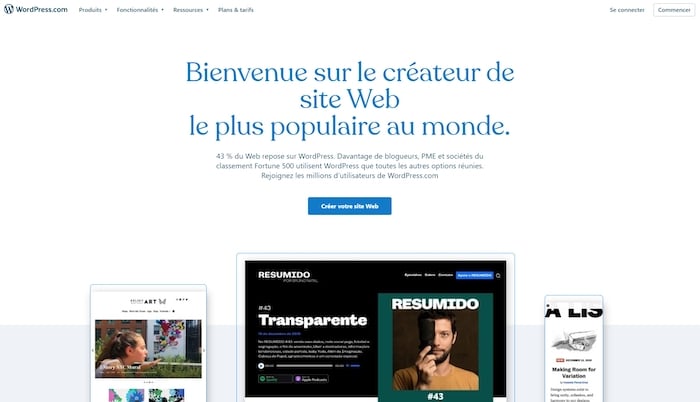
WordPress reste le CMS le plus connu sur le marché à l’heure actuelle. Que vous ayez un blog, un site vitrine ou un e-commerce, cette solution est totalement SEO friendly.
Nativement, WordPress possède de nombreuses options pour :
- Modifier vos URLs.
- Générer des sitemaps XML.
- Booster la vitesse de chargement des pages.
- Minimiser les images.
- Générer des rapports d’analyse sur votre stratégie SEO.
- Créer en un clic un ou plusieurs sitemaps.
- Améliorer la lisibilité de vos contenus.
- Personnaliser le robot.txt et plus généralement tous les fichiers du site.
Mais il est possible de rajouter des plugins pour aller encore plus loin ! Pour vous faire accompagner, faites appel à un développeur WordPress freelance sur Codeur.com !
6. Prestashop, le CMS SEO français

Dédié spécifiquement aux sites e-commerce, Prestashop est un CMS SEO friendly 100% français.
S’il est possible de configurer vos éléments SEO basiques directement via l’interface, vous pourrez aller plus loin grâce à des plugins comme SEO Manager.
Ce dernier permet de générer automatiquement les meta données pour les pages produits, fournisseurs, marques et catégories. Il insère aussi vos mots-clés dans les balises générales. Un vrai gain de temps pour celles et ceux qui gèrent une boutique en ligne comprenant des centaines de références.
Notre astuce pour choisir le meilleur CMS SEO
Opter pour un CMS SEO friendly ne suffit pas à améliorer votre référencement. Une fois le côté technique mis en œuvre, pensez aussi à votre stratégie de contenus, de sa création à sa distribution, pour vous assurer une visibilité optimale.
Si vous avez besoin de vous faire accompagner dans l’installation d’un CMS ou dans votre stratégie SEO, faites appel à un développeur CMS freelance en postant votre annonce sur Codeur.com !


