Depuis maintenant deux années, React Native et Flutter sont les outils les plus populaires pour le développement logiciel multiplateforme d’applications mobiles, et leur taux d’adoption continue de croître et de survoler la concurrence.
Contrairement à une approche de développement natif, Flutter et React Native permettent la création d’une base de code unique qui fonctionne à la fois pour les appareils iOS et Android. Comme cela demande moins de codage, les applis peuvent être déployées plus rapidement et avec un budget plus restreint. C’est une des raisons principales pour lesquelles ces deux boîtes à outils de développement mobile sont devenues populaires.
Dans cet article, nous allons plonger dans l’univers de ces solutions et tenter la comparaison entre Flutter et React Native, afin de déterminer laquelle est la meilleure pour le développement d’applications en 2022 et nous allons opposer les avantages et les inconvénients de React Native à ceux de Flutter en utilisant différents critères. Bien sûr, avant cela, nous allons commencer par présenter chacune des 2 options.
Introduction à Flutter
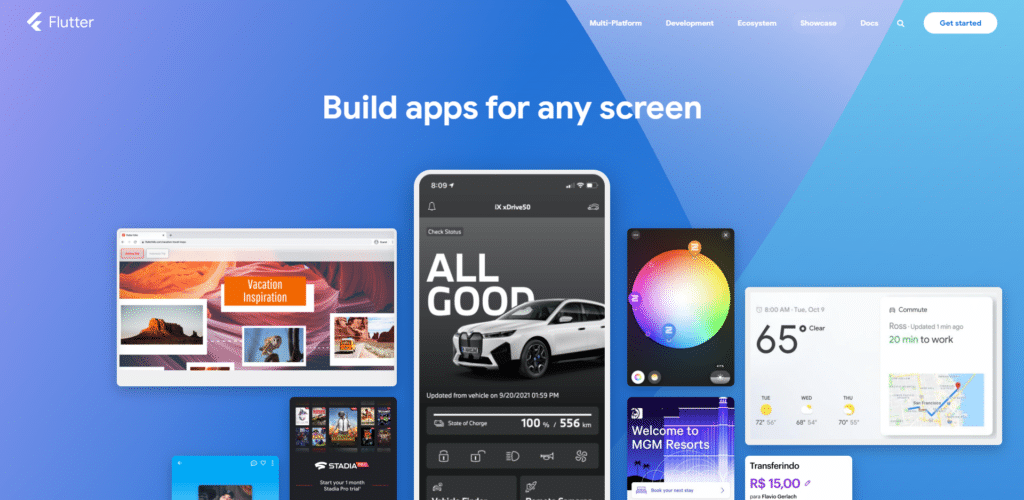
Créé par Google, Flutter est gratuit et open-source : la solution de Google nous est présentée comme un kit de développement logiciel (SDK) complet pour créer des applications, avec des widgets et différents outils supplémentaires.
Vous le savez, Flutter permet le développement d’applications multiplateformes, et offre aux développeurs un moyen simple de créer et de déployer des applications visuellement attrayantes, compilées en mode natif, pour les téléphones mobiles (iOS, Android), le web et les ordinateurs de bureau, le tout à partir d’un seul code.
Il est basé sur Dart, un langage de programmation rapide et orienté objet. Sorti en 2011, Dart est relativement récent mais néanmoins facile à apprendre, surtout pour les développeurs expérimentés qui connaissent déjà Java et C#.
Flutter fournit ses propres widgets, tirés de son propre moteur de rendu haute performance : ces widgets sont rapides, attrayants et bien sûr, personnalisables. Toujours grâce à ces widgets, les applications Flutter ont un bel aspect et une convivialité appréciée, mais vous pouvez créer votre propre design d’application personnalisé, en utilisant des éléments d’interface utilisateur facilement disponibles qui suivent les directives spécifiques de la plate-forme.
Les avantages de Flutter
Rapidité
Une fois que vous êtes en mesure de passer l’étape fastidieuse qui accompagne l’installation de Flutter, tout le reste va vraiment vite : contrairement à React Native qui utilise JavaScript, le framework Flutter utilise son propre langage de programmation, ce qui facilite l’ensemble du processus de développement d’applications, car vous n’avez pas besoin d’autres passerelles tierces.
Prise en charge de plusieurs appareils
Flutter veille à ce que l’utilisateur bénéficie de la même interface et des mêmes fonctionnalités, même s’il utilise un smartphone doté de processeurs datés, ou d’une version plus ancienne d’iOS ou d’Android.
Cela permet de maintenir une cohérence et une uniformité dans l’expérience utilisateur, tout en s’assurant que tout le monde puisse utiliser ces produits.
Langage de programmation
Flutter dispose d’un langage de programmation, Dart, créé spécifiquement pour lui.
Dart est à la fois rapide et élégant, avec une syntaxe similaire à C++, ce qui en fait le nouveau favori des développeurs.
Publication
La plateforme Flutter est conçue de telle manière que les applications créées à l’aide de celle-ci sont rapidement et facilement publiées dans les magasins d’applications en ligne tels que le Play Store.
Documentation
La plateforme est également conçue de telle sorte que la documentation des nouveaux programmes d’application se fait rapidement et sans difficulté.
Les inconvénients de Flutter
Installation
L’installation de Flutter est généralement très lente et complexe.
Pour en savoir plus, voici les tutos d’installation pour Windows, MacOS et Linux.
Langage de programmation
Oui le langage de programmation se trouve aussi dans les inconvénients.
Le langage utilisé par Flutter, le Dart, est relativement nouveau. La plupart des développeurs ne connaissent pas encore son fonctionnement. Il est pour l’instant assez dur de trouver des développeurs capables d’utiliser Flutter de manière professionnelle.

Popularité
Sur le marché du développement d’applications mobiles, Flutter commence tout juste à gagner ses lettres de noblesse : d’autres plateformes comme React Native sont plus populaires et répandues, avec une communauté d’entraide plus grande.
Manque de bibliothèques
Flutter est une plateforme récente, et bien qu’elle soit open source (et dispose de bibliothèques préconstruites), le nombre des fonctionnalités proposées reste limité.
C’est donc au développeur de créer des bibliothèques à partir de rien et de les mettre à disposition de la communauté pour aider les autres, et combler cette lacune.
Taille importante des fichiers
La taille des fichiers de Flutter peut vite devenir énorme. En raison de son énorme taille, l’application peut parfois devenir difficile à gérer.
C’est considéré comme un inconvénient, mais il en regroupe plusieurs car cette caractéristique pourrait contraindre le développeur à se tourner vers une autre plateforme qui produit des fichiers plus compacts, et parce qu’une application trop lourde prend de la place sur les appareils et aura tendance à tourner au ralenti, surtout sur les modèles moins récents.
Introduction à React Native
React Native est une idée de Facebook, et est devenu très vite populaire parmi les développeurs, probablement parce qu’il existe depuis plus longtemps que Flutter.
React Native utilise le langage de programmation JavaScript. Il est populaire parmi les entreprises de réseaux sociaux. Tesla et Skype font partie de ses utilisateurs les plus notables.
React Native est un framework permettant le développement multiplateforme, c’est-à-dire de créer des applications pour Android et iOS à l’aide d’une base de code unique, en utilisant le langage très populaire JavaScript. Les applications créées à l’aide de React Native ne sont pas des applications Web mobiles.
React Native utilise les mêmes éléments fondamentaux d’interface utilisateur que les applications iOS et Android classiques : cela signifie qu’au lieu de créer en Java, Kotlin ou Swift, vous assemblez les mêmes éléments en utilisant JavaScript et React.
React Native possède enfin des composants qui sont similaires aux widgets de Flutter.
Les avantages de React Native
Popularité
React Native existe depuis un certain temps et rassemble un grand nombre d’utilisateurs, ainsi qu’environ 42 % des développeurs d’applications.
Puisqu’il s’agit d’un framework open-source, les bugs et autres problèmes peuvent être facilement résolus en demandant aux développeurs pairs. De plus, les développeurs seront encouragés à partager leurs codes et leurs produits, et à faire grandir la communauté encore plus chaque jour.
Facilité d’utilisation
Bien connu des développeurs, Javascript est aussi assez simple à utiliser. Il est facile de trouver des développeurs ayant une connaissance approfondie de JavaScript et qui savent donc l’utiliser parfaitement.
La réutilisation du code
C’est une caractéristique pratique car la plupart des fonctions et des codes sont similaires pour les plateformes iOS et Android. Cela permet de réduire le temps nécessaire au processus de développement, améliorant ainsi l’efficacité de l’ensemble du système.
Installation
L’installation du framework React Native est assez facile. Il suffit d’avoir une bonne maîtrise de Java.

Prise en charge des bibliothèques et des plugins tiers
De nombreuses bibliothèques tierces comportant des fonctions complexes peuvent être facilement importées et utilisées dans votre application.
Cela permet de réduire le temps de développement, et les bibliothèques sont testées de sorte qu’il y a très peu de risques de créer des codes cassés ou des applications buguées en les utilisant.
Les inconvénients de React Native
Vitesse
React Native n’est pas aussi rapide que son homologue Flutter. Vous devrez passer par des ponts JavaScript lors du développement d’une application.
Version et documentation
React Native suit des procédures manuelles standard pour la libération et la documentation. Cela rend là aussi le processus assez lent.
Difficulté d’apprentissage
L’apprentissage du développement d’applications peut être assez difficile avec React Native, en particulier pour les débutants qui s’essaient au monde du développement d’applications.
En outre, pour commencer à utiliser React Native, il faut avoir de l’expérience dans le développement d’applications natives. React Native n’est donc pas la meilleure option pour commencer votre carrière de développeur d’applications.
Mauvaise gestion de la mémoire
En raison de son framework basé sur Javascript, React Native n’est pas très performant en matière de gestion de la mémoire. Les calculs complexes sont également traités de manière très inefficace dans React Native.
Il ne s’agit donc pas du meilleur choix de framework pour le développement d’applications amenées à effectuer des tâches complexes.
Faible sécurité
La nature open-source de Java présente également des inconvénients. Chaque ressource étant ouverte au public, les applications développées à l’aide de React Native sont très peu sécurisées et peuvent être facilement pénétrées par un autre développeur.
Ainsi, lorsqu’il s’agit de créer des applications liées au secteur bancaire par exemple, les développeurs évitent de recourir à React Native.
Conclusion
Il y a des avantages et des inconvénients dans les deux frameworks, et c’est au développeur de choisir la plateforme qui sera la mieux adaptée en fonction de la tâche à accomplir et du type d’application souhaité.
Cependant, comme il s’agit de plateformes à code source ouvert, les possibilités sont immenses dans les deux cas, et elles ne feront que s’accroître dans les jours à venir, leur croissance ne cessant de progresser.
Trouvez rapidement un développeur Flutter ou React Native disponible sur Codeur.com en postant votre projet gratuit !


