Créer une application Android TV, c’est toucher 110 millions d’utilisateurs actifs. Un joli marché pour faire connaître votre entreprise et diversifier vos sources de revenus.
Cependant, la création d’une application pour téléviseur diffère du développement d’une application Android sur mobile. Dans cet article, nous allons étudier les spécificités d’une application Android TV, ainsi que les outils et méthodes pour la construire.
Si vous souhaitez développer votre application Android TV, déposez un projet sur Codeur.com pour trouver un développeur Android capable de réaliser votre projet.
Qu’est-ce qu’une application Android TV ?
Comme son nom l’indique, une application Android TV se télécharge et s’installe spécifiquement sur les téléviseurs fonctionnant sous le système d’exploitation Android. Ces apps, qui comprennent la saisie vocale sur les télécommandes, sont également compatibles avec Google Cast et Chromecast. Certaines peuvent aussi s’intégrer avec Google Assistant.
Les applications TV forment une catégorie à part entière sur Google Play. Elles sont divisées en plusieurs rubriques spécifiques :
- Les services de streaming de films et de télévision : YouTube, Netflix, Amazon Prime, etc.
- Les services de streaming musical : Spotify ou Deezer, par exemple.
- Des applications de jeux : Minecraft, Grand Theft Auto, Final Fantasy… de nombreux jeux ont été adaptés pour Android TV.
- Des outils multimédias comme des lecteurs, des explorateurs de fichiers et d’autres applications qui facilitent le contrôle du téléviseur.
- Des applications du quotidien : météo, recettes culinaires, réseaux sociaux…
Les différences entre créer une application Android TV et une app mobile
Créer une application Android TV diffère d’une appli mobile, notamment dans la prise en charge de ces éléments :
Les interactions
L’interaction de l’utilisateur sur une Android TV est réalisée avec les touches de la télécommande, que ce soit pour accéder au menu, naviguer sur le store, télécharger des applications. Contrairement aux clics ou balayages utilisés sur un terminal mobile, l’usage de la télécommande est implique de penser différemment l’application. Cela introduit une complexité supplémentaire en ce qui concerne l’intégration et le temps de réaction du dispositif.
Étant donné que l’application sera commandée à distance, l’interaction avec l’utilisateur reste simple. Le design est donc simplifié au maximum.
L’interface utilisateur
En créant une application Android TV, vous devez prendre en compte la manière dont l’utilisateur se déplace entre les blocs avec la télécommande à 5 touches. Que ce soit pour une application de lecture vidéo, l’utilisation de la fonction recherche, l’implémentation du menu, sélectionnez avec soins la méthode de navigation dans votre application pour satisfaire vos utilisateurs.
Les applis que vous créez ne seront pas en concurrence avec d’autres pour les ressources matérielles, mais avec d’autres tâches et fonctions intégrées à l’Android TV ou à la box. Parmi elles, on retrouve les intergiciels, les processus du système d’exploitation et d’autres éléments qui consomment de la mémoire, de la bande passante, etc.
Un changement de cadre
Android TV fournit le “Leanback Framework” pour le développement d’applications destinées à fonctionner sur ses appareils télécommandés. Vous devrez prendre en compte les différences physiques et les prédispositions mentales dans l’expérience de l’utilisateur. En effet, lorsqu’une personne se trouve devant la télévision, elle est généralement assise, en mode détente. Tout doit être fluide, simple et nécessiter le moins de réflexion possible…
Par ailleurs, au moment de créer une application Android TV, il est inutile de gérer les changements d’orientation d’écran ni plusieurs mises en page pour vous adapter à tous les écrans.
Pourquoi créer une application Android TV ?
Android TV représente 9 % des systèmes d’exploitation installés sur les smart TV vendues à travers le monde si l’on prend en compte Google Cast et Chromecast. C’est aussi la plateforme qui connaît de plus en plus de succès. En 2021, le temps de visionnage sur ces téléviseurs a augmenté de 42 %.
La première raison pour laquelle vous devez créer une application Android TV reste sa popularité. Les smart TV constituent le nouvel équipement technologique apprécié par les consommateurs. Ils ont révolutionné le monde de la télévision en offrant des programmes à la demande.
Android TV propose également une bibliothèque de plus de 5 000 applications et jeux. C’est ce qui distingue cette plateforme de ses concurrents. Parce qu’elle est basée sur Android, votre application a plus de chance de toucher votre public cible.
Le système d’exploitation offre une expérience utilisateur riche et optimisée pour les applications fonctionnant sur des appareils à grand écran, tels que les téléviseurs haute définition.
Les applications Android TV utilisent la même structure que celles destinées aux téléphones et aux tablettes. Cette approche signifie que vous pouvez créer votre appli en vous basant sur ce que vous savez déjà. Vous pouvez aussi adapter votre app existante pour qu’elle fonctionne sur ces smart TV.
En résumé, le processus de création s’avère plus facile avec une application Android TV.
Comment créer une application Android TV ?
Pour créer une application Android TV, 4 solutions s’offrent à vous :
1. Adapter votre application Android
Les applications Android peuvent être étendues pour fonctionner également sur les téléviseurs. Si vous disposez déjà d’une appli fonctionnelle sur Google Play, vous avez déjà parcouru 80% du chemin. Vous devez simplement prendre en compte les caractéristiques liées à une télévision pour affiner le code de votre application.
La mise en page
Votre application Android TV nécessite un design particulier pour fonctionner. Cela passe, tout d’abord, par une orientation en mode paysage et de grands éléments de l’interface. L’objectif ? Permettre à l’utilisateur de facilement naviguer dans l’application depuis son canapé.
La télécommande
La navigation dans votre application doit fonctionner avec la combinaison d’un pavé directionnel (D-pad) et d’un bouton de sélection. À cet effet, limitez les clics au minimum et simplifiez le flux d’utilisation de l’application.
Si votre app TV nécessite d’entrer des identifiants, mots de passe et/ou les détails de leur carte de crédit, pensez à utiliser les API Smart Lock et Autofill offertes par Google.
Intégrez aussi la correction automatique pour éviter que l’utilisateur ne recommence une saisie à cause d’une erreur de frappe ou d’une faute d’orthographe. Pour faciliter la saisie, ajoutez l’API Nearby Connections. Elle permettra au spectateur de se servir d’un autre appareil Android pour saisir du texte sur la smart TV.
Le contrôle vocal
Les derniers modèles de box Android TV sont équipées de l’assistant Google. L’utilisateur peut donc lancer l’application, parcourir le contenu ou modifier les paramètres de l’écran en utilisant uniquement sa voix.
Votre application Android TV devra prendre en charge la commande vocale pour offrir une expérience optimale à vos utilisateurs.
La recommandation de contenus
Pour attirer l’attention des utilisateurs et les garder longtemps sur votre application Android TV, vous devez intégrer la recommandation de contenus.
La plateforme dispose d’une chaîne “Watch Next” ou « Play Next » qui apparaît sur l’écran d’accueil de la télévision, juste après les applications. Votre objectif doit être d’y faire figurer le contenu de votre appli. Pour vous aider, Google a publié des directives à suivre.
La publicité
Si vous souhaitez monétiser votre application Android grâce à la publicité, les annonces ne doivent pas nécessiter de clic sur un site Web. Android TV n’est pas équipée d’un navigateur Internet. Elles ne doivent pas rediriger vers du contenu sur Google Play incompatible avec l’appareil. Faites donc attention à ces paramètres si vous vendez des encarts publicitaires dans votre app…
2. Utiliser un outil pour créer votre application Android TV
Le moyen le plus simple pour créer une application Android TV est d’utiliser une solution OTT (Over The Top). Surtout si votre projet contient la diffusion de vidéos ! En effet, une plateforme OTT vous permet de fournir des services de diffusion de vidéos, de musique, de flux en direct, de messagerie, de VoIP…
Par ailleurs, ces outils facilitent la personnalisation de votre appli, tout en offrant un backend recensant des données détaillées sur vos utilisateurs. Vous connaîtrez mieux votre audience, afin d’adapter vos contenus au fur et à mesure.
Parmi les solutions OTT reconnues pour créer une application Android TV, on retrouve :
Uscreen
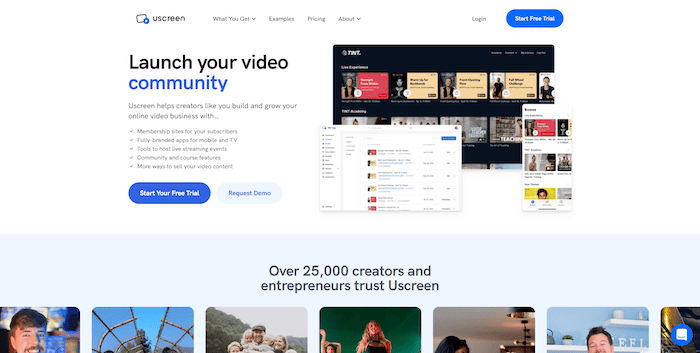
Uscreen vous permet de distribuer des vidéos à la demande et de diffuser des sessions lives sur les télévisions Android.
Vous n’avez pas besoin de connaissances en codage pour développer votre application. Vous choisissez simplement le thème de votre appli, selon votre niche, et l’outil se charge du reste. Bien entendu, vous pourrez personnaliser l’interface, ajouter votre charte graphique et les fonctionnalités indispensables à votre projet.
Lors de vos sessions lives, Uscreen permet aux spectateurs de publier des commentaires et répondre à des sondages. Parfait pour susciter l’engagement sur vos vidéos, générer des prospects et fidéliser vos clients.
Les formules d’Uscreen démarrent à partir de 79 $ par mois.
Muvi
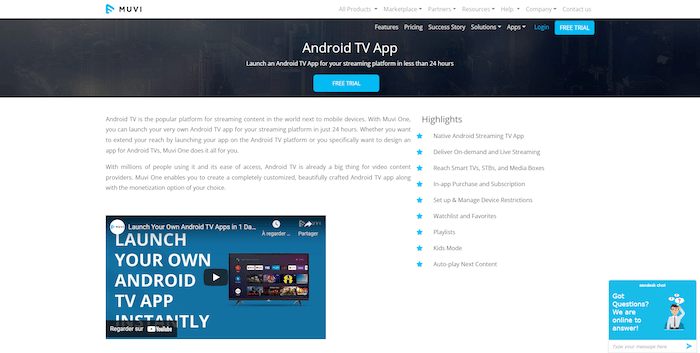
Outil no-code, Muvi s’adresse aussi bien aux débutants qu’aux professionnels. Cette solution promet de vous livrer votre application native Android TV en 24 heures. Sa particularité ? Vous pouvez créer une appli vidéo comme audio.
Muvi s’occupe également d’héberger vos contenus multimédias. Ses tarifs commencent à partir de 399 $ par mois.
Setplex
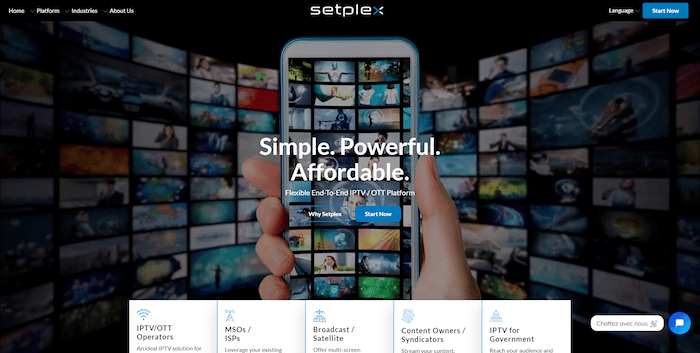
Vous avez l’intention de créer une application Android TV proposant de nombreuses chaînes ? Vous voulez les monétiser afin de rentabiliser votre investissement ? Setplex est la solution idéale.
Cette plateforme propose un dashboard riche en fonctionnalités, pour personnaliser au mieux votre application. Vous y trouverez aussi de nombreuses méthodes de monétisation, la possibilité d’intégrer des API, un CRM, des statistiques en temps réel…
Les tarifs de Setplex sont disponibles uniquement sur demande.
3. Acheter un template prêt à l’emploi
Comment créer une application Android TV avec un budget limité et sans compétences en développement ? Des marketplaces comme Envato proposent une sélection de templates prêts à l’emploi pour des prix compris entre 14 et 500 dollars.
Il s’agit d’une option moins coûteuse, parfaite si vous ne prévoyez pas de personnaliser votre application.
Cependant, vous devrez intégrer le modèle au backend de votre système et l’adapter aux directives de Google Play. Si vous ne disposez pas de connaissances techniques, cela peut tout de même constituer un véritable défi.
4. Faire appel à un développeur Android sur Codeur.com
Faire appel à un développeur Android freelance représente le meilleur moyen pour créer votre application Android TV. Il maîtrise les langages Kotlin, HTML, CSS, JavaScript et XML nécessaires pour concevoir une appli performante sur les téléviseurs.
Avec cette option, vous gardez le contrôle sur le processus de création. Le freelance vous accompagne, vous guide et vous offre ses meilleurs conseils pour la réussite de votre projet. Par ailleurs, il s’adapte pleinement à votre cahier des charges pour créer une application Android TV sur-mesure et adaptée à vos objectifs.
Postez dès maintenant une annonce sur Codeur.com !


