Plateforme de conception de sites web « no code », Webflow permet de créer une vitrine numérique de haute qualité, avec une flexibilité de design avancée. Principale alternative à Wix, Shopify, Wizishop ou encore Squarespace, l’outil SaaS compte plus de 2 millions d’utilisateurs dans le monde.
Si vous cherchez une solution intuitive, gratuite et puissante pour créer un e-commerce, c’est peut-être l’outil qu’il vous faut. Explorons ensemble les raisons pour lesquelles choisir Webflow pour votre boutique en ligne et la méthodologie spécifique pour développer un site marchand performant avec ce CMS.
Qu’est-ce que Webflow ?
Webflow a été fondé en 2013 par Vlad Magdalin, diplômé de l’Université de Californie, aux côtés de son frère Sergie Magdalin et de Bryant Chou, ancien de l’Université de Berkeley. Ensemble, ils ont su capitaliser sur leur expertise en ingénierie et en design pour créer une plateforme révolutionnaire qui démocratise la création de sites web.
L’origine de Webflow remonte à une simple frustration : la complexité de coder des sites web attrayants sans compétences en programmation avancées.
Aujourd’hui, la plateforme no code est mondialement reconnue pour son ergonomie. Elle est utilisée par des entreprises de renom telles que Dell, Rakuten, Zendesk, Upwork ou MTV, ainsi que par une multitude de start-ups, d’agences et de freelances. D’ailleurs, sur Codeur.com, vous trouverez de nombreux développeurs web spécialistes de Webflow.
Avec une communauté active et un soutien constant, Webflow évolue continuellement pour s’adapter aux attentes des utilisateurs et aux contraintes des moteurs de recherche.
Pourquoi choisir Webflow pour votre site e-commerce ?
Vous hésitez entre plusieurs solutions pour lancer votre boutique en ligne ? Découvrez les principales raisons d’envisager Webflow pour créer votre site ecommerce !
Flexibilité et no code
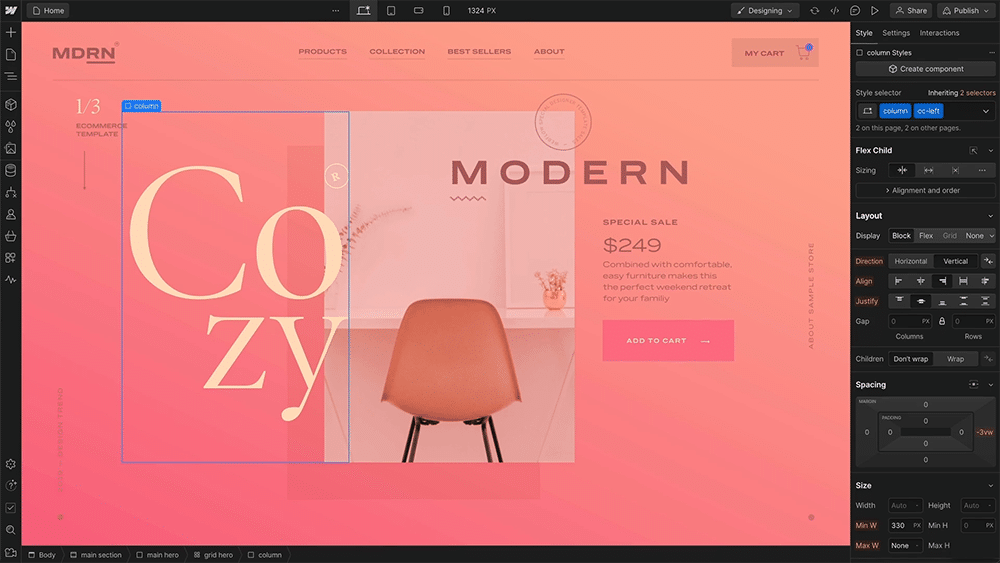
L’un des plus grands atouts de Webflow est sa flexibilité en matière de conception graphique. Son éditeur visuel puissant offre une liberté créative supérieure à celle de ses concurrents comme Shopify, Wix ou Wizishop. Cette personnalisation avancée permet aux professionnels de concrétiser leur vision unique, d’ajuster chaque détail de leur boutique en ligne et donc, de construire une identité de marque forte et cohérente, sans aucune connaissance en développement web !
Responsive Design
Dans un monde où 75% du trafic web provient des utilisateurs de smartphones et où plus de la moitié des achats en ligne s’effectue sur mobile, cette adaptabilité est essentielle pour capter et retenir l’attention des potentiels clients.
Tous les templates proposés par Webflow s’ajustent automatiquement aux mobiles pour offrir une expérience utilisateur optimale.
Sécurité et performance
Webflow offre un hébergement sécurisé et performant, avec des mises à jour automatiques des stocks et un suivi des commandes en temps réel. Ces fonctionnalités permettent aux propriétaires de boutiques en ligne de se concentrer sur le développement de leur entreprise sans se soucier des détails techniques.
Intégrations et automatisations
Chaque e-commerce est unique ! Par ailleurs, vous utilisez peut-être des outils externes pour gérer vos stocks, vos ventes, votre logistique ou votre stratégie marketing. Webflow prend en charge des intégrations natives et des outils d’automatisations (comme ShipStation, TaxJar ou Zapier, par exemple) pour simplifier la gestion des commandes et des livraisons. Ces annexes améliorent l’efficacité et réduisent les erreurs humaines. De plus, en débarrassant les entrepreneurs des tâches répétitives, elles leur libèrent plus de temps pour se concentrer sur la croissance de l’entreprise.
Support et Communauté
Bénéficiez de l’assistance de la communauté Webflow et des ressources éducatives disponibles sur la plateforme pour maximiser l’efficacité de votre site marchand. Les forums, tutoriels et cours en ligne sont des atouts précieux pour tout entrepreneur e-commerce qui se lance dans cette formidable aventure.
Quels sont les tarifs proposés par Webflow ?
Choisir le bon plan tarifaire Webflow pour votre site e-commerce dépend essentiellement de vos besoins en termes de volume de produits et de trafic.
Plan STANDARD (29 $/mois)
Idéal pour les e-commerces en phase de lancement, ce plan comprend :
- 500 produits
- 2 000 clients dans le CMS intégré
- 1000 soumissions de formulaire
- Un nom de domaine personnalisé
- 200 GB de bande passante
- L’accueil de 250 000 visiteurs par mois
- 3 utilisateurs
- Des frais de transaction de 2%
Plan PLUS (74 $/mois)
Conçu pour les sites marchands avec de nombreux produits, déjà établis sur le marché, ce plan inclut :
- Jusqu’à 5 000 articles e-commerce
- L’enregistrement de 10 000 comptes dans le CMS
- 2500 soumissions de formulaire
- 400 GB de bande passante
- L’accueil de 300 000 visiteurs mensuels
- 10 utilisateurs
- 0 frais de transaction
Plan ADVANCED (212 $/mois)
Parfait pour les e-commerces renommés qui cherchent à étendre significativement leur activité en ligne. Ce plan comprend :
- Jusqu’à 15 000 articles e-commerce
- 10 000 comptes dans le CMS
- 2500 soumissions de formulaire
- 400 GB de bande passante
- 300 000 visiteurs mensuels
- 15 utilisateurs
- 0 frais de transaction
Comment créer un site e-commerce avec Webflow ?
En suivant ces 7 étapes clés, vous pouvez construire un site e-commerce attrayant et fonctionnel qui reflète parfaitement votre marque.
1. Créer une charte graphique et votre identité visuelle
Avant de commencer à concevoir votre e-commerce, pensez à définir une charte graphique et une identité de marque distinctive. Du choix des couleurs à la typographie, en passant par le logo, les icônes et visuels principaux, veillez à ce que chaque composante s’accorde avec le message que vous voulez envoyer aux cyberconsommateurs.
Si votre charte graphique est déjà en place, préparez-les éléments à utiliser sur votre boutique en ligne.
2. Prendre des photos HD des produits
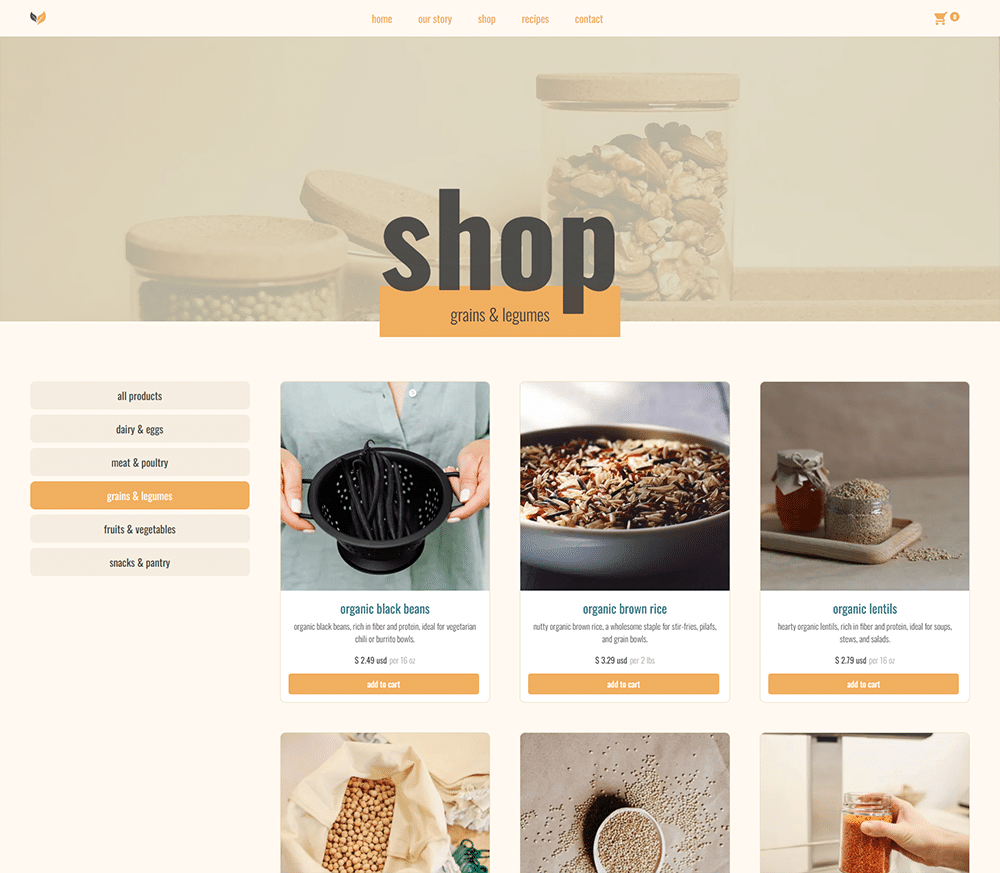
Webflow permet d’ajouter jusqu’à 25 images par produit, ainsi que des vidéos. C’est l’occasion de montrer vos produits sous tous les angles pour aider les visiteurs à faire leur choix.
Utilisez un appareil photo de qualité pour prendre des images nettes et bien éclairées. Variez les positions et prises de vue pour que les internautes puissent se projeter avec votre bien. Un fond neutre mettra en valeur vos produits. Néanmoins, dans certains cas, montrez-les dans un contexte attirant. Par exemple, les meubles peuvent être intégrés à la décoration, les vêtements ou accessoires portés par des mannequins, etc.
3. Sélectionner un template
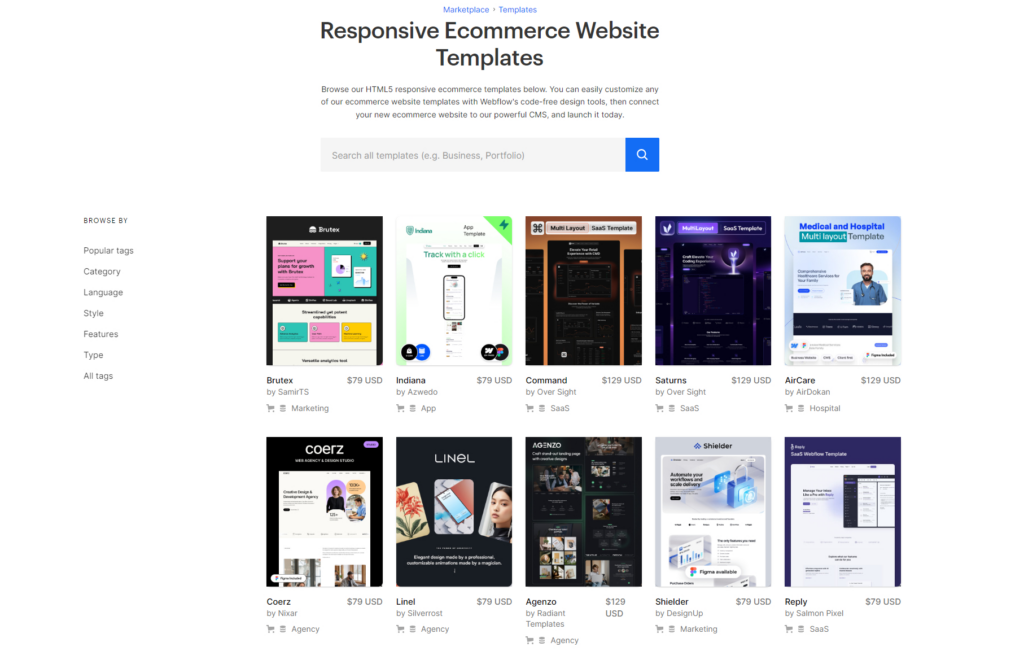
Webflow propose 100 templates e-commerce variés, dont une grande partie est gratuite. Réputés pour leur adaptabilité, leur design moderne et leurs options personnalisables, ces thèmes vous aident à lancer un site marchand conforme à votre image de marque en quelques clics.
4. Personnaliser le thème
Une fois le template choisi, personnalisez les éléments de design pour aligner le site avec l’identité de votre marque. Modifiez les couleurs, la typographie, les images et intégrez votre logo.
Sachez que Webflow propose une large bibliothèque de polices Google Fonts. Cependant, si vous ne retrouvez pas votre typographie, vous aurez la possibilité de la télécharger.
5. Rédiger les fiches produits
Ajoutez manuellement vos produits, puis rédigez un descriptif détaillé. Une fiche bien rédigée peut significativement augmenter les conversions, en fournissant aux clients tous les renseignements dont ils ont besoin pour prendre une décision d’achat. Enfin, pensez à l’optimisation SEO en utilisant des mots-clés dans :
- Les balises titre et méta descriptions.
- Les balises alt pour les images.
- Les URLs des produits.
6. Organiser les catégories grâce aux collections
Utilisez les collections de Webflow pour organiser vos produits. Une collection est un groupe d’éléments similaires que vous pouvez styliser ensemble. Par exemple, vous pouvez créer une collection pour des “vêtements”, puis sous-catégoriser en “t-shirts”, “pantalons”, etc. Cette organisation facilite la navigation et améliore l’expérience utilisateur.
7. Configurer les fonctionnalités e-commerce
Maintenant, il ne vous reste plus qu’à configurer les principales fonctionnalités pour une boutique en ligne fonctionnelle :
- Le suivi des stocks : avec la mise à jour automatique après chaque vente, ainsi que les alertes de stock faible pour éviter les ruptures.
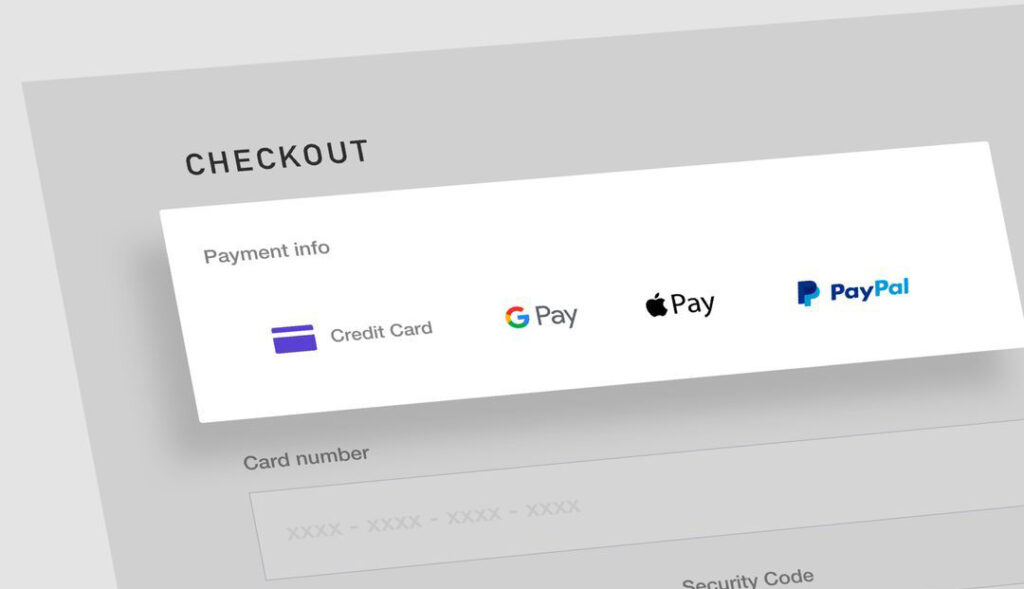
- Les moyens de paiement: Webflow vous permet de proposer à vos clients Stripe, PayPal, Apple Pay, Google Pay, Authorize.net et Amazon Payments.
- Les méthodes de livraison : choisissez les options d’expédition locales et internationales souhaitées. Vous pouvez aussi connecter ShipStation pour automatiser l’impression des étiquettes et le suivi des expéditions.
- Les emails de transaction : pensez à les activer et surtout, à les personnaliser avec votre propre texte, votre logo et votre charte graphique.
- La synchronisation avec vos outils : ERP, CRM, outil d’emailing, Google Analytics… Connectez vos plateformes à l’aide d’extensions disponibles gratuitement sur Webflow.
- Les extensions utiles à vos besoins : relance des abandons de panier, pixel Facebook, système anti-spam, formulaire d’inscription à la newsletter, outil d’analyse du parcours d’achat…
Notre dernier conseil pour créer un site e-commerce avec Webflow
Pour garantir le succès de votre boutique en ligne Webflow, réalisez des tests exhaustifs avant le lancement. Vérifiez l’affichage sur différents appareils et essayez de faire un achat pour analyser le processus de paiement, ainsi que la configuration des e-mails de confirmation. Ces étapes sont importantes pour offrir une expérience utilisateur impeccable.
Pour créer un site e-commerce de grande qualité avec Webflow, postez votre annonce gratuitement sur Codeur.com et trouvez un développeur web expérimenté !


