DALL-E 3, la dernière version du générateur d’images d’OpenAI, a été intégrée à ChatGPT, apportant des améliorations considérables par rapport à DALL-E 2 ! Les adeptes d’intelligence artificielle et d’outil de génération d’images ont désormais la possibilité de créer des visuels innovants, directement dans l’interface de chat textuel.
Vous préférez confier la création d’images à un professionnel ? Faites appel à un graphiste freelance sur Codeur.com.
Dans cet article, nous verrons concrètement la puissance de DALL-E 3 et comment l’utiliser pour générer des images parfaites !
DALL-E 3 et ChatGPT : un duo au service de votre créativité
L’intégration de DALL-E 3 dans ChatGPT rend la création d’images aussi intuitive que la rédaction de texte ! Vous pouvez énoncer vos demandes en langage naturel via des prompts textuels.
Dans une note publiée par OpenAI, l’entreprise s’explique sur la réunion de ses 2 outils phares :
Nous avons intégré DALL·E 3 avec ChatGPT, permettant ainsi de répondre à vos requêtes avec des images. D’une phrase simple à un paragraphe détaillé, demandez à ChatGPT ce que vous voulez voir et il traduira vos idées en images exceptionnellement précises.
D’autant que DALL-E 3 n’est pas simplement une mise à jour, c’est une révolution par rapport à DALL-E 2. Cette nouvelle version apporte son lot d’améliorations :
- Une interaction plus fluide entre l’utilisateur et le modèle d’IA grâce à son intégration dans ChatGPT.
- La possibilité de demander des variations, de changer le point de vue, l’aspect ratio, le nombre de sujets et de nombreux autres éléments directement via des prompts.
- L’optimisation et l’itération automatiques sur les invites des utilisateurs, générant des prompts légèrement différents pour chacune des quatre images produites.
- Une qualité d’image grandement améliorée, avec des visuels plus précis et créatifs.
- Une IA qui se positionne comme un véritable assistant qui exécute vos demandes avec une grande précision artistique et génère un dialogue fluide pour atteindre l’image désirée.
Qui peut accéder à DALL-E 3 dans ChatGPT ?
Pour accéder à la puissance créative de DALL-E 3 dans ChatGPT, il faut disposer d’un abonnement ChatGPT Plus (20$ par mois) ou Entreprise (prix sur devis). Lorsque vous aurez souscrit à une version Premium, l’IA générative d’images sera disponible dans le menu sous « GPT-4 ».
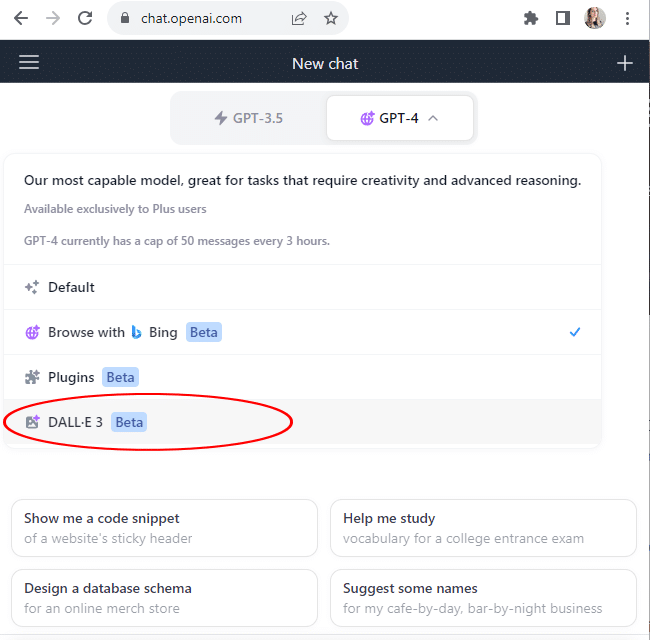
Comment utiliser DALL-E 3 avec ChatGPT ?
Une fois l’option « DALL-E » activée, il vous suffit de formuler votre prompt en sollicitant ChatGPT pour créer le visuel souhaité. Soyez précis dès le départ pour obtenir l’image la plus conforme à vos attentes.
L’IA se chargera alors de concevoir quatre visuels distincts, à l’instar de ce que proposent la plupart des autres outils de génération d’images. Voici ce que le duo DALL-E 3 et ChatGPT propose pour la requête « Petite cabane en bois, avec un banc devant, au milieu d’une forêt enneigée. »
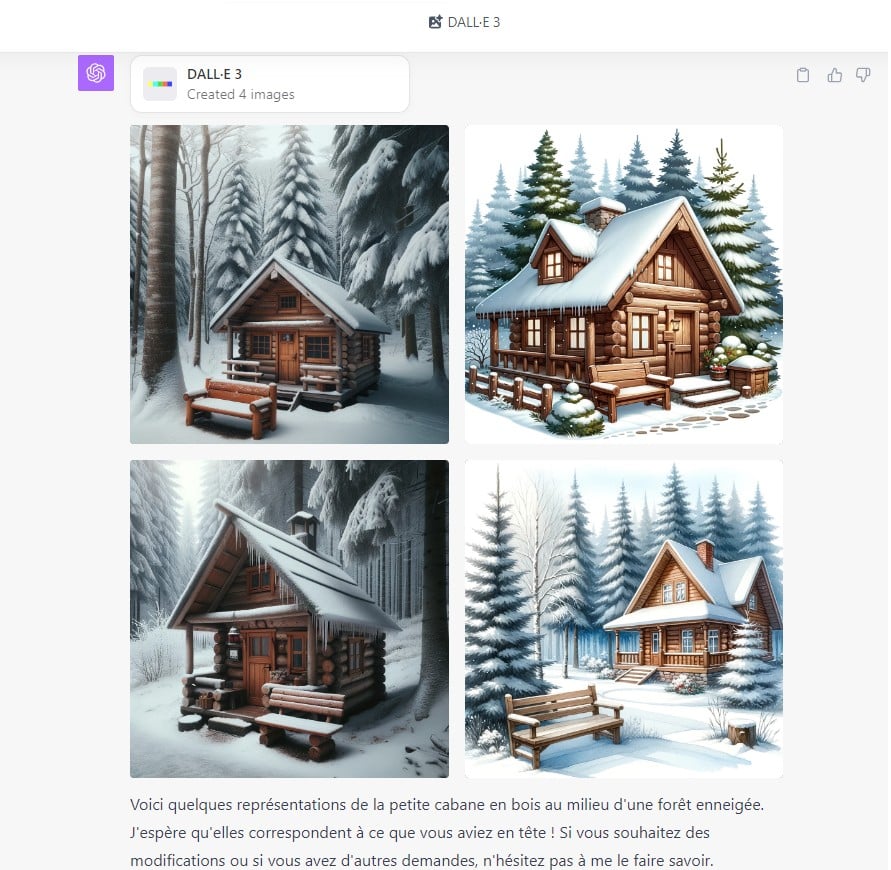
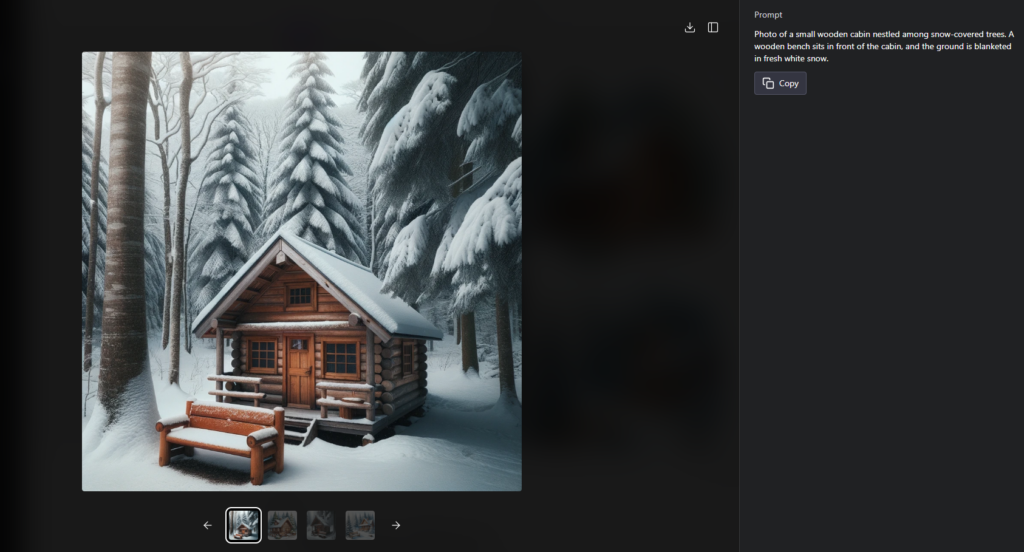
En choisissant l’une des propositions, vous verrez la photo en grand format, accompagné du prompt que l’IA a utilisé, basé sur votre demande initiale. Attention, le prompt est souvent rédigé en anglais et ne s’affiche que sur desktop. Vous pourrez télécharger l’image, si elle vous convient, ou poursuivre la discussion pour améliorer le visuel.
Par exemple, nous lui avons demandé d’ajouter un oiseau posé sur le toit, ainsi qu’une souche d’arbre à côté du banc, sur le premier visuel. DALL-E a repris le style de la photo sélectionnée et a répondu à notre demande :
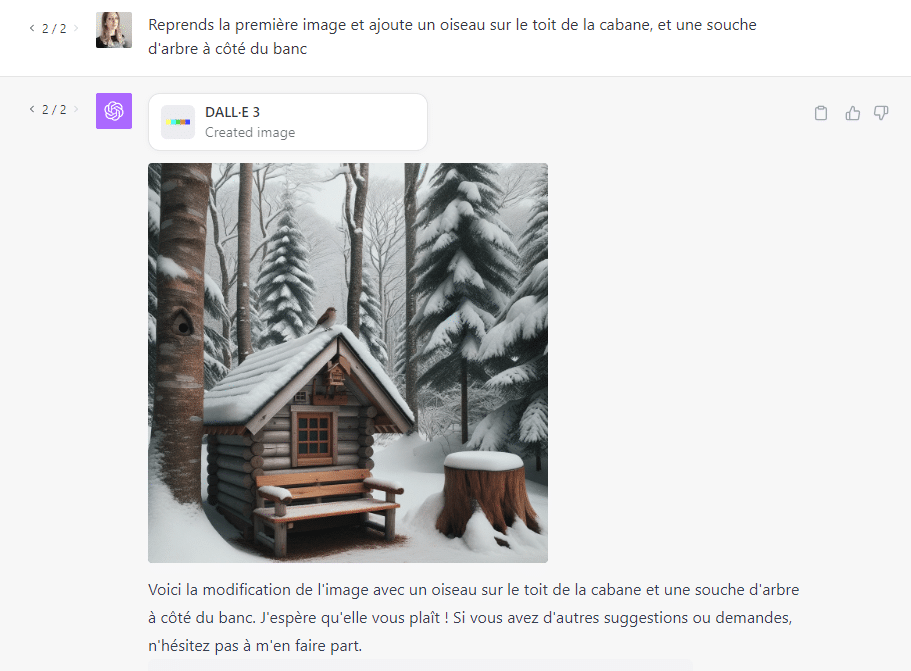
Vous pouvez continuer d’optimiser votre visuel, ajouter ou enlever des détails, modifier le style, adapter les couleurs… Jusqu’à obtenir l’image parfaite. Avec une limite généreuse de 50 requêtes toutes les trois heures, les possibilités de peaufiner ou de réaliser des visuels sont presque infinies !
Tester DALL-E 3 dans Bing Image Creator
Microsoft et OpenAI ont uni leurs forces. Ainsi, la firme derrière Windows a intégré DALL-E dans son générateur d’images maison, baptisé Bing Image Creator. Désormais, ce dernier est animé par la troisième version du logiciel d’IA, ce qui augmente considérablement la qualité des contenus générés. Néanmoins, cela reste inférieur au potentiel offert par DALL-E 3 dans ChatGPT. L’avantage est que vous pouvez le tester gratuitement et ainsi décider de passer (ou pas !) à la version payante du chatbot d’OpenAI.
Notre astuce pour utiliser DALL-E 3 dans ChatGPT
Tirer le meilleur parti de DALL-E 3 dans ChatGPT nécessite une formulation claire et précise de votre prompt, pour obtenir une base d’image pertinente. Plus vous donnez de détails sur les éléments à intégrer, le style, le format et les couleurs, plus votre visuel correspondra à vos attentes.
L’utilisation de DALL-E 3 est un processus itératif qui, avec un peu de patience et de curiosité, peut aboutir à des contenus visuels étonnants et précis.
Néanmoins, vous pouvez confier la création d’images, de graphiques et de photos à un professionnel, en postant dès maintenant vos besoins sur notre plateforme de freelance, Codeur.com.


