Choisir le bon builder de sites peut transformer la manière dont vous créez et gérez vos projets web. Parmi les éditeurs de construction phares : Framer et Webflow ont le vent en poupe ! Ces deux outils populaires bénéficient de nombreux atouts, mais s’adressent à des cibles différentes. Alors, comment choisir ?
Simplicité, flexibilité, évolutivité, ergonomie, tarification… Le match Framer vs Webflow commence, dans ce comparatif aussi objectif que possible !
Présentation de Webflow
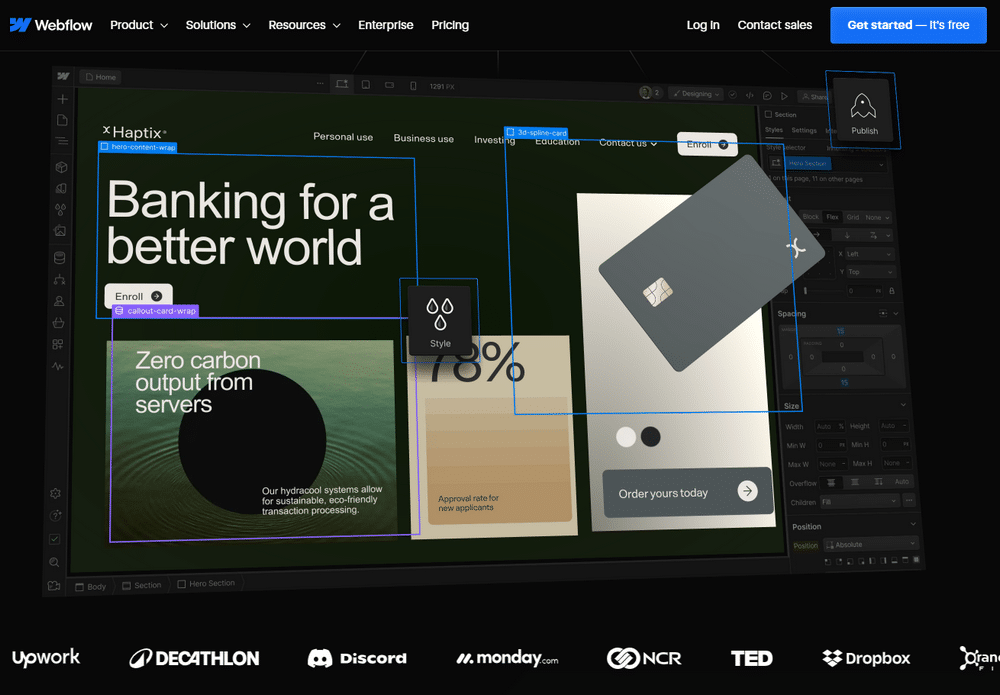
Webflow se positionne comme une plateforme robuste et flexible pour les concepteurs professionnels et les développeurs. Connu pour son éditeur visuel intuitif qui combine les capacités du HTML, CSS et JavaScript, le builder permet de créer des sites complexes et personnalisés sans écrire une ligne de code.
Points forts
- Parfait pour les projets complexes, avec une grande flexibilité.
- Supporte l’e-commerce avec des fonctionnalités natives.
- Scalabilité avec un CMS robuste pour des sites dynamiques.
Points faibles
- Courbe d’apprentissage plus raide pour les débutants.
- Coût plus élevé pour les fonctionnalités avancées
Présentation de Framer
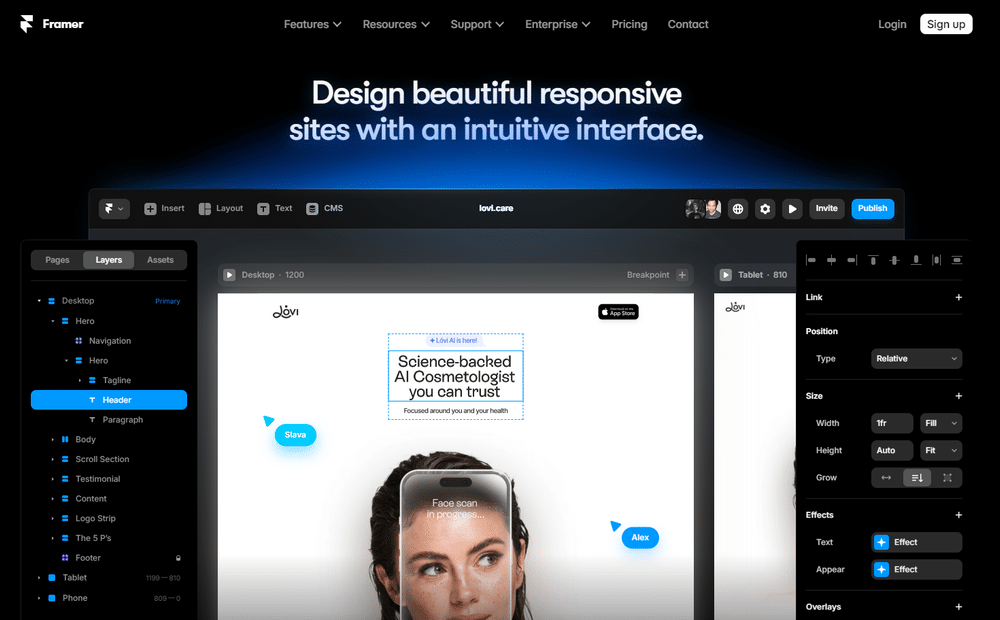
Framer, quant à lui, est conçu pour simplifier la création de sites. Spécialisé dans les animations et interactions visuelles, c’est un outil idéal pour les designers qui veulent créer rapidement des prototypes interactifs et des sites simples. Si vous connaissez déjà des logiciels comme Figma, vous vous sentirez chez vous avec Framer.
Points forts
- Idéal pour les designers grâce à une interface intuitive et orientée design.
- Prototypage rapide avec des outils d’animation faciles à utiliser.
Points faibles
- Moins adapté aux projets nécessitant une gestion de contenu dynamique ou une boutique en ligne.
- Options d’intégration plus limitées.
Comparaison des fonctionnalités principales
Nous avons vu ce que chaque plateforme peut offrir individuellement, mais comment se comparent-elles directement ? C’est l’heure de mettre en lumière les interfaces de conception, les capacités d’e-commerce, ainsi que les outils d’animation et d’interaction qui opposent Framer et Webflow.
Interface de conception et personnalisation
L’interface de Framer est un modèle de simplicité. Conçu pour que les designers puissent créer rapidement, ce builder de site offre des outils de glisser-déposer qui facilitent l’animation et la mise en page. Framer séduit clairement les professionnels qui recherchent une solution rapide et sans complexité.
Par exemple, un designer freelance pourrait créer un portfolio interactif en quelques heures seulement, sans avoir besoin de coder.
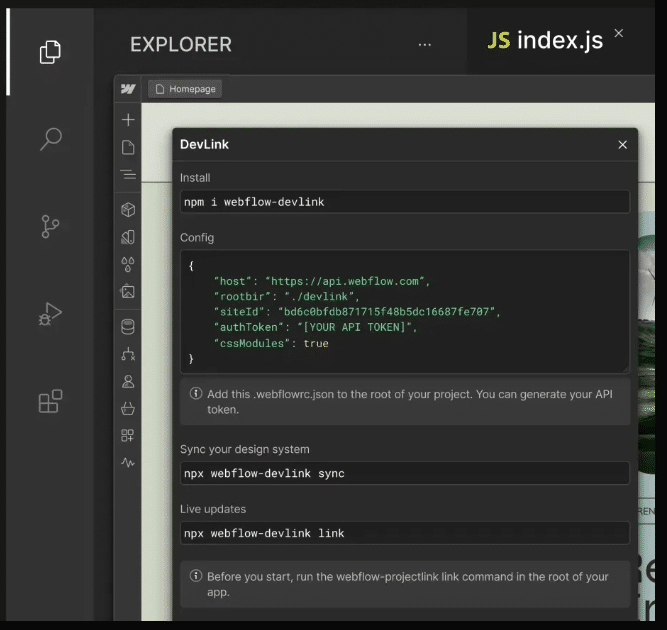
En revanche, Webflow s’adresse aux développeurs qui veulent plus de contrôle et de personnalisation. Avec la possibilité de manipuler du code comme du CSS et JavaScript, Webflow vous permet de réaliser des projets de grande envergure avec des animations et des interactions complexes.
C’est un excellent choix pour les entreprises cherchant à aller au-delà des modèles standard pour obtenir des sites web complètement personnalisés.
E-commerce et gestion de contenu
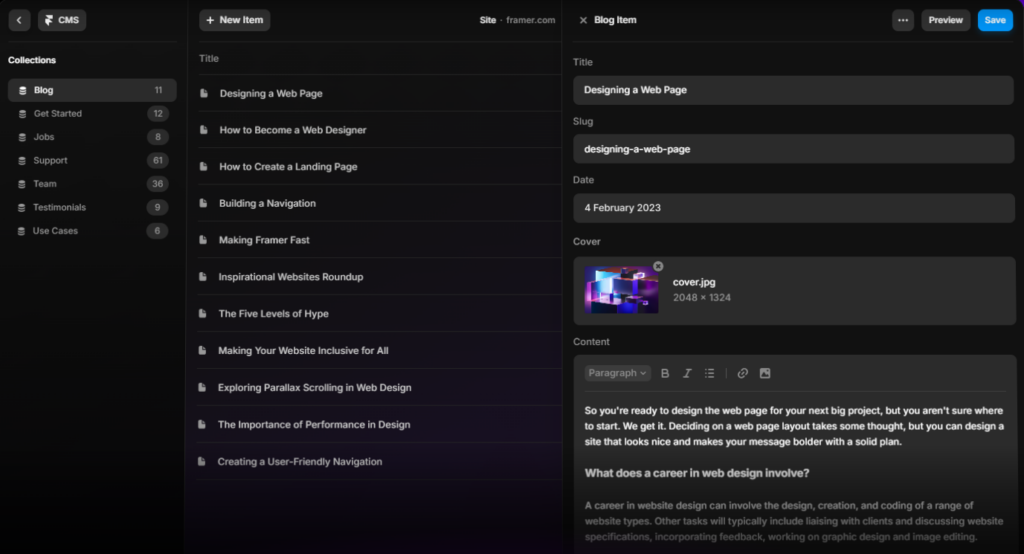
Vous cherchez à lancer une boutique en ligne ? Webflow est un choix stratégique grâce à ses fonctionnalités e-commerce natives. Du panier à la page de paiement, ce builder s’adapte complètement à vos attentes opérationnelles et graphiques. De plus, son CMS vous permet de gérer facilement de nombreux types de contenus, parfait pour annexer un blog ou une vitrine corporate à votre site marchand.
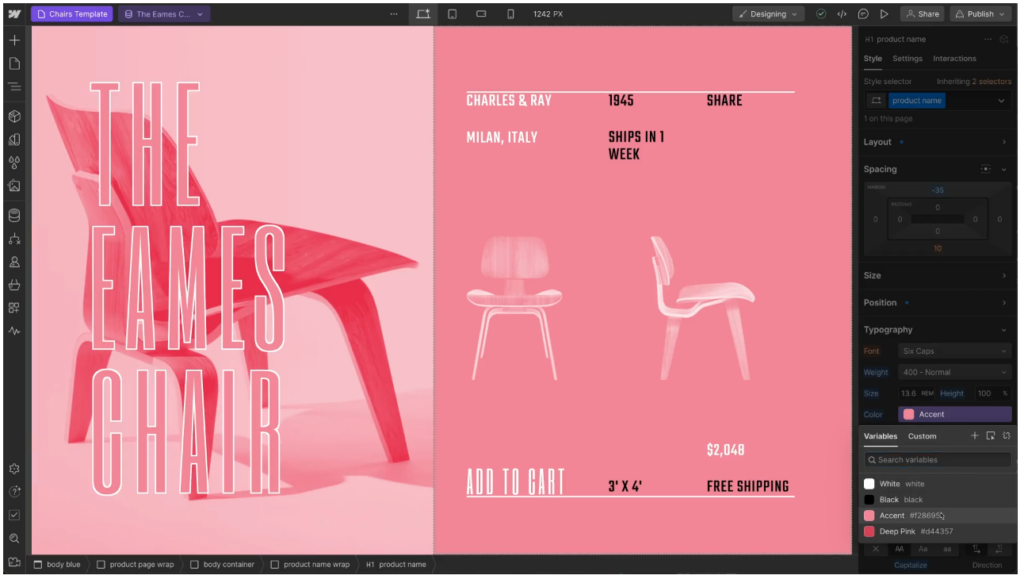
Framer, a l’inverse, ne dispose pas directement d’un CMS natif avec des fonctionnalités e-commerce. Néanmoins, le builder propose une bibliothèque de thèmes adaptés à la vente en ligne et s’intègre dans certaines solutions tierces, comme Shopify.
Animations et interactions
Si vous avez besoin d’un site interactif avec des mouvements fluides, Framer est imbattable. Conçu spécifiquement pour ce type de projet, il offre des fonctions intuitives pour ajouter des interactions, comme des animations de survol ou des transitions discrètes.
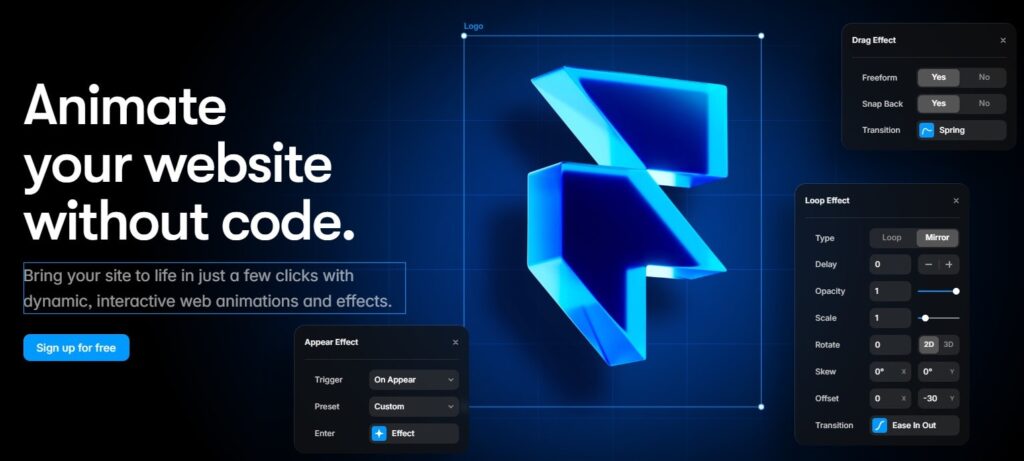
Webflow permet aussi de créer des animations complexes, mais demande plus de connaissances techniques pour maîtriser l’outil. Toutefois, il offre une liberté totale pour créer des contenus interactifs sophistiqués, un must pour les développeurs cherchant à innover.
Facilité d’utilisation
Connaître le niveau d’ergonomie de chaque builder est indispensable pour anticiper le temps d’adaptation nécessaire et l’efficacité de développement que vous pouvez espérer.
Courbe d’apprentissage
Si vous êtes débutant ou si vous souhaitez rapidement vous lancer dans la création de sites no code, Framer se présente comme une solution idéale. Sa prise en main intuitive permet à quiconque, même sans expérience préalable en codage, de réaliser un site en quelques étapes simples. C’est particulièrement avantageux pour les designers graphiques désireux de se concentrer sur l’aspect visuel de leurs créations.
Webflow, cependant, nécessite un investissement initial en temps d’apprentissage plus substantiel. Avec sa plateforme riche en fonctionnalités, comme la gestion du CSS et du DOM, la courbe d’apprentissage peut sembler abrupte. Mais une fois maîtrisée, elle se révèle extrêmement puissante, ouvrant la porte à une vaste gamme de possibilités pour des sites dynamiques ou des plateformes d’e-commerce élaborées.
Vitesse de développement
Pour ceux qui ont besoin de mettre en ligne des sites ou des prototypes rapidement, Framer est souvent le choix privilégié. Grâce à son flux de travail direct et minimaliste, il permet de transformer une idée en un site fonctionnel en un temps record, idéal pour des projets comme des campagnes marketing éphémères, des landing pages ou des événements qui nécessitent une mise en ligne immédiate.
En contraste, Webflow est mieux adapté aux initiatives à long terme, où chaque détail du site peut être peaufiné. Cette approche est bénéfique pour des projets tels que des portails d’entreprise ou des sites d’information complexes qui bénéficieront d’une personnalisation poussée et d’une gestion approfondie du contenu.
Les options évolutives
Après avoir discuté de la facilité d’utilisation, il est important d’examiner comment Framer et Webflow s’intègrent avec d’autres outils et quelles sont leurs capacités à évoluer avec vos projets.
Intégrations tierces
Webflow excelle dans la facilité avec laquelle il s’associe à divers outils, enrichissant ainsi ses capacités. Grâce à des liaisons natives avec des plateformes comme Zapier, il permet l’automatisation de processus complexes, rendant la gestion des tâches quotidiennes plus fluide. De plus, il supporte l’intégration avec des systèmes de gestion de la relation client (CRM), ce qui est utile pour les entreprises qui veulent centraliser et optimiser leurs opérations.
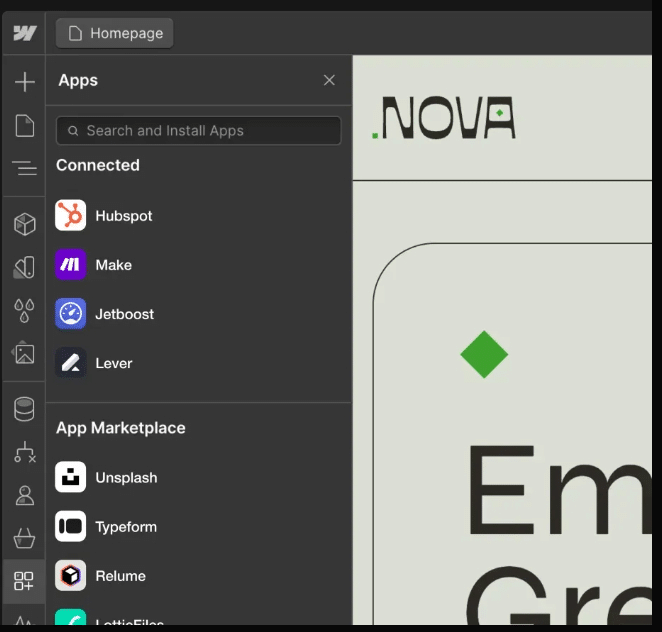
Framer, quant à lui, se concentre davantage sur l’aspect visuel de la création web, avec un nombre plus restreint de connexions directes avec d’autres plateformes. Bien qu’il intègre des fonctionnalités pour la collaboration en temps réel et le partage des conceptions, il n’égale pas Webflow en termes de variété et de profondeur des extensions disponibles.
Scalabilité
Si vous envisagez de faire évoluer votre site avec le temps, Webflow est la meilleure option. Grâce à son CMS évolutif et à ses nombreuses options de personnalisation, il est parfaitement adapté pour des projets à long terme qui misent sur une croissance forte.
Framer, avec ses capacités plus limitées, convient mieux aux petits projets ou aux sites vitrine qui ne nécessitent pas une infrastructure complexe, aussi bien sur le court que sur le long terme.
La tarification
En termes de coûts, Framer est plus abordable, puisqu’il propose un plan gratuit pour les particuliers, puis des abonnements à partir de 5€ par mois et par site, pour les professionnels. Le builder est ainsi accessible pour les petits projets ou les indépendants.
Webflow dispose également d’une offre gratuite pour les particuliers. Côté entreprise, comptez 14$ par mois minimum pour votre site corporate, ou 29$ par mois pour les e-commerces.
Framer vs Webflow : quel builder de sites choisir ?
Le choix entre Framer et Webflow dépend principalement de vos besoins spécifiques. Si vous cherchez un builder rapide, facile à utiliser et axé sur le design interactif, Framer est un excellent choix. Il s’adresse aussi aux concepteurs graphiques qui veulent créer des sites simples ou des prototypes animés sans plonger dans des processus techniques.
Webflow, en revanche, est plus adapté aux projets complexes et évolutifs. Il est idéal pour les développeurs et les entreprises qui ont besoin d’une solution complète avec des fonctionnalités majeures pour le commerce électronique, la gestion de contenu et le référencement. Bien qu’il soit plus difficile à maîtriser, ses capacités sont inégalées pour obtenir un contrôle total sur votre site.
Besoin d’aide ? Faites appel à un développeur freelance sur Codeur.com pour concrétiser votre projet web et choisir le builder qui correspond le mieux à vos objectifs !


