Vous utilisez encore Excel pour gérer votre facturation ? Cette habitude n’est pas aussi efficace que vous le pensez…
D’après un rapport de Ray Panko(1), professeur émérite de gestion des technologies de l’information, 90% des feuilles Excel comportent des erreurs. En 2012, une erreur de copier/coller dans un tableau Excel a coûté 2 milliards de dollars à la banque américaine JP Morgan(2).
Même si vous l’aimez pour sa gratuité, privilégier le tableur de Microsoft pour votre facturation présente plus de risques que d’avantages pour votre entreprise. De plus, depuis 2018, la loi exige l’utilisation d’un logiciel sécurisé, inaliénable, capable de conserver et d’archiver les données. Excel coche difficilement toutes ces cases.
À l’heure où il existe de nombreuses solutions de gestion pour piloter vos processus commerciaux, Codeur.com et Axonaut vous présentent 6 raisons d’abandonner Excel pour votre facturation !
1. Gagner du temps dans votre gestion quotidienne
Utiliser Excel pour la facturation nécessite de nombreuses actions manuelles pour éditer, modifier, relire, corriger… Une fausse manipulation peut vite créer des anomalies de TVA, dans les conditions générales, dans les coordonnées clients ou simplement dans le total à facturer.
Chaque mois, vous devez refaire les mêmes actions, modifier le numéro de facture, même si les prestations restent sensiblement les mêmes. Et cette constatation est également valable pour les devis.
Résultat : vous passez plus de temps à mettre en forme vos documents et à les relire pour vous assurer de leur conformité.
En tant que dirigeant de TPE, ce n’est pas une bonne nouvelle pour vos activités ! C’est du temps perdu, que vous pourriez consacrer à vos prospects et clients.
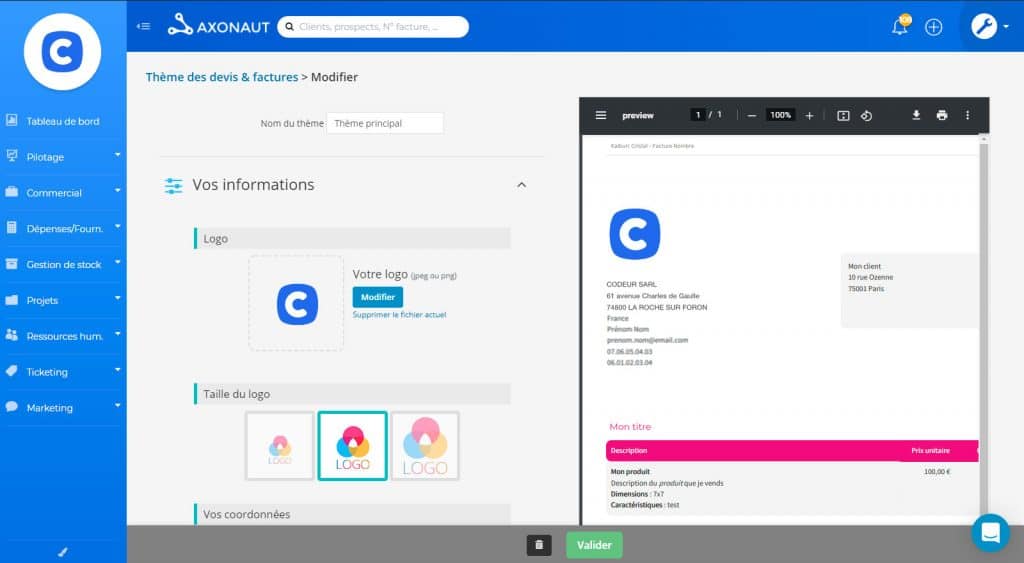
En optant pour un logiciel de facturation, vous disposez d’un ou plusieurs templates, qu’il est facile de préremplir de manière automatique. Vous évitez ainsi les erreurs, tout en minimisant le temps passé sur les documents.
Enfin, avec un outil spécialisé, vous transformez automatiquement vos devis en factures. Là aussi, c’est un gain de temps précieux !
2. Assurer un meilleur suivi de la trésorerie
Les factures Excel limitent vos capacités de suivi de trésorerie. En premier lieu, vous devez éditer manuellement chaque facture lorsqu’elle est réglée, puis l’ouvrir ensuite pour vous rappeler si elle est payée ou non. Avec un outil de gestion, vous visualisez en un coup d’œil les règlements effectués et les impayés en cours.
Par ailleurs, Excel vous permet difficilement d’obtenir une vision complète de la santé financière de votre entreprise. Vous pouvez jouer sur les feuilles de calcul et les formules, mais cela reste fastidieux et la moindre erreur peut fausser vos chiffres.
À l’inverse, grâce à un logiciel de gestion dédié aux petites entreprises, vous visualisez en temps réel les flux de trésorerie. Vous configurez des alertes pour les paiements reçus, les clients en retard et les impayés.
La plupart de ces outils vous permettent de relancer les clients en un clic. Vous pouvez aussi intégrer des liens de paiement à vos factures et accélérer le processus de paiement. Ce qui est impossible avec Excel.
3. Améliorer la collaboration comptable
Vous avez un comptable ? Lui transmettre des tableaux Excel est parfois fastidieux. D’autant plus que la plupart des experts travaillent avec des outils de comptabilité.
Avec une solution de gestion, vous créez un accès sécurisé pour votre comptable. Il peut consulter vos documents, mettre à jour la partie administrative, déclarer la TVA et vous alerter en cas d’anomalie.
C’est encore un gain de temps pour vous et pour votre comptable. Un tel outil vous permet aussi de réaliser des économies si ce dernier vous facture à l’heure…
4. Éviter les problèmes techniques
Lorsque vous utilisez Excel, vous enregistrez les devis et factures dans votre ordinateur, sur votre disque dur. Cela peut poser plusieurs soucis ! Il peut arriver qu’une facture soit sauvegardée dans le mauvais dossier. Vous risquez de perdre du temps à la rechercher… ou carrément l’oublier et vous exposer à un impayé qui mettra en danger votre trésorerie.
Autre risque : la panne ! Si un problème technique surgit sur votre ordinateur ou sur le disque dur, vous direz au revoir aux factures émises ou reçues…
Au moins, un outil de gestion tel qu’Axonaut conserve vos documents en un seul endroit et en sécurité, dans le cloud notamment. Vous éliminez le risque de perte des factures.
5. Optimiser la prise de décision
Plus votre facture Excel contient de données, plus il est difficile de travailler dessus. Cet outil peut être lent à répondre lorsque la charge à traiter est élevée.
Par ailleurs, Excel a tendance à arrondir les chiffres élevés, ce qui entraîne une imprécision arithmétique. Ces petites modifications et incohérences passent souvent inaperçues et sont généralement très difficiles à retracer. Mais à grande échelle, cela fausse complètement vos données… et entrave votre prise de décision.
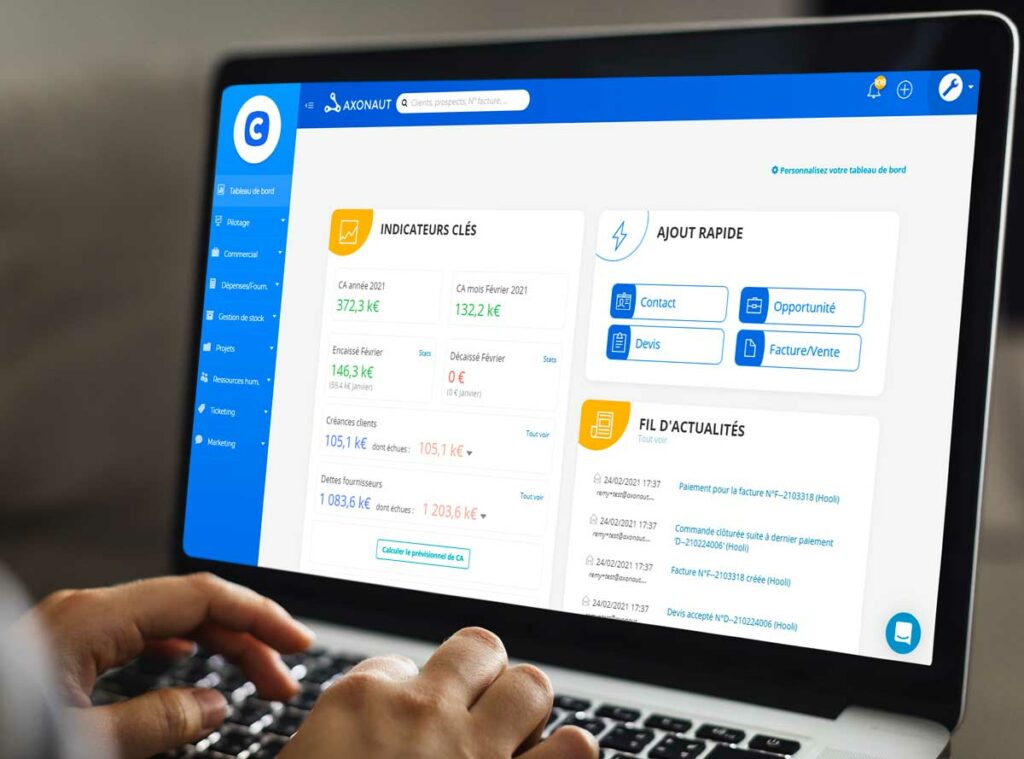
Un logiciel de gestion et de facturation performant fait preuve de précision. Lorsque vous avez besoin d’analyser les données pour améliorer vos stratégies commerciales, financières ou marketing, il est bien plus fiable.
6. Éviter des sanctions
Selon le Code général des impôts, toutes les entreprises doivent adopter un logiciel ou un système de caisse permettant d’enregistrer les paiements reçus. Excel ne répond pas aux différentes caractéristiques définies par la loi…
En cas de contrôle fiscal, vous risquez une amende de 7 500 € pour non-conformité.
Conclusion
Ces 6 raisons vous ont convaincu d’abandonner Excel au profit d’un outil de gestion professionnel ? Vous pouvez adopter Axonaut. Véritable logiciel de gestion dédié au TPE, il offre des solutions simples et rapides de facturation, ainsi qu’un CRM pour améliorer votre stratégie commerciale.
Sources :
(1) https://www.researchgate.net/publication/301847890_What_We_Don’t_Know_About_Spreadsheet_Errors_Today_The_Facts_Why_We_Don’t_Believe_Them_and_What_We_Need_to_Do
(2) https://www.reuters.com/article/jpmorgan-var-idUSL1E8GBKS920120511


