Sur WordPress, le fléau du spam est un inconvénient bien connu… Ces messages indésirables peuvent transformer votre section commentaires en véritable panneau publicitaire !
Heureusement, il existe plusieurs solutions pour empêcher le spam dans les commentaires sur WordPress. Cap sur des outils et bonnes pratiques pour sécuriser votre site Web et éloigner les spammeurs…
Utiliser un plugin anti-spam
Première solution à mettre en œuvre : installer un plugins anti-spam, tel qu’Akismet. L’extension analyse et filtre les commentaires indésirables postés sur votre WordPress en s’appuyant sur une base de données de comportements connus pour être liés au spam. Cela permet d’automatiser la détection et la suppression de messages pollueurs, sans intervention manuelle.
Les avantages du plugin anti-spam
- Facile à installer et à utiliser, sans nécessiter de compétences techniques avancées.
- Utilise des algorithmes avancés pour détecter et bloquer le spam de manière efficace.
- Certains plugins, comme Akismet, offrent une protection robuste avec des mises à jour régulières.
Les inconvénients du plugin anti-spam
- Risque de faux positifs, où des commentaires légitimes sont identifiés à tort comme du spam.
- La dépendance à un plugin externe peut rendre votre site vulnérable en cas de panne ou de faille de sécurité
Configurer un captcha
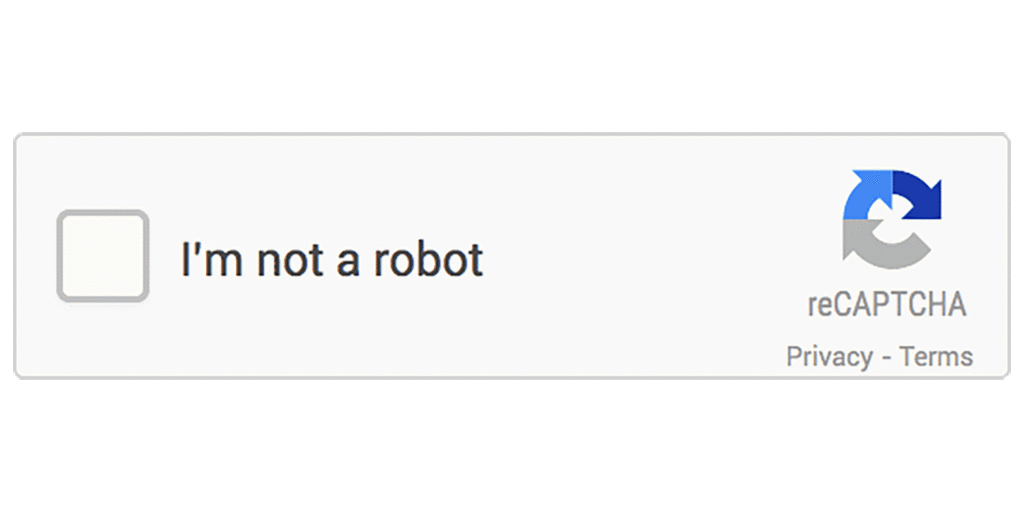
Intégrer un captcha à votre section commentaire ajoute une couche de vérification, qui distingue les humains des bots spammeurs. De nombreuses solutions, telles que Google reCAPTCHA, s’installent en quelques clics sur votre site WordPress pour empêcher le spam.
Les avantages du captcha
- Bloque efficacement les bots spammeurs en ajoutant une couche de vérification humaine.
- Facile à intégrer avec des plugins comme Google reCAPTCHA, sans nécessiter de compétences techniques avancées.
- Peut améliorer la sécurité globale du site en empêchant les attaques automatisées.
Les inconvénients du captcha
- Bloque efficacement les bots spammeurs en ajoutant une couche de vérification humaine.
- Facile à intégrer avec des plugins comme Google reCAPTCHA, sans nécessiter de compétences techniques avancées.
- Peut améliorer la sécurité globale du site en empêchant les attaques automatisées.
Activer la modération des commentaires pour empêcher le spam WordPress
Cette approche consiste à revoir chaque commentaire avant qu’il ne soit publié sur votre site. La modération manuelle assure que seuls les commentaires légitimes et pertinents apparaissent, en vous donnant la possibilité d’approuver, de rejeter ou de marquer un commentaire comme spam.
Les avantages de la modération des commentaires
- Offre un contrôle total sur les commentaires publiés, permettant de filtrer manuellement le spam.
- Permet de maintenir la qualité et la pertinence des commentaires sur le site.
- Réduit le risque de contenu indésirable ou inapproprié publié publiquement.
- Ajoute une touche de réactivité aux réponses à apporter aux commentaires légitimes et pertinents.
Les inconvénients de la modération des commentaires
- Peut-être chronophage, surtout pour les sites à fort trafic avec de nombreux commentaires.
- Les retards dans l’approbation des commentaires peuvent décourager les utilisateurs et réduire l’engagement.
- Nécessite une surveillance constante pour éviter que des commentaires spam ne soient publiés avant d’être détectés.
Filtrer des mots-clés ou expressions
En définissant une liste de mots-clés ou d’expressions souvent utilisés par les spammeurs, vous pouvez automatiser le rejet des messages non sollicités. Parmi les termes associés à des comportements indésirables, nous pouvons citer : « visitez mon site », « cliquez ici », « gratuit », « super article ! (souvent suivi d’une promotion) »…
Les avantages de filtrer les mots-clés
- Permet de filtrer automatiquement une grande partie des commentaires inappropriés, en ciblant des mots-clés ou des expressions couramment utilisés par les spammeurs.
- Offre une personnalisation pour répondre aux besoins spécifiques du site.
- Permet de gagner du temps en bloquant le spam sans nécessiter d’intervention manuelle.
Les inconvénients de filtrer les mots-clés
- Nécessite une maintenance régulière pour garder les filtres à jour avec les nouvelles tactiques de spam.
- Risque de bloquer des commentaires légitimes contenant des mots-clés similaires à ceux utilisés par les spammeurs.
- Les spammeurs peuvent ajuster leur langage pour contourner les filtres basés sur les mots-clés.
Limiter les liens dans les commentaires WordPress

En restreignant le nombre de liens autorisés dans les commentaires ou en les interdisant complètement, vous réduisez l’attrait de votre site pour les spammeurs. Cette stratégie diminue le volume de spam axé sur la création de backlinks.
Les avantages de limiter les liens dans les commentaires
- Réduit la motivation des spammeurs, car ils ne peuvent pas insérer de liens vers des sites indésirables.
- Peut contribuer à maintenir la sécurité du site en évitant les liens malveillants.
- Simplifie la gestion des commentaires en réduisant le risque de contenu indésirable.
Les inconvénients de limiter les liens dans les commentaires
- Limite la capacité des utilisateurs légitimes à partager des ressources utiles en incluant des liens.
- Certains spammeurs peuvent contourner cette restriction en utilisant d’autres moyens pour promouvoir des sites.
- Peut affecter négativement l’expérience utilisateur en restreignant leur liberté de partager des références externes.
Personnaliser les paramètres de discussion
WordPress permet d’ajuster les paramètres de discussion pour obliger les commentateurs à être enregistrés et connectés, ou exiger une adresse e-mail valide. Ces mesures augmentent le seuil d’effort pour poster un commentaire, décourageant ainsi les spammeurs et empêchant les soumissions automatiques.
Les avantages de limiter les paramètres de discussion
- Offre une flexibilité dans la gestion des commentaires en permettant de définir des règles spécifiques.
- Peut décourager les spammeurs en rendant plus difficile pour eux de commenter.
- Permet d’adapter les paramètres en fonction des besoins et des préférences du site.
Les inconvénients de limiter les paramètres de discussion
- Peut limiter la participation des utilisateurs légitimes si les paramètres sont trop restrictifs.
- Les internautes peuvent être découragés de commenter s’ils doivent s’inscrire ou fournir des informations supplémentaires.
- Une configuration incorrecte des paramètres peut entraîner des conséquences non désirées, comme la réduction de l’engagement des visiteurs.
Utiliser des listes noires d’IP pour empêcher le spam dans les commentaires WordPress
Bloquer les adresses IP utilisées par les spammeurs est une mesure proactive pour les empêcher d’accéder à votre site. En ajoutant ces adresses à une liste noire via des plugins dédiés ou directement dans le fichier .htaccess, vous créez une barrière supplémentaire contre les commentaires indésirables.
Les avantages d’utiliser des listes noires d’IP
- Bloque spécifiquement les adresses IP des spammeurs connus, réduisant ainsi l’impact du spam à sa source.
- Peut être efficace pour bloquer les sources de spam persistantes.
- Offre une couche de protection supplémentaire en complément d’autres méthodes de lutte contre le spam.
Les inconvénients d’utiliser des listes noires d’IP
- Les spammeurs peuvent changer d’adresse IP ou utiliser des proxies pour contourner les blocages.
- Risque de bloquer des adresses IP légitimes si elles sont partagées ou utilisées par d’autres internautes.
- Nécessite une mise à jour régulière des listes noires pour rester efficace contre les nouvelles sources de spam.
Notre conseil pour choisir la solution anti-spam WordPress adaptée à votre site
Parmi toutes ces méthodes pour empêcher le spam dans les commentaires WordPress, laquelle choisir ? Évaluez d’abord vos besoins spécifiques et votre niveau de tolérance au risque de faux positifs ou de restrictions pour les visiteurs légitimes.
L’idéal est de trouver un équilibre entre sécurité et expérience utilisateur, avec l’utilisation d’un plugin anti-spam et d’un captcha (peu complexe pour ne pas entraver les vrais commentaires), couplée à une modération manuelle. Vous assurez ainsi un espace de dialogue et de discussion dynamique et sécurisé à vos visiteurs.
Besoin d’aide pour intégrer une solution anti-spam sur votre site WordPress ? Postez votre annonce gratuitement sur Codeur.com !


