En France, Bing représente 392 millions de recherches mensuelles, 17 millions d’utilisateurs uniques et 16% de part du marché de la recherche en ligne.
Google contrôlant la majeure partie du trafic en ligne, il est facile de faire abstraction des autres moteurs de recherche. Pourtant, la plateforme publicitaire de Microsoft (désormais nommée Microsoft Ads) offre un énorme potentiel pour les entreprises disposant d’un budget modeste.
C’est parti ! Découvrez nos conseils pour une campagne Bing Ads réussie !
Bing ! Qu’est-ce que c’est ?
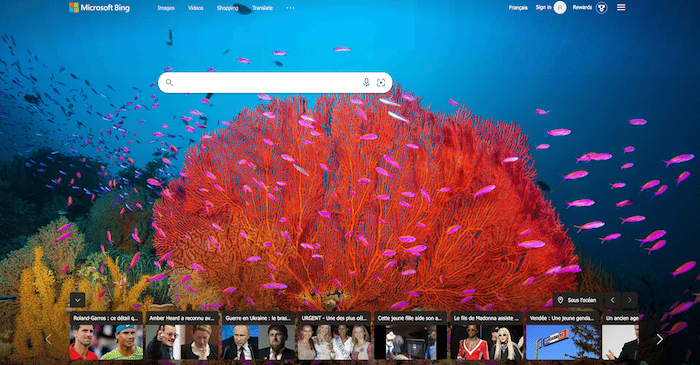
Microsoft cherchait un nom pour son moteur de recherche et « bingo ! » Le nom a été trouvé… Ce sera Bing. Court, simple à se souvenir et pour un moteur de recherche, c’est plutôt bien adapté.
Bing a connu un parcours un peu chaotique. Il a été présenté en par son PDG pour la première fois en 2009 avant d’être mis à la disposition des internautes.
Quelques caractéristiques de Bing
Bing est un moteur de recherche. Une de ses caractéristiques est, lorsqu’il a effectué les recherches dans un domaine, d’afficher un menu nommé « volet Explorer » à gauche de l’écran. À cet emplacement, l’internaute peut voir les résultats positionnés par catégories de pertinence. On retrouve, les images, les biographies…
Selon le groupe Microsoft, cela aurait pour avantage de facilité la recherche des internautes.
Bing propose d’autres caractéristiques qui lui permettent de se différencier de la concurrence et en particulier Google. Entre autres, les demandes sont facilitées en proposant une interface optimisée pour la recherche.
Bing en quelques chiffres
En France, comme partout dans le monde, c’est Google qui prend le pas sur tous les autres moteurs de recherche tel que Quant, Bing… Il tient environ 90 % des parts de marché et cela dure depuis de longues années. La diversité est importante pour couvrir une majorité des internautes et de leurs besoins, mais aussi pour ne pas créer de monopole.
Cependant, Bing arrive en 2ᵉ position, avec approximativement 5 % des parts du marché Français. Il ne démérite pas et met en place différents éléments pour tenter de gagner du terrain.
Bing Ads
Pour gagner en popularité et augmenter sa présence sur le marché du moteur de recherche, bing propose des avantages tels que BingAds.
Une mise en place simple
Grace à Bing Ads vous avez la possibilité de reproduire vos campagnes AdWords de manière simplifiée.
Si vous administrez vos Tags avec Google Tag Manager, vous pourrez configurer votre balise de suivi de conversions de façon simplifiée.
L’outil qui vous permet d’importer Bing Ads va convertir de manière automatique vos paramètres de tracking UTM « AdWords » en « Bing ». Cela va vous permettre de gagner du temps.
Les limites de Bing Ads
Comme dans tout, il y a aussi des inconvénients. Voici la liste des éléments limitants sur Bing Ads
- Vous ne pouvez pas importer les règles paramétrées sur AdWords de façon automatique,
- Le ciblage multi-langue ne peut pas non plus être importé. Il est cependant possible de le faire en dupliquant vos AdGroups et en les associant chacun à une cible de langage spécifique.
- Lorsque vous importez des mots clés, vous ne pouvez pas les modifier. Néanmoins, vous pouvez bien sûr en créer de nouveaux.
Les différences de paramétrage entre BingAds et AdWords
On peut noter quelques différences entre BingAds et AdWords.
- Le ciblage Géographique
Sur AdWords c’est au niveau de la campagne que l’on s’occupe du ciblage géographique. Bing également, mais vous avez aussi la possibilité de le mettre en place à partir de AdGroups.
- Intégration des Partenaires du Réseau de Recherche
Pour Bing, vous devez l’intégrer à partir de AdGroup alors que sur AdWords, vous le faites au niveau de la campagne.
- La mise en place des horaires
Bing utilise le fuseau horaire de l’internaute tandis que AdWords, se sert de l’horaire de votre compte.
Comment importer à partir de Google Ads
En premier lieu, vous devez savoir que si vous utilisez l’authentification en deux temps pour accéder à votre compte Google Ads, il est nécessaire de créer un mot de passe pour Microsoft Advertising.
Voici les étapes pour une importation directe :
- Sur Microsoft Advertising, cliquez sur “importer une campagne” puis importer depuis Google Ads.
- Cliquez sur « se connecter à Google » et inscrivez les informations de connexion
- Sélectionnez la Campagne Google Ads concernée et cliquez sur « continuer »
- Choisissez le compte Microsoft Advertising sur lequel vous voulez importer ainsi que les options d’importation (fuseau horaire, enchères, budgets…).
- Importez
Vous avez la possibilité de changer les URL plus tard et de partager les extensions publicitaires de vos campagnes.
Les nouveautés de Bing Ads
Dans cette partie, nous vous présentons quelques nouveautés proposées par BingAds.
- La personnalisation de comptes à rebours.
C’est une possibilité de positionner sur vos campagnes promotionnelles un compte à rebours personnalisé indiquant les jours, heures et minutes avant l’approche de la fin de la campagne.
Cela permet de rendre votre annonce plus dynamique dans le sens où il peut y avoir une notion d’urgence.
- L’intégration des Labels
- Les extensions de vos annonces de manière automatique
- Les extensions Multi-Image
Microsoft propose une extension d’images qu’il n’y a pas chez AdWords. C’est la possibilité d’afficher jusqu’à 6 images en dessous de votre annonce. Cela a comme avantage de la rendre visible et attrayante.
- Les extensions de prix
- Création d’audiences.
Cela permet d’activer les dispositifs RLSA (remarketing for Search Ads) sur Bing.
- La segmentation de vos audiences
- C’est une aide pour la gestion de vos campagnes.
- Les enchères automatisées
Pourquoi annoncer sur Bing Ads ?
Vous cherchez des raisons pour diffuser vos annonces sur Bing Ads ? Voici 4 avantages par rapport à Google Ads :
Moins de concurrence et un CPC moins cher
Avec Bing Ads, vous générez des leads à un coût relativement faible. La plupart des annonceurs sont occupés à se battre pour le placement des annonces sur Google. Ce qui vous laisse le champ libre sur le moteur de recherche de Microsoft.
Résultat : comme il y a moins d’annonceurs, le coût par clic est plus faible. Vous obtenez donc un meilleur retour sur investissement.
Le taux de clics moyen sur les annonces de Bing est de 2,83%, soit 50% de plus que sur Google Ads. Quant au coût par clic, il est 33% moins coûteux.
Une meilleure option de ciblage des appareils
Les annonceurs Bing peuvent exclure, de leurs campagnes, le trafic provenant de terminaux spécifiques (ordinateurs de bureau ou tablettes, par exemple). Vous pouvez même cibler des appareils mobiles précis en mentionnant vos préférences de système d’exploitation.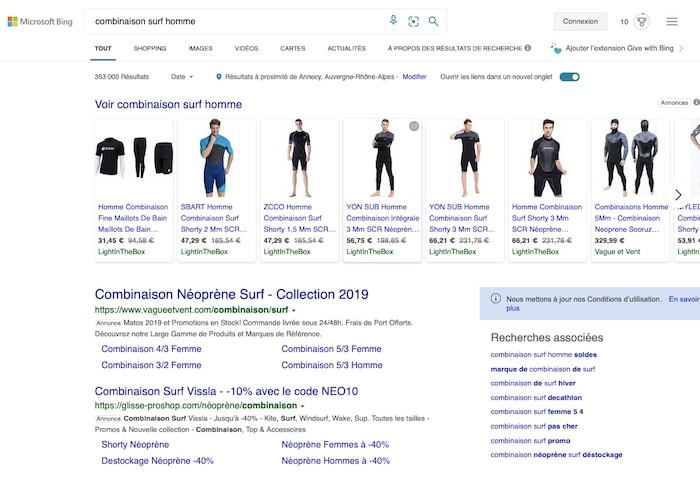
Plus de transparence
Bing offre aux annonceurs, la possibilité de cibler les utilisateurs de Bing et Yahoo, les partenaires de recherche, ou les deux, au niveau du groupe d’annonces.
De plus, vous pouvez rapidement exécuter un rapport pour voir exactement quels partenaires de recherche dirigent du trafic vers votre site internet. Un détail important pour optimiser vos campagnes et améliorer votre retour sur investissement.
Si vous voyez une source bien moins performante que les autres, vous pouvez même l’exclure totalement !
Plus de contrôle sur vos cibles démographiques
L’offre la plus innovante et la plus sous-exploitée de Bing Ads est probablement la possibilité de contrôler les groupes démographiques de sexe et d’âge qui voient vos annonces. Un ciblage plutôt flou sur Google Ads !
Or, les critères démographiques s’avèrent indispensables pour les annonceurs dont les produits ou services sont généralement achetés par un sexe ou un groupe d’âge particulier.
Comment annoncer sur Bing Ads ?
Avant de commencer par lancer des campagnes sur Bing Ads, vous devez d’abord disposer d’un compte Microsoft Advertising. Ensuite, installez le Universal Event Tracking, le pixel de suivi de conversions de la plateforme. C’est lui qui vous aidera à analyser vos performances.
Maintenant, vous êtes prêt à passer aux 4 prochaines étapes pour annoncer sur Bing Ads !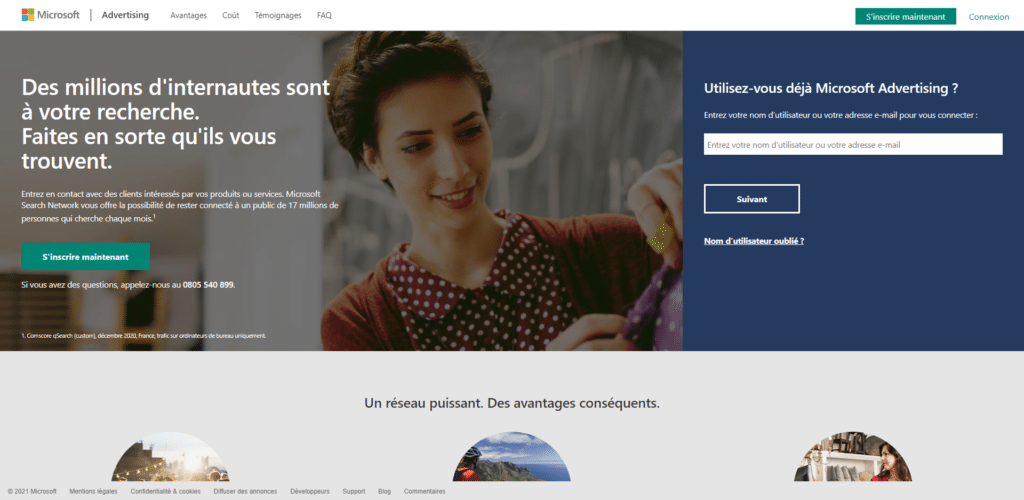
Étape 1 : Paramétrer la campagne
En vous rendant sur le tableau de bord de votre compte Microsoft Advertising, vous pouvez :
- Définir les paramètres de votre campagne, notamment son nom et son budget.
- Choisir un budget quotidien individuel ou utiliser un budget de la bibliothèque partagée.
- Définir un emplacement général ou des codes postaux spécifiques, ainsi que les utilisateurs qui doivent voir vos publicités.
- Choisir les langues des cibles qui verront votre annonce.
Étape 2 : Groupes d’annonces et mots-clés
Lors de la deuxième étape, vous choisissez de créer des groupes d’annonces en sélectionnant vos mots-clés.
Notez que pour les annonces de recherche, il est toujours préférable de créer des groupes d’annonces restreints, avec un nombre limité de mot-clés pertinents. Ce qui peut améliorer le classement et les performances de votre campagne.
La meilleure approche consiste à créer un groupe d’annonces unique pour chaque service que vous proposez. Microsoft vous offre un outil de suggestion de mot-clés pour choisir ceux qui vous semblent pertinents.
Étape 3 : Créer votre annonce Bing
C’est ici que vous allez créer l’annonce proprement dite, notamment en rédigeant le texte et en ajoutant des extensions de liens vers des sites.
Lors de la création de l’annonce, vous disposez de 30 caractères pour chacune des trois sections de titre et de 90 pour les deux textes de l’annonce.
Il existe des séparateurs entre les titres, vous devez donc considérer chacun comme unique.
Vous pouvez également ajouter des URL spécifiques aux mobiles si vous disposez de landing pages mobiles distinctes.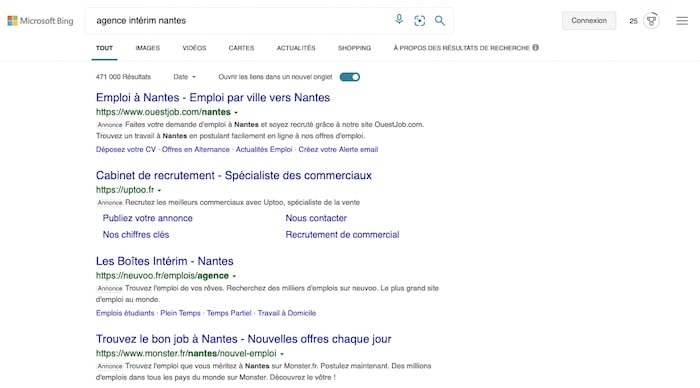
Étape 4 : Le budget et les enchères
Dans cette dernière étape, vous devez définir clairement le budget de votre campagne et vos enchères.
En ce qui concerne la stratégie d’enchères, le CPC amélioré est un bon choix pour profiter des services d’automatisation de Bing.
Sinon, vous pouvez toujours utiliser l’enchère manuelle. De cette façon, vous pouvez facilement définir des enchères distinctes pour chaque groupe d’annonces, et même les ajuster en fonction de la localisation de l’utilisateur, de son appareil ou de l’heure de la journée.
À lire aussi : Entreprise : 8 étapes pour la budgétiser sans investisseurs
Notre astuce
Bing n’a pas le même potentiel que Google, c’est incontestable. Par contre, ils peuvent-être très complémentaires. En effet, Bing est un support pour vos promotions et il a une audience propre qui viendra compléter celle de Google. De plus, les campagnes sont moins onéreuses, cela peut vous permettre de jouer sur les deux tableaux et de gagner en visibilité.
Si vous connaissez déjà le succès sur Google Ads, réussir avec Microsoft Advertising est presque aussi facile ! D’autant plus que vous pouvez importer vos campagnes Google Ads et donc dupliquer ce qui fonctionne déjà…
Vous pouvez aussi déléguer la gestion de votre SEA à des experts. Postez votre projet sur Codeur.com et recevez gratuitement les devis de consultants SEA.


