Pour récupérer vos fichiers supprimés, il existe des logiciels de récupération de données.
En utilisant ces logiciels, vous évitez des situations stressantes comme la perte d’un fichier important suite à un virus ou une suppression accidentelle. La majorité des entreprises ne mettent pas de sauvegarde en place car elles estiment cela trop complexe et coûteux. Si vous effacez par mégarde le fichier contenant toutes les informations de votre projet en cours, pas de panique !
Utilisez un de ces 8 logiciels de récupération de données à installer sur votre ordinateur.
Qu’est-ce qu’un logiciel de récupération de données ?
Vos données informatiques peuvent être perdues du jour au lendemain. Un virus, une suppression accidentelle ou un acte cybercriminel peuvent en être la cause. Le système de fichiers de votre ordinateur supprime alors le chemin d’accès vers le fichier supprimé.
Cependant, tous les nombres binaires qui composent vos données sont toujours accessibles quelque part sur votre ordinateur. Le logiciel de récupération de données plonge dans votre disque dur et les algorithmes avancés recherchent les données récupérables afin de les reconstituer sous un format accessible et lisible.
Voici la liste des meilleurs logiciels de récupération de données.
1. Tenorshare

Ce logiciel vous permet de récupérer gratuitement les fichiers de 1GO perdus sur votre PC Windows. Cela concerne les versions 10, 8.1, 8, 7 ou XP de Windows avec un taux de récupération élevé. Tenorshare est en mesure de récupérer des fichiers à partir de n’importe quel support de stockage, même s’il s’agit d’ordinateurs formatés et de partitions brutes. Vous serez en mesure de récupérer vos photos, vidéos, musique et tous les documents de bureau sous format DOC, DOCX, PPT ou XLS.
La version payante de Tenorshare permet entre autres de récupérer des données à partir d’un système en panne et de réparer des vidéos et des photos corrompues.
2. Pririform Recuva
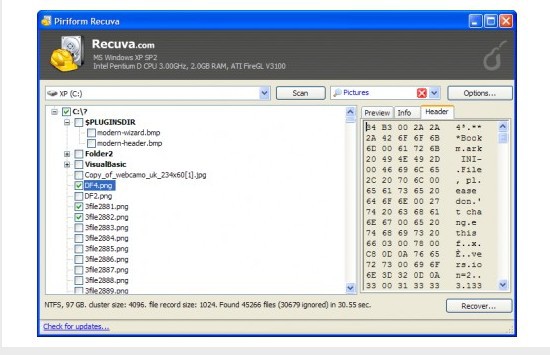
C’est sans doute la meilleure solution de récupération de données gratuite pour récupérer vos fichiers supprimés sur n’importe quel support. Ainsi, vous pourrez récupérer des données sur les volumes de stockage externes, sur les disques durs et même sur votre vieil iPod.
Son utilisation simple vous permet de parcourir les fichiers récemment supprimés et de récupérer toutes les données. Ce logiciel gratuit est seulement compatible avec Windows.
3. PC inspector File Recovery
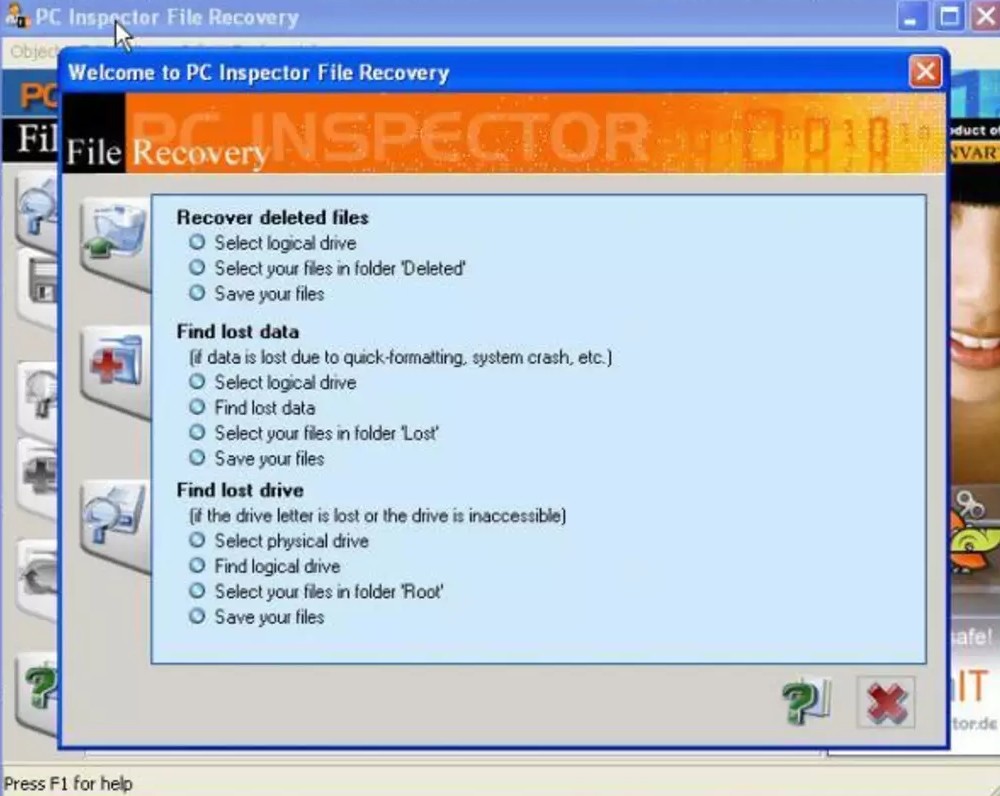
Malgré son nom, ce logiciel qui permet de restaurer des données est français et gratuit. Non seulement il restaure les fichiers mais il détecte également, de façon automatique, les supports de stockage branchés et les partitions endommagés, vides ou non détectés par Windows.
Cet outil présente une interface un peu complexe qui s’adresse à des utilisateurs aguerris.
4. Puran File Recovery
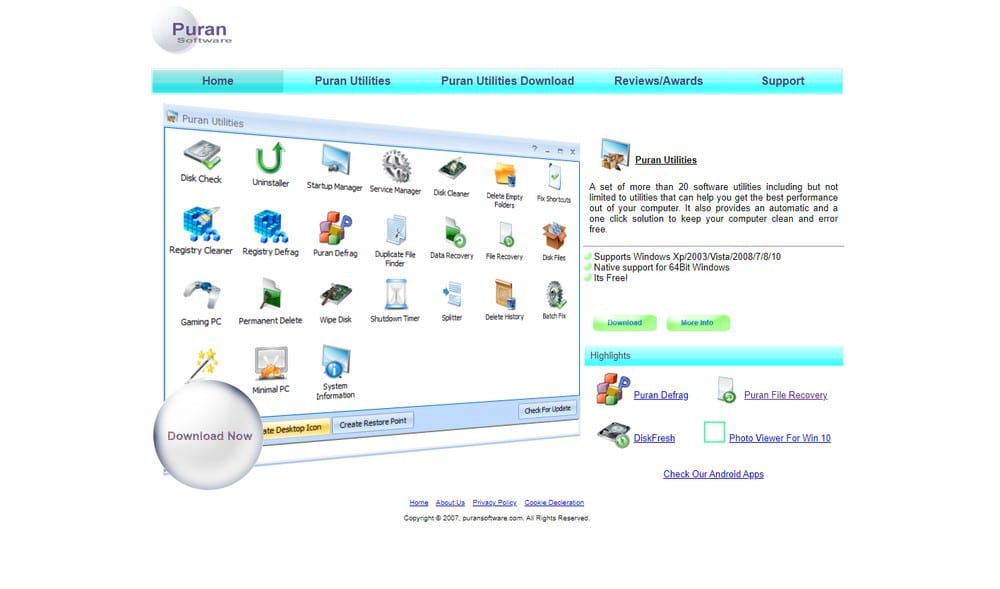
Ce logiciel dispose d’algorithmes de récupération avancés qui vous permettront de retrouver de nombreux fichiers. Puran retrouvera toutes vos données effacées et pourra également réparer des partitions corrompues si rien n’a été écrit par-dessus entre-temps.
Lorsque l’opération de récupération de données est effectuée, vous devrez formater votre disque dur et utiliser une clé USB bootable pour réinstaller Windows.
5. Wondershare Recoverit

Ce logiciel payant compatible avec Windows et MacOS est un expert pour récupérer vos fichiers perdus et vos vidéos corrompues. La restauration s’effectue en quelques étapes simples sur différents supports et tous les formats de fichiers.
Recoverit par Wondershare offre une analyse gratuite de votre ordinateur et vous permet de prévisualiser tous vos fichiers avant de récupérer ceux que vous voulez. Les analyses d’outils de ce logiciel permettent de collecter tous les fragments de vidéos corrompues et de les associer grâce à sa technologie exclusive.
6. Disk Drill
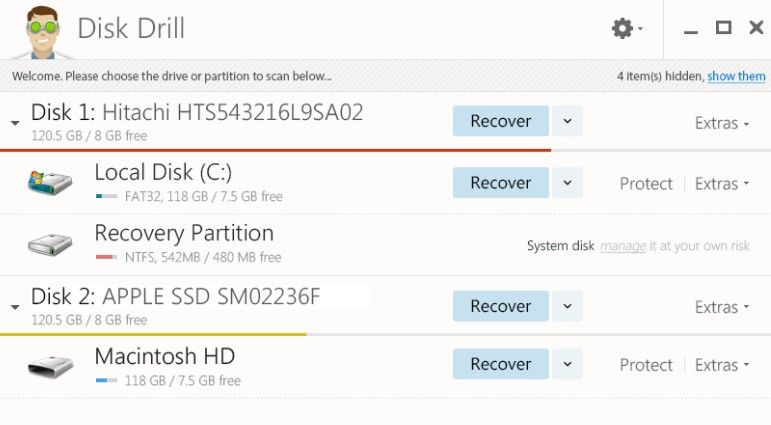
Disk Drill est un logiciel de récupération de données initialement conçu pour MacOs mais il est désormais aussi disponible pour Windows. Son interface épurée est accessible à tous.
Cet outil analyse votre disque dur et vos périphériques de stockage connectés et il peut récupérer jusqu’à 500 Mo de données gratuitement puis les copier sur un autre support de stockage. Disk Drill filtre les fichiers à récupérer en fonction de leur format (image, vidéo, document…) et trie les résultats selon les dates de modification.
7. Stellar

Restaurez des centaines de formats de fichiers et récupérez tous vos documents gratuitement avec Stellaire compatible avec Windows et MacOS. De plus, cet outil propose deux systèmes d’analyse, un rapide et un plus approfondi mais également une fonctionnalité de recherche de fichiers très complète.
Le plus de cet outil : le module de restauration de photos sur mobile.
8. Wise data Recovery
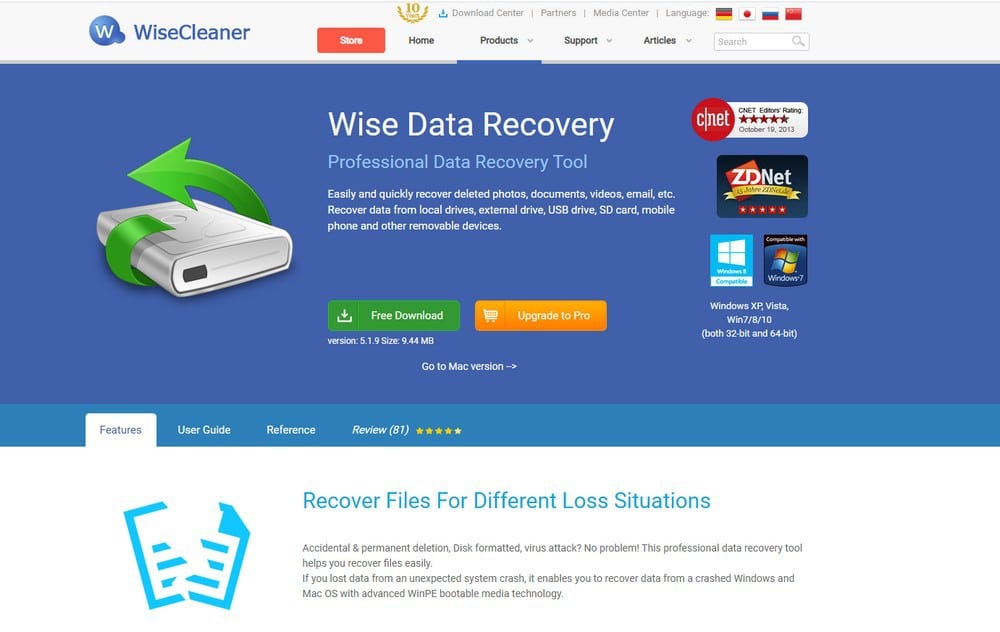
L’éditeur Wisecleaner propose le logiciel Wise Care 365 avec ses fonctionnalités de nettoyage et d’optimisation du PC et il propose aussi Wise data recovery pour la récupération des données.
La version gratuite vous offre une analyse rapide de votre disque dur pour récupérer les fichiers récemment supprimés.
Pour faire des analyses approfondies, vous devrez vous procurer la version payante. Il s’agit d’un outil ergonomique et pratique qui dispose d’une fonction de recherche et de filtres par types de fichiers. Ce logiciel est compatible avec Windows.
Conclusion
Choisissez le logiciel de récupération de données adapté à vos besoins et à vos compétences et ne stressez plus en cas de suppression ou de perte de fichiers.
Besoin d’aide pour créer des sauvegardes automatiques de vos données ou pour sécuriser votre site ? Trouvez un freelance rapidement sur Codeur.com.


