Alors que la majorité de nous se retrouve empêtrée dans les fils d’actualités dominés par les géants comme Facebook ou Twitter, une nouvelle star montante, Mastodon, se fraye un chemin vers le sommet de la chaîne de médias sociaux.
Mastodon est une plateforme de microblogage décentralisée qui prône le respect de la vie privée, ceci étant une bouffée d’air frais dans le monde souvent indiscret des médias sociaux. Mais il y a plus que cela. Un aspect moins connu, mais tout aussi crucial de Mastodon est le rôle de la taille des images dans l’expérience utilisateur.
Dans cet article, nous dévoilerons les secrets de la taille des images sur Mastodon, des avatars aux publications, et comment cela peut influencer l’engagement de votre audience.
Le récapitulatif de toutes les dimensions d’images sur Mastodon
Après le guide des tailles de Tumblr, découvrez le guide des tailles d’images pour Mastodon, le réseau social alternatif à Twitter / X.
Pour le profil
Mastodon, concurrent de Twitter / X se distingue notamment par sa grande flexibilité en termes de formats d’image. Que vous souhaitiez ajouter une touche personnelle avec une bannière accrocheuse ou un avatar original, Mastodon prend en charge plusieurs formats d’image.
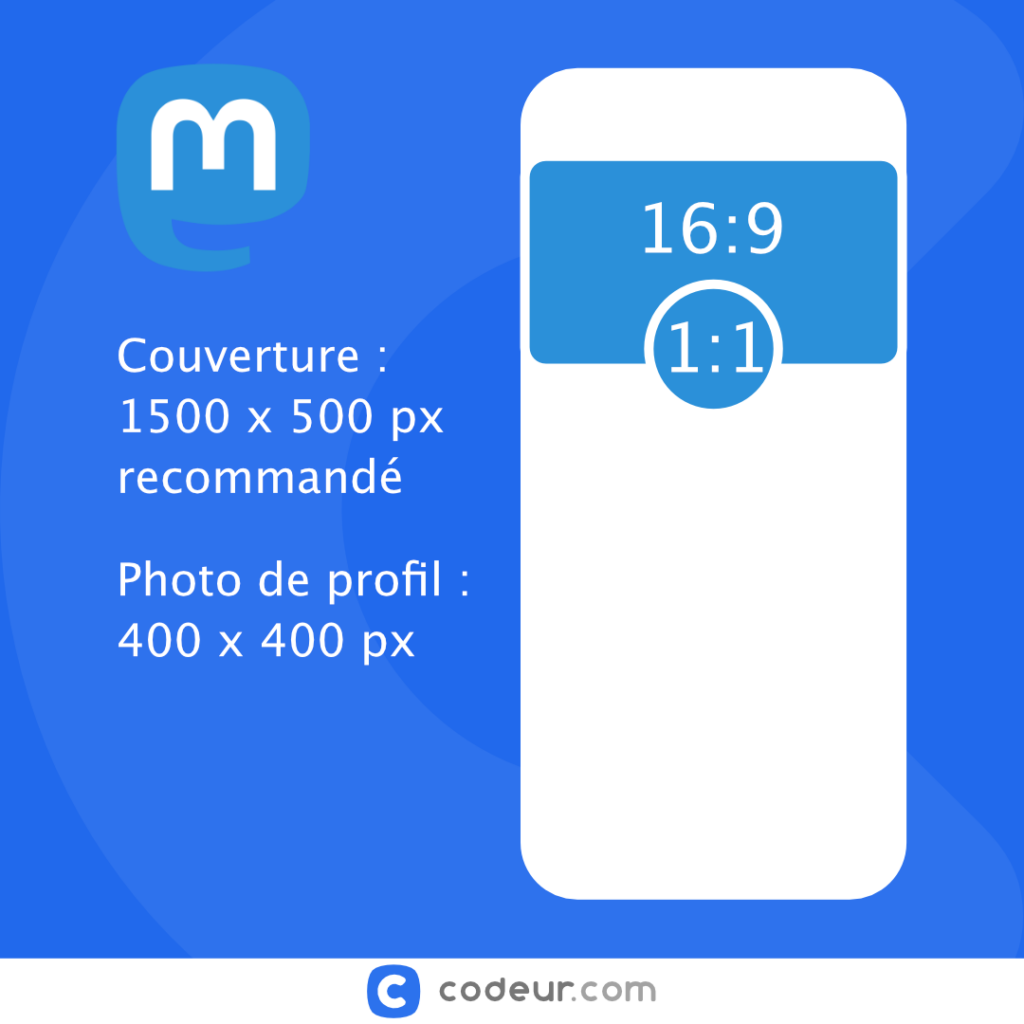
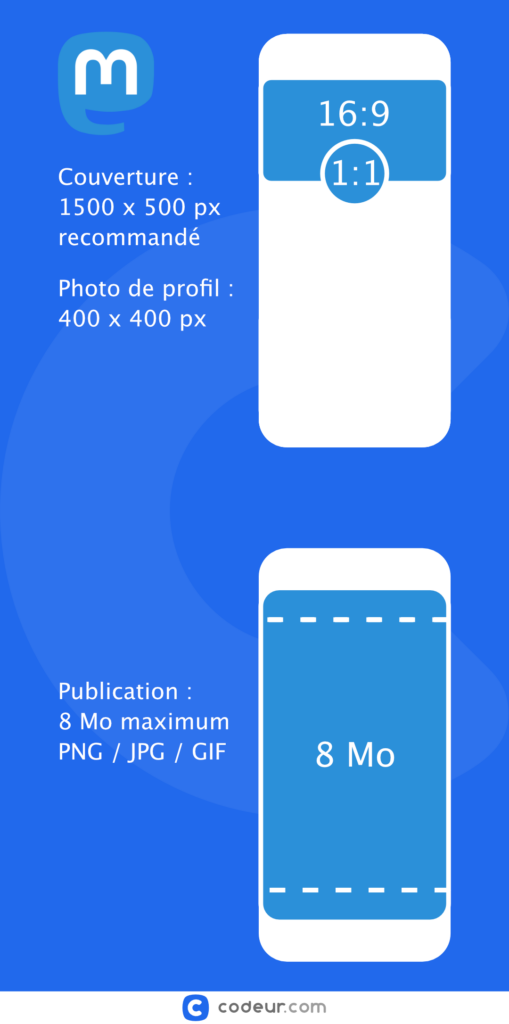
Commençons par l’image d’en-tête, autrement dit votre bannière. Cette dernière ajoute une dimension visuelle à votre profil et peut rapidement communiquer qui vous êtes et ce que vous représentez. Sur Mastodon, votre bannière peut être au format PNG, GIF ou JPG, avec un poids maximal de 2 Mo. Cependant, il est important de noter que peu importe la taille originale de votre image, elle sera réduite à 1500*500px. Cela garantit que votre bannière s’affiche correctement sur tous les écrans, tout en restant suffisamment légère pour des temps de chargement rapides.
Passons maintenant à l’image de profil, le portrait qui représente votre présence sur Mastodon. Comme pour l’image d’en-tête, l’image de profil peut être au format PNG, GIF ou JPG et ne doit pas dépasser 2 Mo. La taille de l’image sera quant à elle ajustée à 400*400px. Il est préférable de choisir une image nette et claire, qui peut être facilement identifiée même à cette taille réduite.
Pour les publications
C’est un aspect considérable de Mastodon : la flexibilité accordée aux utilisateurs en ce qui concerne les publications. Que vous souhaitiez partager une mise à jour textuelle, une image impressionnante, une vidéo captivante ou un mélange de ces éléments, Mastodon vous offre la possibilité de le faire.
Particulièrement, lorsqu’il s’agit de partager des images dans vos publications, Mastodon se montre particulièrement généreux. En effet, chaque image que vous téléchargez pour une publication peut aller jusqu’à 8 Mo. Cela représente une grande amélioration par rapport à de nombreuses autres plateformes de médias sociaux, qui limitent généralement la taille des fichiers images à un poids nettement inférieur.
Néanmoins, il convient de noter que, bien que la taille du fichier image soit généreuse, il est toujours judicieux de prendre en considération l’expérience utilisateur. Par exemple, une image de grande taille peut prendre du temps à charger sur les connexions internet plus lentes, ce qui risque de frustrer certains de vos followers. Équilibrez donc judicieusement la qualité et le poids de vos images pour offrir une expérience optimale à tous vos followers.
Notre infographie sur les tailles d’images sur Mastodon
Conclusion
Mastodon se distingue nettement des autres plateformes de médias sociaux en permettant à ses utilisateurs de télécharger des images d’une taille allant jusqu’à 8 Mo par post. C’est une aubaine pour ceux qui souhaitent partager leurs œuvres d’art, graphiques de haute qualité, ou photos sans compromettre leur résolution.
Cependant, il est important de prendre en compte l’expérience de l’utilisateur final. Faites-vous accompagner dans l’élaboration de votre stratégie social media par un professionnel en déposant une annonce sur Codeur.com.


