Dans l’ère digitale actuelle, la gestion et l’organisation du contenu peuvent rapidement devenir complexes et difficiles à gérer. Heureusement, des plateformes innovantes comme Notion offrent des solutions efficaces pour simplifier ce processus.
Les ‘templates’ sur Notion, par exemple, sont une ressource incroyablement utile pour optimiser la création et le suivi de votre calendrier éditorial. Cet article vous immerge dans le monde des templates Notion pour les calendriers éditoriaux, une ressource précieuse pour les blogueurs, les marketeurs de contenu, les gestionnaires de réseaux sociaux et tous ceux qui cherchent à rationaliser et à organiser efficacement leur production de contenu.
Alors, qu’attendez-vous pour simplifier votre routine éditoriale avec Notion ?
Les templates Notion gratuits
1. Calendrier éditorial
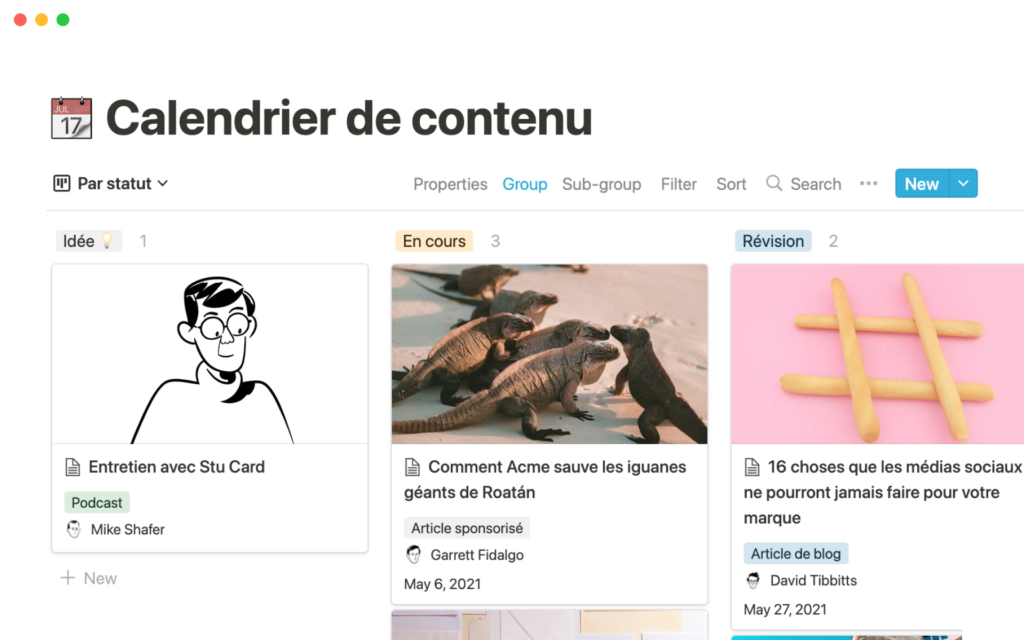
Utilisez ce modèle pour planifier et suivre tout le contenu que vous publiez, des articles de blog aux podcasts en passant par les tweets. Grâce à son interface simpliste, il vous permet de ne pas vous perdre et d’avoir une vision rapide sur tous vos contenus.
Ses points forts :
- Une interface simple et intuitive
- Suivi des contenus rapide et interactif
- Collaboration entre les acteurs
L’avis Codeur.com : C’est un modèle parfait pour débuter ! Très intuitif, il vous permettra d’avoir une vision globale simple de vos contenus. Néanmoins, si vous recherchez plus de fonctionnalités, nous vous conseillons d’utiliser des modèles que nous vous présentons après.
2. Calendrier éditorial de blog
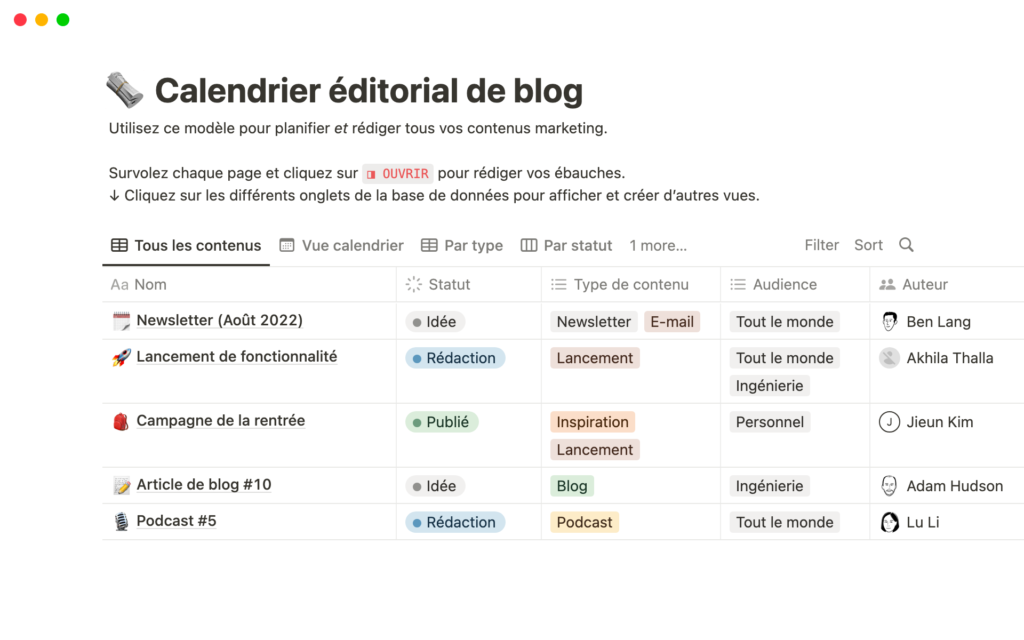
Ce modèle vous permet de planifier et rédiger tout votre contenu marketing dans une base de données. De plus, vous pourrez suivre l’état de chaque projet, son audience, son auteur, son relecteur, sa date de publication, etc.
Ses points forts :
- Visibilité des tâches en cours
- Collaboration entre les différents acteurs
- Gestion des résultats et des audiences
L’avis Codeur.com : Cet template ressemble globalement au précédent. Reprenant les mêmes fonctionnalités de base, cet template ajoute de nombreuses valeurs de résultats ainsi que des données métriques pouvant être intéressantes.
3. Content Calendar
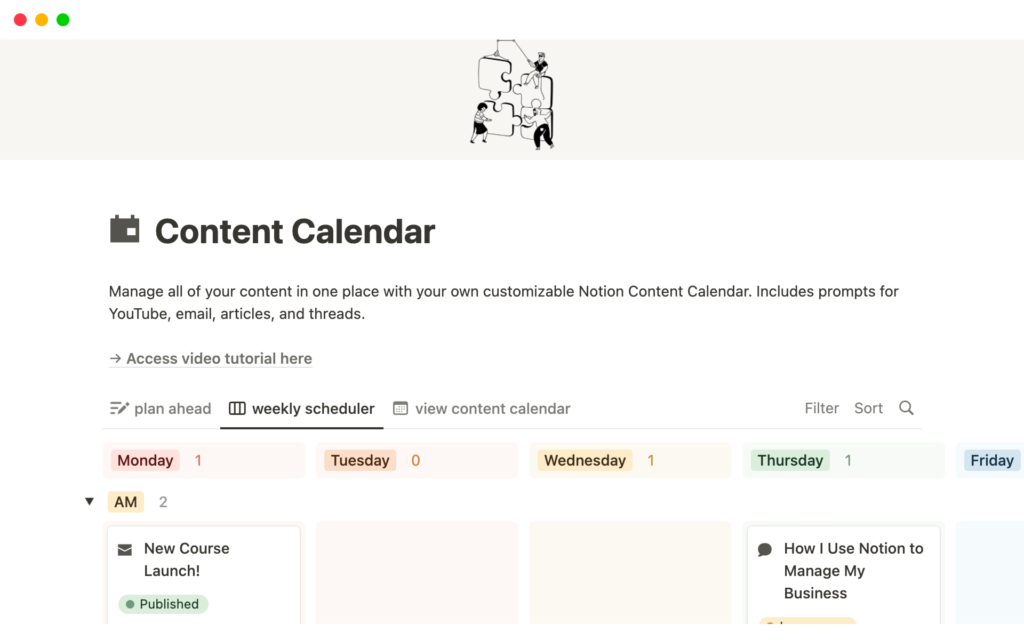
Gérez tout votre contenu en un seul endroit grâce à votre propre calendrier de contenu Notion personnalisable. Cet template comprend des invites pour YouTube, les courriels, les articles et les fils de discussion.
Ses points forts :
- Planification à l’avance
- Calendrier de contenu pour avoir une vue d’ensemble claire
- Interface en format hebdomadaire
L’avis Codeur.com : Grâce à son calendrier jour par jour qui offre une vision globale très intéressante, ce modèle est idéale pour ne pas perdre le fil.
4. Editorial Calendar
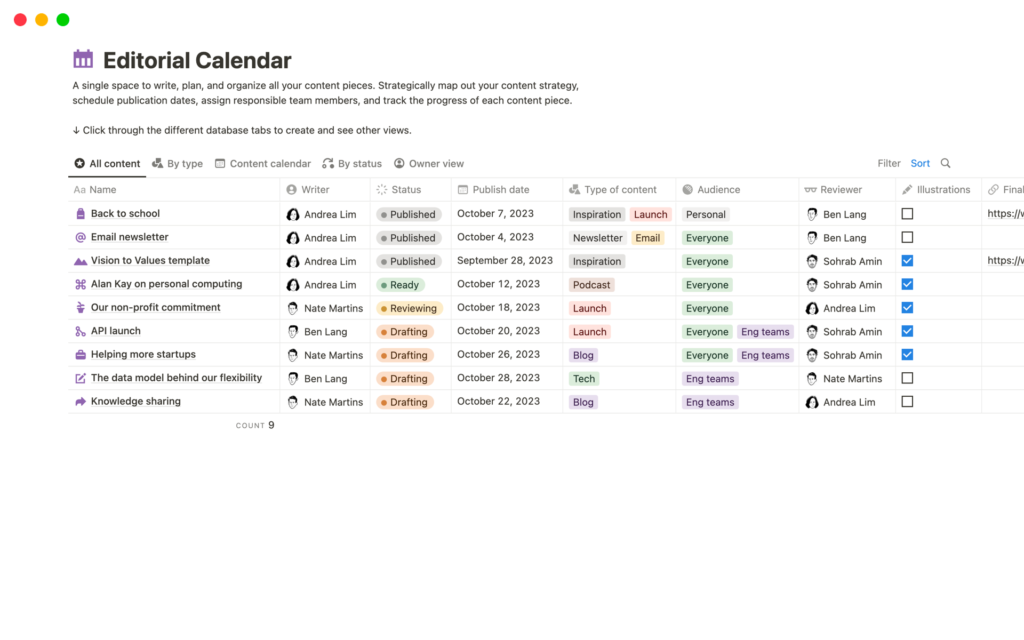
Ce modèle de calendrier éditorial est un espace dédié à la rédaction, à l’élaboration de stratégies et à la coordination de tous vos contenus. Il vous permet d’élaborer méthodiquement votre stratégie de contenu, de planifier les dates de publication, d’assigner des tâches aux membres de l’équipe et de suivre l’évolution de chaque élément de contenu dans un endroit unique et unifié.
Ses points forts :
- Grande flexibilité dans les tâches
- Agilité entre les collaborateurs
- Base donnée interactive
L’avis Codeur.com : Offrant une grande flexibilité, ce modèle créer par Notion est beaucoup plus développé que les deux premiers. Cet template vous garantit une agilité entre les différents acteurs de votre stratégie éditoriale.
5. Content Planner
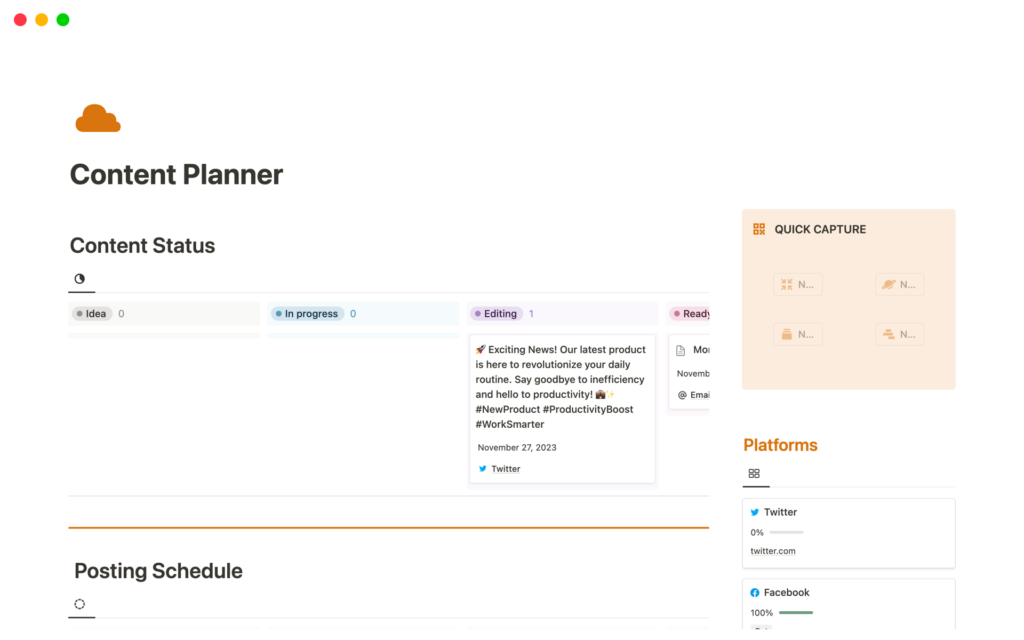
Ce planificateur de contenu peut devenir votre outil de référence pour optimiser la création de contenu. Suivez les progrès réalisés grâce au tableau d’état du contenu, assurez la cohérence en utilisant le calendrier de publication et planifiez à l’avance grâce à la section Contenu à venir.
Ses points forts :
- Calendrier dynamique et interactif
- Utilisation de tags et catégories
- Onglet données et résultats
L’avis Codeur.com : Malgré ces fonctionnalités plutôt intéressantes, ce modèle a une forme peu dynamique avec tous vos onglets sur la même page. Cela fait une page assez chargée, qui peut faire peur à l’utilisateur.
6. Simple Content Planner & Calendar
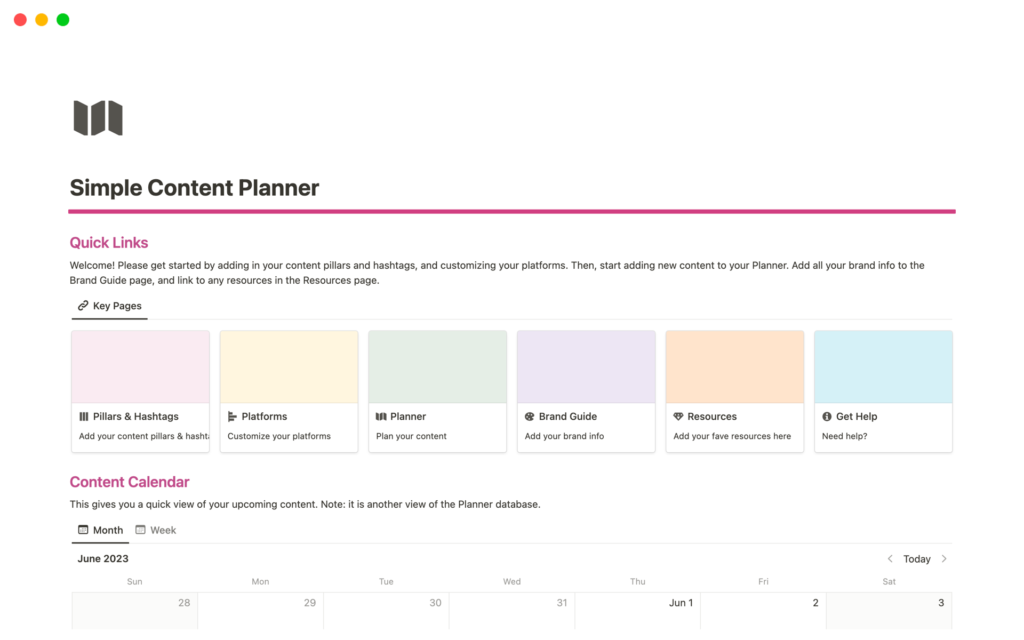
Si vous créez beaucoup de contenu, vous savez que la planification de vos contenus peut représenter un vrai casse-tête. Ce modèle vous aide à éviter de jongler et d’être submergé et rend la création de contenu plus amusante.
Ses points forts :
- Ajout de plateformes externes et suivies de vos indicateurs de performance.
- Planification des contenus pour suivre votre contenu de l’idée à la réalisation.
- Onglet guide de la marque pour héberger tous les actifs de votre marque
L’avis Codeur.com : Même si l’interface peut représentée frein, car un peu vieillotte, les fonctionnalités sont présentes et peut vous faire gagner du temps.
Les templates Notion payants
7. Content Creator’s Corner
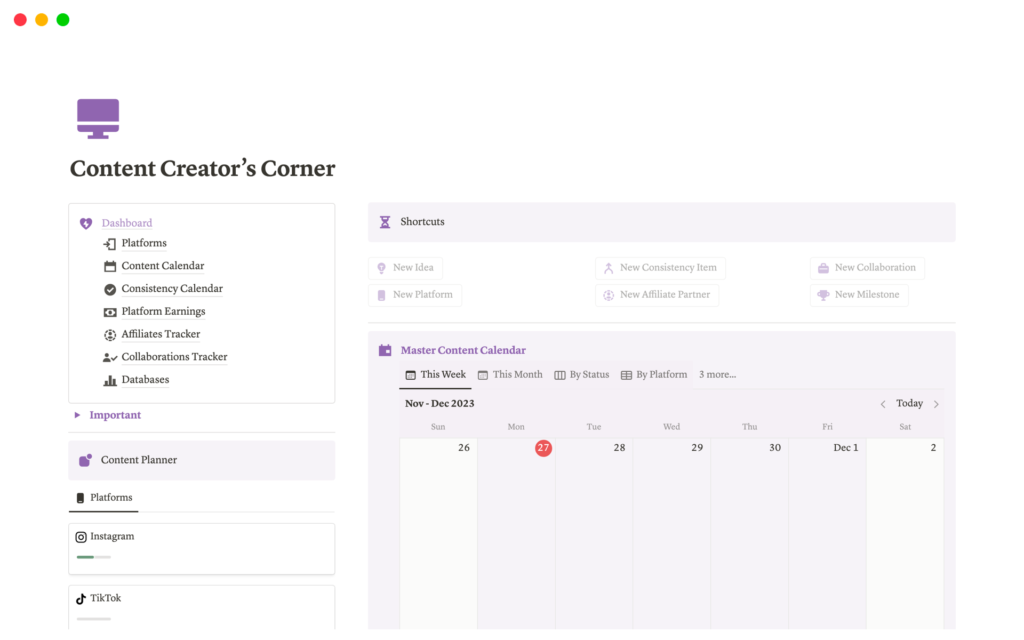
Voici un planificateur de contenu extrêmement bien développé et conçu. Le planificateur de contenu vous permet d’ajouter vos plateformes préférées, d’écrire vos idées et de créer un pipeline de contenu en transformant ces idées en articles. Le calendrier de contenu comporte une vue hebdomadaire et une vue mensuelle que vous pouvez facilement compléter.
Ses points forts :
- Différents trackers mesurant la performance de votre stratégie
- Planificateur interactif et simple d’utilisation
- Calendrier disponible en vue hebdomadaire et mensuelle
L’avis Codeur.com : C’est sans nul doute le modèle le plus complet. Il reprend toutes les fonctionnalités d’un modèle gratuit, mais en mieux. Rapide, simple, intuitif. Seul bémol : l’outil est payant (14,97€) !
8. The ultimate content planner
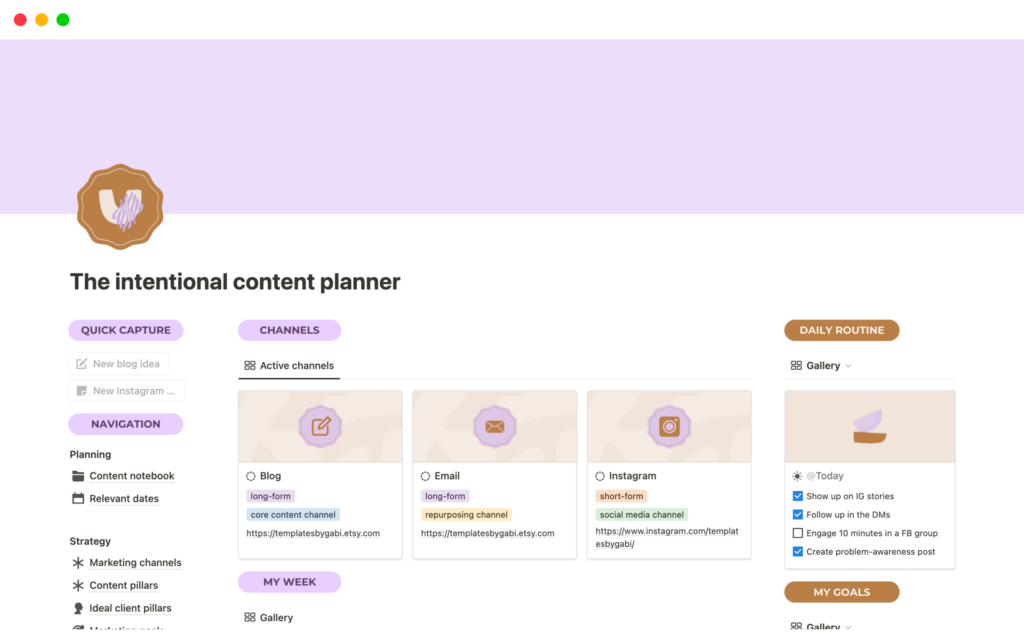
Ce modèle Notion est votre planificateur de contenu tout-en-un, conçu pour vous aider à rationaliser votre processus de création de contenu, que vous gériez des canaux de médias sociaux ou que vous plongiez dans des canaux de contenu de longue durée comme YouTube, les podcasts, le marketing par e-mail ou le blog. Il vous aide à planifier, créer et gérer tout votre contenu en un seul endroit et vous permet de rester organisé et productif.
Ses points forts :
- Interface dynamique, moderne et intuitive
- Vue claire de tous vos canaux
- Outil tout-en-un
L’avis Codeur.com : S’appuyant sur une interface dynamique et visuelle, ce modèle représente une très bonne option pour la gestion de votre calendrier éditorial. Comme pour les autres, son seul bémol est qu’il est payant (25$) !
Conclusion
Les templates, qu’elles soient gratuites ou payantes, sont des outils puissants qui peuvent considérablement simplifier et rationaliser une variété de processus numériques. Les templates gratuits offrent une introduction solide à ce qui est possible avec ces outils, tandis que les options payantes offrent une plus grande personnalisation et des fonctionnalités plus avancées.
En fin de compte, le choix entre les deux dépendra de vos besoins spécifiques et de vos ressources disponibles. Quoi qu’il en soit, il est indéniable que maîtriser l’utilisation des templates peut ouvrir la porte à une productivité et une efficacité accrues.


