Avez-vous déjà envisagé une alternative à Outlook ? La messagerie de Microsoft reste populaire, et pour cause ! Intégrée par défaut à la plupart des ordinateurs, elle est donc naturellement adoptée par les utilisateurs.
Cependant, Outlook présente certaines limites, comme un processus de récupération de mot de passe complexe ou des fonctions de gestion des tâches insuffisantes, surtout pour les professionnels.
Si vous êtes prêt(e) à essayer une autre messagerie, nous avons 10 alternatives à Outlook à vous proposer !
Pourquoi choisir une alternative à Outlook ?
Outlook s’est rapidement imposé comme un leader notamment par son intégration dans Windows, mais n’oublions pas qu’aujourd’hui pour profiter d’Outlook et des autres logiciels de la suite Office, il faut payer un abonnement. Ses fonctionnalités premium s’avèrent coûteuses avec une performance réduite sur les autres systèmes d’exploitation comme Mac et Linux. Enfin son application web offre des fonctionnalités complètes uniquement sur Internet Explorer…
Il existe des alternatives à Outlook gratuites et open source, alors pourquoi se priver ?
1. Thunderbird
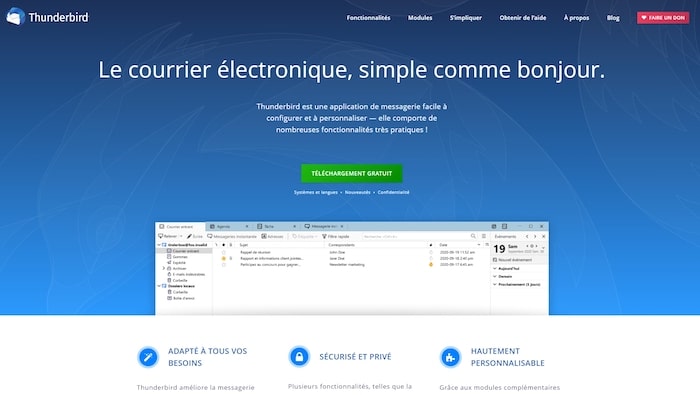
Thunderbird reste l’alternative à Outlook la plus répandue. Messagerie de Mozilla Firefox, elle contient toutes les fonctionnalités indispensables à la gestion de vos emails avec, en plus, des options de personnalisation qui la distinguent de la concurrence.
Vous pouvez installer des plugins et thèmes complémentaires pour obtenir des paramètres supplémentaires, dont certains améliorent la confidentialité et la sécurité de votre messagerie.
En termes de fonctionnalités, Thunderbird :
- Prend en charge les protocoles POP et IMAP pour la réception des emails ainsi que le cryptage SSL/TLS de vos données.
- Permet la synchronisation des emails entre les appareils à l’aide de IMAP IDLE.
- Propose diverses options pour mieux organiser votre messagerie comme la création de dossiers de stockage pour vos emails.
- Permet l’administration de flux RSS.
- Offre une forte protection contre le phishing.
- Ouvre la configuration de réponses prédéfinies pour accélérer le processus de réponse à vos emails.
- Inclut un outil de messagerie instantanée.
Prix :
Thunderbird est un service open-source gratuit offert par Mozilla. Si vous recherchez une alternative gratuite à Outlook, c’est une option intéressante à considérer.
2. Mailbird

Si vous avez l’habitude d’utiliser Outlook, Mailbird devrait vous convenir ! En effet, son interface ressemble beaucoup à l’outil de Microsoft. Par contre, côté fonctionnalités, on est plus proche de Gmail. Résultat : Mailbird offre une messagerie au design simple et fluide, qui facilite l’expérience utilisateur.
Cette alternative à Outlook est compatible avec les systèmes d’exploitation Windows, Mac et Linux. Elle se décline en 2 formules : Personnel et Business. La version Business s’accompagne de thèmes gratuits pour personnaliser votre interface.
Les principales fonctionnalités de Mailbird sont :
- Prise en charge des comptes IMAP et POP 3.
- Fonctions de carnet d’adresses, calendrier et de partage de fichiers intégrés.
- Intégration avec des applications comme Slack, Dropbox, Google Docs, Google Calendar pour faciliter la gestion des tâches et des pièces jointes.
- Intégration avec les messageries Facebook, Twitter et WhatsApp.
- Synchronisation avec LinkedIn pour rechercher et enregistrer des contacts.
- Fonction de recherche de pièces jointes.
- Intégration de vos différents comptes emails dans une seule interface.
Prix :
Mailbird est disponible gratuitement, en version limitée. Pour des besoins professionnels, mieux vaut opter pour la formule Personal à 2.42€ par mois ou l’offre Business à 3.75€ par mois.
3. eM Client

Si vous pensez à une alternative similaire à Outlook en termes d’esthétique ou de fonctionnalités, eM Client fait partie des meilleures options. Avec son design épuré, l’outil est facile à utiliser, même pour les débutants.
Ses options phares sont :
- La synchronisation avec Outlook pour garder les emails, contacts et calendriers à jour.
- La prise en charge des signatures multiples.
- L’importation automatique des contacts depuis les serveurs Gmail ou Exchange.
- Le cryptage des données avec SSL/TLS ou le protocole SFTP.
- Le stockage des données sur votre ordinateur (pour une entière maîtrise de vos informations).
- L’intégration possible avec Google Calendar, ainsi que les messageries Facebook et Twitter.
- Des filtres anti-spam.
- La traduction instantanée des emails.
- Des fonctions d’automatisation des actions basées sur des critères tels que l’expéditeur, le destinataire, des mots-clés… pour faciliter le traitement et l’archivage des emails.
Prix :
eM Client dispose d’une option gratuite limitée à 2 comptes. Pour plus de fonctionnalités, vous pouvez passer à la formule Pro à 49.95€ par an. Si vous êtes une entreprise, l’option Business est proposée à 188.95€
4. Spike

Même si les alternatives à Outlook citées jusque-là disposent de fonctionnalités de messagerie instantanée, Spike est un cran au-dessus.
L’outil est conçu pour ressembler à une plateforme de chat. Une interface simple n’affiche que l’expéditeur et l’objet de chaque email. Les messages que vous recevez sont convertis en bulles de discussion et regroupés dans des conversations uniques.
Le service possède plusieurs fonctionnalités :
- Possibilité d’envoyer des emails par SMS.
- Programmation de réponses personnalisées et automatiques.
- Suivi des emails et accusés de réception.
- Redimensionnement automatique des images.
- Organisation des contacts en groupes et possibilité d’envoyer des messages à un groupe de destinataires en une seule fois.
- Mentions @
- Appels audio et vidéo pour organiser plus facilement des réunions.
Prix :
Spike propose une version personnelle et gratuite. Cette formule suffit pour les particuliers et les freelances. Pour les entreprises ayant besoin de fonctionnalités collaboratives et d’un espace de stockage important, l’outil de messagerie propose une formule Solo à 12 $ par mois et une formule Business à 8 $ par mois.
5. Google Workspace
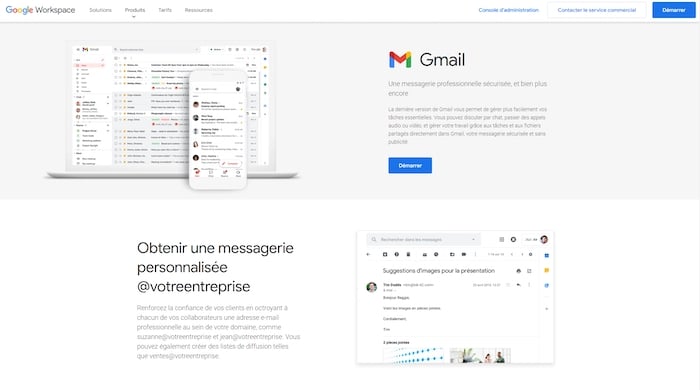
Vous connaissez très certainement Gmail, l’outil de messagerie made in Google. Pour aller plus loin et offrir un outil digne d’une utilisation professionnelle, le moteur de recherche propose Google Workspace. Cette suite se compose de différentes applications bureautiques et d’une version de Gmail plus avancée.
Pour commencer, exit les publicités dans la messagerie ! Votre boîte email est dépouillée de toute distraction pour optimiser votre productivité. Mais ce n’est pas le seul atout de Google Workspace. Cette alternative à Outlook permet de :
- Synchroniser Gmail avec les outils de Google (Docs, Slides, Agenda, Forms, Sheet…) mais aussi avec Google Drive.
- Connecter des applications tierces comme Slack ou Zoom.
- Gérer plusieurs adresses email dans une même interface.
- Personnaliser vos adresses email avec le nom de votre entreprise.
- Créer des groupes et espaces collaboratifs pour faciliter la gestion de projet en commun.
- Stocker jusqu’à 30 Go de fichier.
- Gérer les niveaux d’accès de chaque email.
Autre point fort de Gmail version pro : un temps de disponibilité garanti de 99,9 %, sans aucun temps d’arrêt pour les opérations de maintenance !
Prix :
Google Workspace est disponible à partir de 4.68€ par mois et par utilisateur.
6. ProtonMail
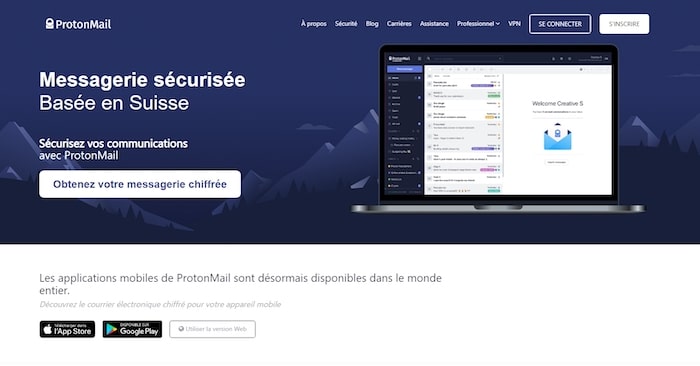
Conçu en Suisse, ProtonMail s’adresse aux utilisateurs en quête d’anonymat et de protection des données. Plébiscité sur le dark web et par les entreprises échangeant des données sensibles, cet outil de messagerie chiffre complétement vos emails.
Voici ce qu’il faut savoir au sujet de cette alternative à Outlook, hautement sécurisée :
- ProtonMail utilise également PGP (Pretty Good Privacy), une méthode de cryptage qui garantit la confidentialité et l’authentification des données.
- L’outil est associé gratuitement à d’autres services comme ProtonVPN pour garantir l’anonymat, mais aussi crypter votre connexion Internet lorsque vous utilisez des hotspots WiFi publics.
- La messagerie oblige les utilisateurs à créer 2 mots de passe pour authentifier leur connexion et déchiffrer leurs messages. Ce qui renforce grandement la sécurité de votre messagerie.
- ProtonMail dispose d’applications pour Android et iOS, tout aussi sécurisées.
- Vous pourrez choisir une option d’auto-destruction de vos emails lorsqu’ils sont lus par les destinataires.
Prix :
ProtonMail propose une version gratuite limitée à une adresse email, 150 messages par jour et 500 Mo d’espace de stockage. Pour davantage de stockage et d’adresses, vous aurez le choix entre le plan Plus à 5€ par mois, Professionnel à 8€ par mois et Visionnaire à 30€ par mois.
7. Zimbra
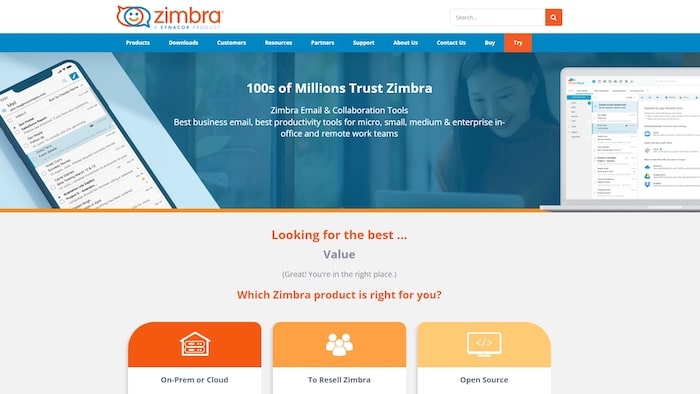
Zimbra se distingue par sa facilité d’utilisation sur toutes les plateformes ! Logiciel open source, cette alternative à Outlook s’installe aussi bien sous Windows, que MacOs ou Linux. Vous pourrez même l’utiliser sur un smartphone Android.
En tant que messagerie à code source ouvert, Zimbra offre aux utilisateurs un contrôle total sur leurs données et leur permet de communiquer facilement sans compromettre la sécurité ou les performances du réseau. Il est doté de fonctionnalités comme :
- La programme d’emails à une date ultérieure.
- Une messagerie instantanée.
- Un outil antispam et antivirus.
- La prise en charge IMAP/POP, CalDAV et CarDAV.
- Des options de comptes multiples.
- La gestion des fonctionnalités de l’utilisateur final, des quotas et des politiques de stockage via la classe de service.
- La création de to-do list avec des dates d’échéances, des priorités, etc.
Prix :
Zimbra Desktop est disponible en téléchargement gratuit.
8. Mailspring
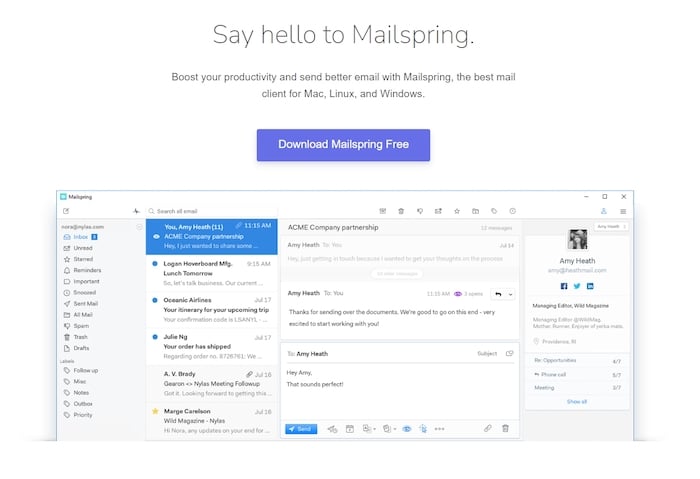
Mailspring offre une interface propre et simpliste, très proche d’Outlook. La messagerie dispose de nombreuses fonctionnalités utiles pour organiser votre boîte de réception et améliorer la gestion quotidienne de vos emails :
- Ajout de plusieurs comptes à partir de Gmail, iCloud, Office 365, Outlook, Yahoo et IMAP/SMTP.
- Fonction de recherche des emails par nom de contact, adresse email, ligne d’objet, contenu du message ou étiquette.
- Un grand choix d’options et de thèmes pour personnaliser l’interface en fonction de vos besoins.
- La possibilité de configurer des accusés de réception et de lecture pour vos emails.
- Une bibliothèque de modèles d’emails préétablis et personnalisables pour des réponses rapides.
- Un suivi avancé des emails pour vous aider à déterminer les lignes d’objet et les modèles qui génèrent le plus de clics.
Prix :
Mailspring propose une alternative à Outlook complètement gratuite. Mais pour bénéficier de fonctions professionnelles, vous devez opter pour une version Pro à 8$ par mois.
9. Postbox
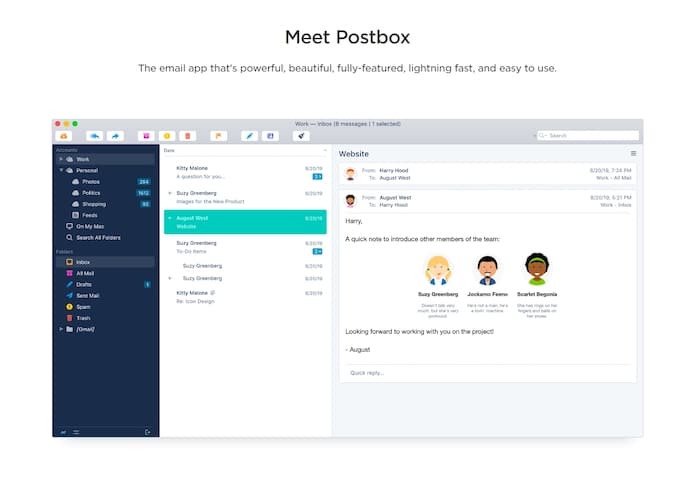
Postbox fonctionne à la fois sur Windows et sur Mac. L’outil de messagerie dispose d’une interface simple, personnalisable avec des plugins provenant de son app store intégré.
Les caractéristiques principales de Postbox sont :
- La prise en charge de plusieurs comptes emails provenant de Gmail, Outlook 365 ou Office 365, ProtonMail, Yahoo, Fastmail, les comptes IMAP, etc.
- Des connexions sécurisées via SSL/TLS et STARTTLS.
- Des fonctions d’aide à la rédaction pour rédiger plus rapidement.
- Un éditeur HTML intégré.
- Une assistance et un support technique en ligne.
- Des options de classement et de gestion d’emails avancés avec des étiquettes, des groupes, des favoris, etc.
Prix :
Postbox est disponible en version gratuite, mais limitée dans le temps. Sinon, vous pouvez obtenir une licence à vie pour 29 $ par utilisateur !
10. Seamonkey
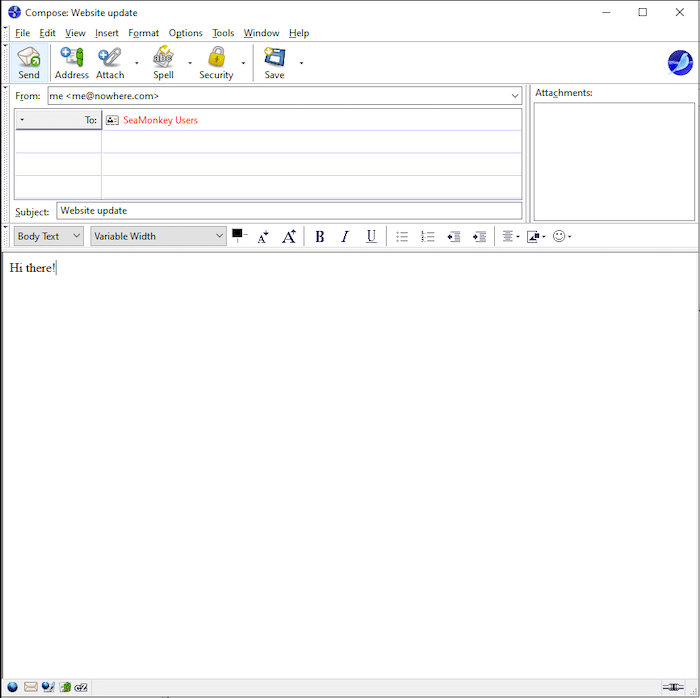
Plus qu’une simple messagerie, Seamonkey est un progiciel qui s’accompagne aussi d’un navigateur et d’un éditeur HTML. Un véritable couteau suisse pour votre communication interne !
Disponible pour les utilisateurs de Windows, Linux et Mac, cette alternative à Outlook offre de nombreuses fonctionnalités :
- Un chat IRC pour échanger avec vos collaborateurs.
- Un lecteur de flux RSS pour votre veille.
- Des add-ons pour optimiser et personnaliser l’outil.
- La configuration d’accusés de réception.
- La personnalisation des filtres anti-spam.
- Un agenda intégré pour gérer les réunions et tâches quotidiennes.
Prix :
Seamonkey est un logiciel open-source non-commercial. Il reste donc entièrement gratuit, exactement comme Thunderbird !
Notre astuce pour trouver l’alternative à Outlook qui vous correspond
Bien gérer ses emails, c’est garantir la productivité de vos équipes, mais aussi la communication avec vos clients.
Si vous avez besoin d’une solution plus flexible et personnalisable, vous trouverez votre bonheur dans cette liste d’alternatives à Outlook !
Pour vous aider dans votre gestion quotidienne, vous pouvez aussi faire appel à un(e) assistant(e) freelance qui pourra vous aider au quotidien en déposant une annonce gratuitement sur Codeur.com.


