De nombreux freelances travaillent avec des outils pour créer et organiser une to do list. Et pour cause, cette méthode présente un certain nombre d’avantages :
- Se libérer l’esprit, n’avoir plus peur d’oublier
- Suivre l’avancement de vos travaux
- Avoir l’impression d’accomplir des choses, d’atteindre ses objectifs et d’être efficace (des petites victoires bonnes pour le moral)
Pour bénéficier de tous les avantages d’une to do list, voici une sélection d’outils fort utiles pour organiser vos tâches.
Les outils de cet article ont été sélectionnés par notre équipe et ne sont pas sponsorisés. Découvrez comment sponsoriser votre outil.
Trello : le meilleur outil de to do list en ligne gratuit

Disponible gratuitement, cet outil vous permettra d’organiser et de décomposer vos objectifs en sous-tâches.
Vous pouvez créer plusieurs tableaux (un par client par exemple), créer des listes avec des cartes et ajouter des checklists dans ces cartes.
S’il existe aujourd’hui beaucoup d’alternatives à Trello pour la gestion de projet, il est l’un des précurseurs dans le domaine.
À lire aussi : 5 bonnes habitudes pour progresser au travail
Dynalist
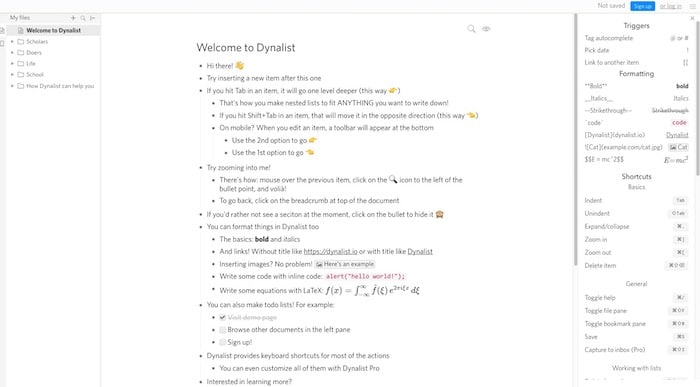
Cet outil de to do list en ligne gratuit vous permet d’imbriquer des tâches à l’infini et de les décomposer sans fin.
Oubliez les limites (grâce à un nombre illimité d’articles et de documents), les points (une saisie automatique simplifiée) et réorganisez librement votre Dynalist en envoyant des idées sous n’importe quel élément.
Cet outil est disponible sur Windows, macOS, Linus, Android et iOS.
À lire aussi : Productivité : comment systématiser la gestion de votre entreprise ?
Basecamp
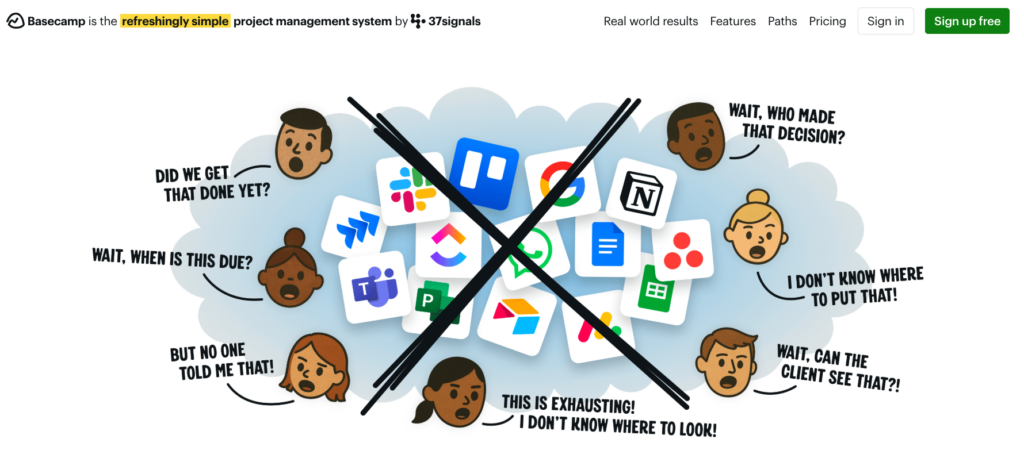
Basecamp vous permet d’organiser toutes vos tâches en un seul endroit pour progresser plus rapidement et trouver un sentiment d’accomplissement.
En plus de permettre de créer des to do lists en ligne pour vos projets, tout y est réuni : e-mails, services de fichiers, gestionnaires de tâches, feuilles de calcul, chats, réunions, etc.
Pomotodo
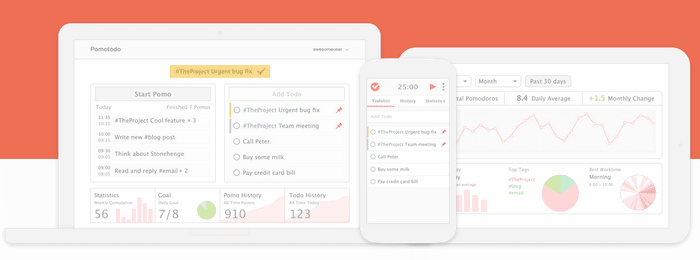
Un outil de to do list en ligne gratuit couplé avec la méthode GTD pour arriver à planifier vos tâches et les réaliser avec efficacité. Pomotodo est compatible avec de nombreux appareils.
Il vous offre une gestion complète des flux de travail. Grâce à cet outil, vous pouvez réunir vos idées, planifier vos travaux, terminer vos tâches et passer votre historique en revue directement dans l’application.
Asana
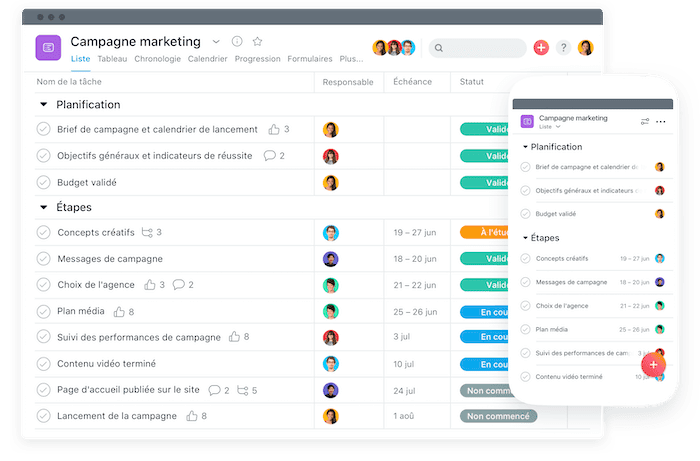
Avec Asana, créez des plans de projet graphiques pour visualiser la planification de chaque étape ; planifiez et structurez votre travail de la façon qui vous convient le mieux. Enfin, suivez chaque étape de vos projets et tâches.
Asana va plus loin que la simple to do list en ligne gratuite. C’est un véritable outil de gestion de projet qui peut vous aider à organiser votre entreprise.
Le prix : Comptez 10,99 € / mois pour la version premium.
Wunderlist
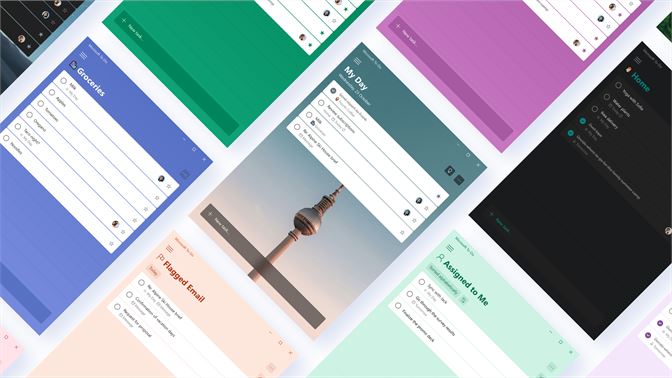
Wunderlist permet de créer des to do list en ligne gratutuitement. Cette application de gestion de tâches dispose d’une version gratuite très complète.
Vous pouvez accéder gratuitement à la création illimitée de tâches, l’assignation des tâches à 10 personnes et 25 sous-tâches par projet.
Le prix : La version premium est disponible pour 4,99$.
TeuxDeux
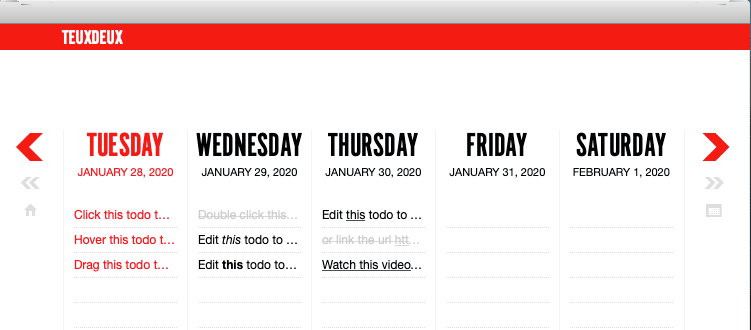
Une application de to do list en ligne pour créer et organiser facilement vos tâches. Grâce à son application mobile, vous pouvez emporter toutes vos tâches avec vous, partout.
Le prix : Cet outil possède une version d’essai gratuite pendant 30 jours. La version payante est de 3$ / mois.
Things
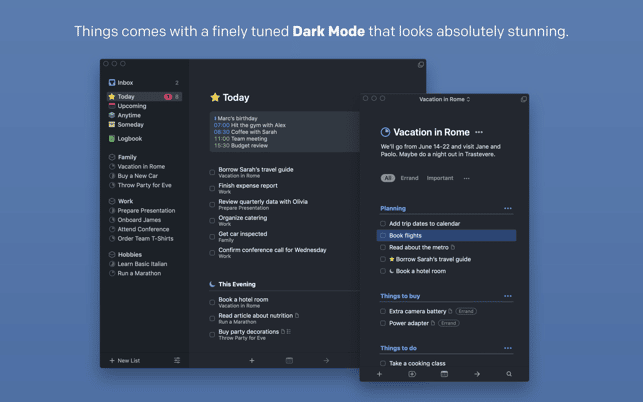
Une application to do list uniquement disponible sur les produits Apple. Elle se veut très complète, rapide et intuitive. Il y a de nombreuses fonctionnalités intéressantes pour gérer, trier et organiser toutes vos tâches.
Le prix : Comptez aux alentours de 50$ pour la version Mac, 20$ la version iPad et 10$ la version iPhone.
Remember The Milk
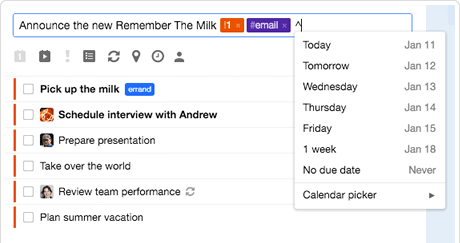
Une application de to do list complète pouvant se greffer avec de nombreux services comme Twitter, Gmail, Evernote etc. Vous pourrez facilement ajouter des tâches, les géolocaliser, les partager avec votre entourage et les filtrer de façon intelligente.
Le prix : Cet outil dispose d’une version gratuite. Pour la version pro, comptez 25$ pour un an.
Any.do
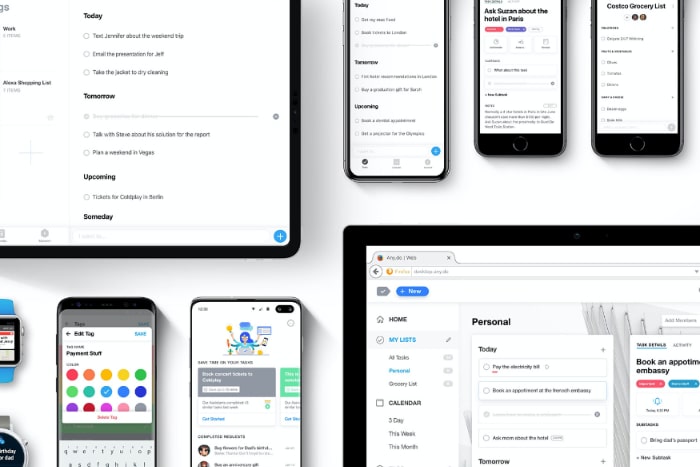
Une application gratuite pour créer des to do lists facilement. Une interface minimaliste et une expérience utilisateur très efficace. Simple, flexible, fiable et puissant, cet outil est disponible sur iPhone et Android.
Google Keep

Proposé par Google, Keep est disponible gratuitement et consultable sur tous les supports. Simple d’utilisation, cette application de to do list en ligne propose de créer et gérer facilement des notes et des listes.
Todoist
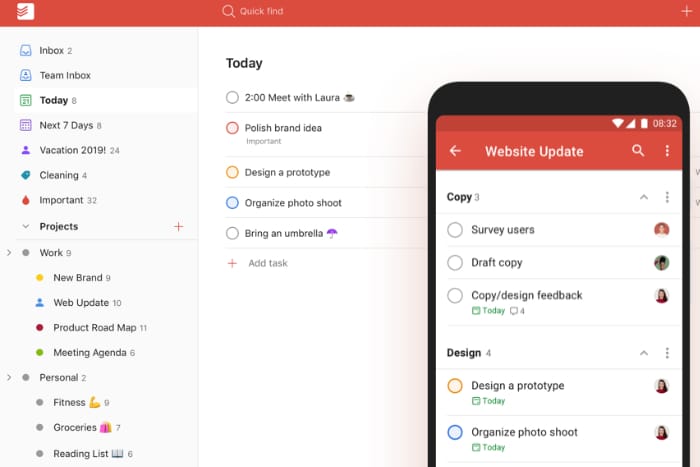
Une grosse application pour gérer et organiser vos tâches. Vous pouvez consulter vos tâches n’importe où et collaborer avec d’autre personne.
Le prix : Comptez 2$ / mois pour une version premium.
Tasks
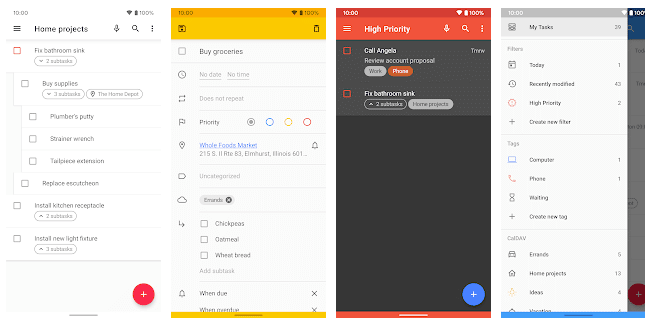
Task est un clone de l’ancienne application Astrid (rachetée par Yahoo! et arrêtée). C’est une application complète et gratuite uniquement disponible sur Android.
Elle permet de créer des to do lists gratuitement et facilement.
WorkFlowy

Cet outil de to do list en ligne permet d’organiser des tâches et des sous tâches de façon très intuitive. A découvrir d’urgence si vous ne le connaissez pas encore : nous vous le recommandons !
TickTick

TickTick est un outil très complet pour créer des to do lists ! Il propose de nombreuses possibilités pour vous permettre une gestion avancée de vos tâches. La version gratuite est intéressante.
Le prix : Comptez 20$ par an pour une version Pro.
Tomorrow

Une application qui vous permettra de créer des to do list en restant focus sur vos principaux objectifs. L’application sort un peu du lot par son approche et vaut le coup d’être testée si vous cherchez une application de to do list différente des liste à cocher.
Habitica
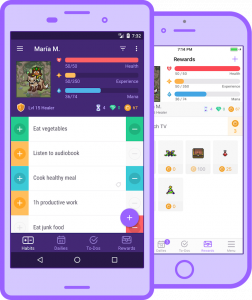
L’ovni de cette sélection. Habitica part du principe que les outils de to do list ne motivent pas assez l’utilisateur à continuer dans le temps l’exécution des tâches.
L’outil vous propose donc de gérer et d’accomplir vos tâches comme un jeu.
Vous définissez vos tâches et à chaque réalisation vous gagnez des pièces, des items et des niveaux. Si vous ratez ou n’accomplissez pas vos missions, vous perdez des points de vie. Original et intéressant.
OmniFocus
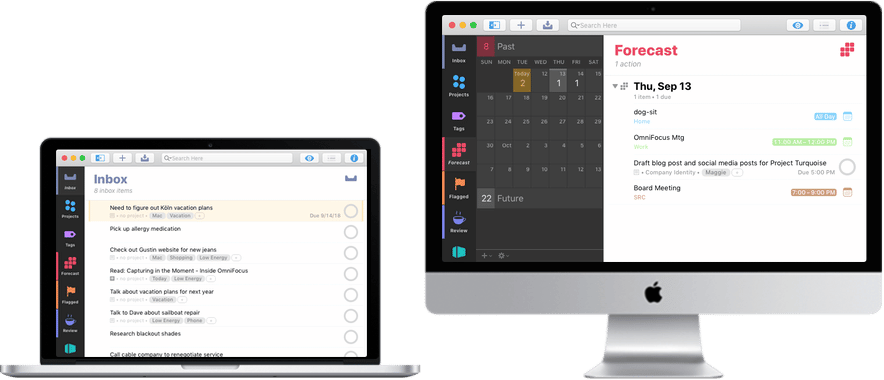
Disponible sur Mac, iPhone, iPad et Apple Watch, Omnifocus est une application de to do list très riche.
Sur l’écran principal, vous trouverez une prévision des prochaines tâches à accomplir accompagnés de badges de couleur permettant d’identifier rapidement les plus urgentes. Vous pouvez rapidement rentrer une nouvelle tâche dans la partie “Inbox”, et l’attribuer ensuite à un dossier ou une liste de votre choix.
Le prix : Comptez 39,99 € pour accéder à la version standard de cet outil de très bonne facture, et le double pour obtenir la version pro sur Mac.
ToodleDo
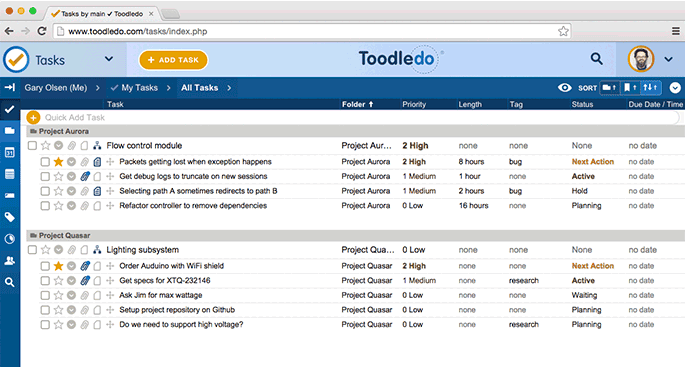
Avec ToodleDo, planifiez-vos tâches à l’aide d’une interface très pratique sur tous vos supports : l’application peut être synchronisé sur votre ordinateur, votre smartphone et votre tablette.
Vous pouvez personnaliser chacune de vos tâches avec des sous-tâches, des notes additionnelles, des ordres de priorité… Un outil complet et gratuit !
À lire aussi : Top 6 des logiciels de ticketing pour gagner en productivité
Wrike

Aussi adapté pour un usage individuel que pour une équipe, Wrike permet d’organiser efficacement vos tâches en fonction de leur urgence et de leur date butoir.
Le prix : Il existe une version gratuite (mais aux fonctionnalités réduites) pour un maximum de 5 utilisateurs. Au-delà, vous devrez acquérir la version payante (à partir de 49$ / mois).
Centrallo
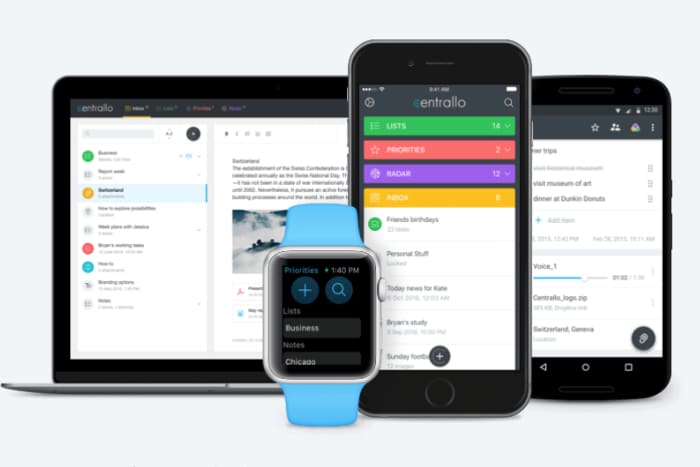
Centrallo fait la promesse de “centraliser votre vie”. Et, en effet, cette application ergonomique permet de rassembler toutes les choses que vous avez à faire en les triant par listes et sous-listes.
Le prix : Une version gratuite légèrement bridée existe. Sinon, il faudra se tourner vers la version premium à 4,99 $ par mois.
EasyNote
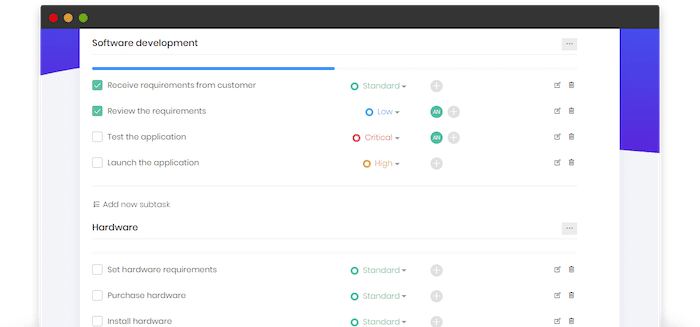
100 % gratuit, EasyNote est un outil simple et performant qui fonctionne sur tous vos supports, de l’ordinateur au smartphone. Il permet notamment de suivre facilement l’avancée de vos tâches avec un système de commentaires et de notifications par e-mail.
Meister Task

Plutôt pensé pour le travail en équipe, Meister Task se veut simple, esthétique et fonctionnel. Basé lui aussi sur un système de cartes, il vous permettra d’organiser vos tâches en un rien de temps.
Quelques conseils pour votre To-Do list
- Restez simple ! Dans la définition et les intitulés de vos tâches, allez au plus direct
- N’hésitez pas à créer des sous-tâches
- Utilisez des verbes d’action dans la définition de vos tâches
- Mettez à jour régulièrement votre avancée, supprimez les tâches terminées et récompensez-vous pour le travail accompli !
- Soyez rigoureux et discipliné. Fonctionnez toujours de la même manière
À lire aussi : Freelance : 5 conseils pour améliorer votre efficacité
Vous ne parvenez pas à vous organiser avec ces outils ? Faites appel à une assistante virtuelle pour gérer votre planning en déposant une annonce sur Codeur.com.


