Vous cherchez une solution de paiement fiable et sécurisée pour votre site WooCommerce ? Faites appel à des développeurs WooCommerce sur Codeur.com pour vous aider à mettre en place la passerelle idéale pour votre boutique en ligne.
Dans cet article, nous vous présentons les meilleures passerelles de paiement disponibles sur WooCommerce et vous fournissons toutes les informations nécessaires pour vous aider à faire votre choix. Que vous souhaitiez ajouter de nouvelles options de paiement à votre site ou simplement changer de passerelle, cet article vous guidera dans votre décision.
WooCommerce Payments : la passerelle de paiement officielle
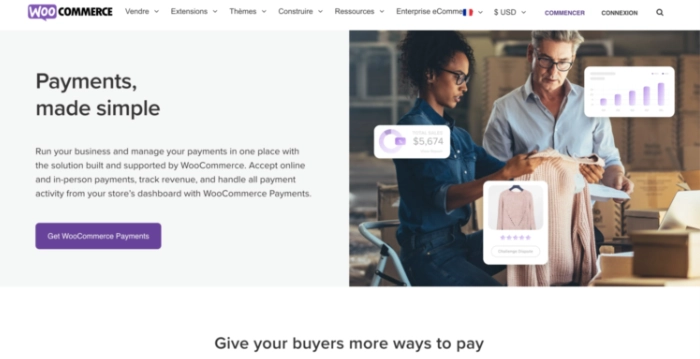
WooCommerce Payments est une passerelle de paiement en ligne proposée par WooCommerce, le plugin de commerce électronique le plus populaire pour WordPress. Elle vous permet de recevoir des paiements par carte de crédit et de débit, ainsi que par d’autres moyens de paiement en ligne. WooCommerce Payments est intégré directement à votre site WooCommerce, ce qui rend l’installation et l’utilisation très faciles.
WooCommerce Payments ne nécessite aucun abonnement et ne facture aucun frais sur les transactions. Cependant, des frais de paiement peuvent être appliqués par les moyens de paiement utilisés. WooCommerce Payments est une bonne option pour les propriétaires de boutiques en ligne qui cherchent une passerelle de paiement simple et peu coûteuse, avec la possibilité de recevoir des paiements par de nombreuses méthodes différentes.
Stripe : le meilleur moyen de paiement WooCommerce
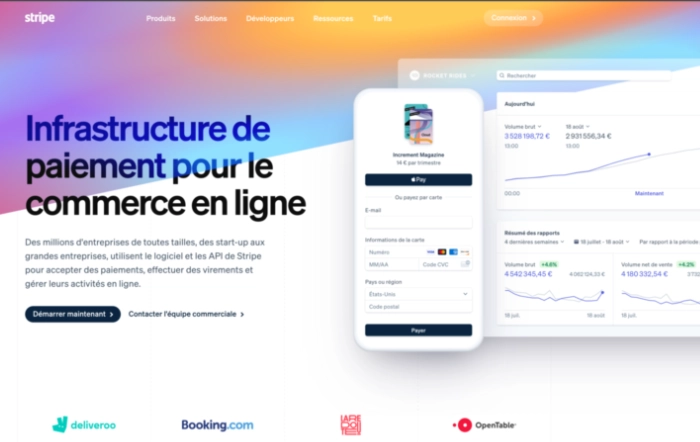
Stripe est une passerelle de paiement en ligne populaire auprès des propriétaires de boutiques en ligne. Elle vous permet de recevoir des paiements par carte de crédit et de débit, ainsi que par d’autres moyens de paiement en ligne. Stripe offre une sécurité avancée pour protéger les informations de paiement de vos clients et une intégration facile avec WooCommerce.
Stripe ne nécessite aucun abonnement, mais facture des frais sur les transactions. Les frais de transaction sont de 2,9% + 30 centimes pour les paiements par carte de crédit et de 1% pour les paiements par virement bancaire. Stripe est une bonne option pour les propriétaires de boutiques en ligne qui cherchent une passerelle de paiement fiable et sécurisée, avec la possibilité de recevoir des paiements par de nombreuses méthodes différentes.
Stripe fait partie des solutions les plus utilisées pour gérer les paiements. Après avoir créé votre site marchand gratuitement avec WooCommerce, cette solution s’impose comme un must have pour configurer facilement le règlement des commandes de vos clients.
Paypal : une passerelle de paiement WooCommerce fiable
PayPal est l’une des passerelles de paiement en ligne les plus connues et les plus utilisées. Elle vous permet de recevoir des paiements par carte de crédit, de débit et par d’autres méthodes de paiement en ligne. PayPal facture des frais sur les transactions, qui varient en fonction du type de compte que vous avez et du pays dans lequel vous êtes situé.
PayPal offre également de nombreuses fonctionnalités avancées, telles que la gestion des paiements récurrents et la possibilité de personnaliser les pages de paiement. L’un des avantages de PayPal est qu’elle est reconnue et utilisée par de nombreux utilisateurs en ligne, ce qui peut être rassurant pour vos clients. En plus de cela, PayPal propose une intégration facile avec WooCommerce, ce qui en fait une option populaire pour les propriétaires de boutiques en ligne utilisant ce plug-in de vente en ligne.
Authorize.net CIM
Authorize.net CIM est une passerelle de paiement en ligne proposée par Authorize.net, une société de traitement de paiement en ligne. Elle vous permet de recevoir des paiements par carte de crédit et de débit, ainsi que par d’autres moyens de paiement en ligne. Authorize.net CIM offre une sécurité avancée pour protéger les informations de paiement de vos clients et une intégration facile avec WooCommerce.
En plus de la sécurité et de la facilité d’utilisation, Authorize.net CIM propose également de nombreuses fonctionnalités utiles pour les propriétaires de boutiques en ligne. Par exemple, la gestion des abonnements et des paiements récurrents est simplifiée grâce à la gestion des profils de paiement. Vous pouvez également utiliser la fonction de gestion des fraudes pour protéger votre boutique contre les tentatives de fraudes.
Braintree

Braintree propose plusieurs avantages pour les propriétaires de boutiques en ligne qui souhaitent utiliser Braintree comme passerelle de paiement. Voici quelques-uns de ces avantages :
- Intégration facile avec WooCommerce : Braintree propose une extension WooCommerce qui facilite l’intégration de la passerelle de paiement sur votre site.
- Sécurité avancée : Braintree utilise des technologies de sécurité de pointe pour protéger les informations de paiement de vos clients.
- Paiements par de nombreux moyens : Braintree vous permet de recevoir des paiements par carte de crédit, de débit, et par d’autres moyens de paiement en ligne, comme PayPal.
- Gestion des abonnements et des paiements récurrents : Braintree propose des outils de gestion des abonnements et des paiements récurrents qui vous permettent de gérer facilement vos ventes récurrentes.
- Gestion des fraudes : Braintree propose des outils de gestion des fraudes pour protéger votre boutique contre les tentatives de fraudes.
- Pas d’abonnement requis : Braintree ne nécessite pas d’abonnement, ce qui peut être avantageux si vous ne voulez pas vous engager sur une période prolongée.
- Support clientèle dédié : Braintree propose un support clientèle dédié pour vous aider à utiliser la passerelle de paiement et à résoudre tous les problèmes éventuels.
Adyen

Adyen est une passerelle de paiement en ligne qui vous permet de recevoir des paiements par carte de crédit et de débit, ainsi que par d’autres méthodes de paiement en ligne. Elle offre une sécurité avancée pour protéger les informations de paiement de vos clients et une intégration facile avec WooCommerce.
Adyen ne nécessite aucun abonnement et ne facture aucun frais sur les transactions. Cependant, des frais de paiement peuvent être appliqués par les moyens de paiement utilisés. Adyen est une bonne option pour les propriétaires de boutiques en ligne qui cherchent une passerelle de paiement simple et peu coûteuse, avec la possibilité de recevoir des paiements par de nombreuses méthodes différentes.
Up2pay e-Transactions (Crédit Agricole)
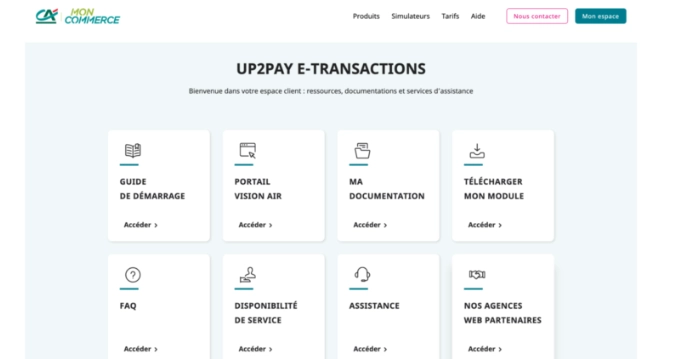
Up2pay e-Transactions est une passerelle de paiement en ligne proposée par le Crédit Agricole. Elle vous permet de recevoir des paiements par carte de crédit et de débit, ainsi que par d’autres méthodes de paiement en ligne. Up2pay e-Transactions offre une sécurité avancée pour protéger les informations de paiement de vos clients et une intégration facile avec WooCommerce. Up2pay e-Transactions ne nécessite aucun abonnement, mais facture des frais sur les transactions. Cependant, ils proposent également un forfait d’abonnement qui inclut les frais de transaction pour un coût mensuel fixe. Up2pay e-Transactions est une bonne option pour les propriétaires de boutiques en ligne qui souhaitent avoir la possibilité de recevoir des paiements par de nombreuses méthodes différentes.
Monetico (CIC)
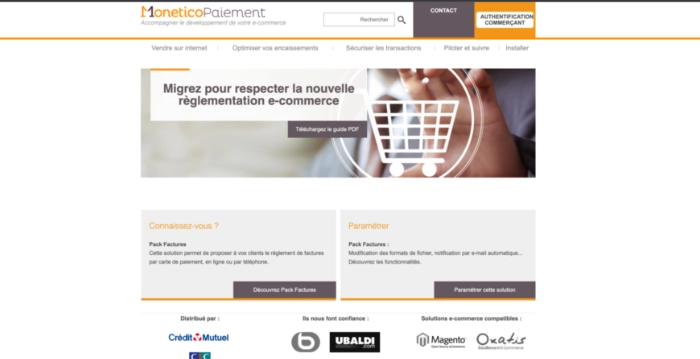
Monetico est une passerelle de paiement en ligne proposée par le Crédit Industriel et Commercial (CIC). Elle vous permet de recevoir des paiements par carte de crédit et de débit, ainsi que par d’autres méthodes de paiement en ligne. Monetico offre une sécurité avancée pour protéger les informations de paiement de vos clients et une intégration facile avec WooCommerce. Monetico ne nécessite aucun abonnement, mais facture des frais sur les transactions. Cependant, ils proposent également un forfait d’abonnement qui inclut les frais de transaction pour un coût mensuel fixe. Monetico est une bonne option pour les propriétaires de boutiques en ligne qui cherchent une passerelle de paiement fiable et sécurisée, avec la possibilité de recevoir des paiements par de nombreuses méthodes différentes.
Comment choisir votre passerelle de paiement WooCommerce ?
Il existe de nombreuses passerelles de paiement disponibles pour WooCommerce, chacune ayant ses propres avantages et inconvénients.
Pour choisir la passerelle de paiement qui convient le mieux à votre boutique en ligne, voici quelques points à considérer.
1. Prenez en compte vos besoins en matière de paiement
Avant de choisir votre passerelle de paiement, il est important de déterminer vos besoins en matière de paiement. Par exemple, si vous avez besoin de recevoir des paiements par virement bancaire en plus de cartes de crédit et de débit, assurez-vous de choisir une passerelle qui propose cette fonctionnalité. De même, si vous avez besoin de gérer des abonnements et des paiements récurrents, assurez-vous que la passerelle que vous choisissez propose cette fonctionnalité.
2. Comparez les frais de transaction et les frais d’abonnement
Il est important de comparer les frais de transaction et les frais d’abonnement de chaque passerelle de paiement pour choisir celle qui convient le mieux à votre budget. Faites le calcul pour chaque passerelle en fonction de votre panier moyen et de votre chiffre d’affaires prévu afin de déterminer le coût réel de chaque passerelle.
3. Vérifiez la compatibilité avec votre site WooCommerce
Assurez-vous que la passerelle de paiement que vous choisissez est compatible avec votre site WooCommerce. Vous devriez vérifier si la passerelle dispose d’un plug-in ou d’une extension WooCommerce pour faciliter l’intégration.
4. Prenez en compte la sécurité et la fiabilité
La sécurité et la fiabilité sont des éléments clés à prendre en compte lors du choix de votre passerelle de paiement. Assurez-vous que la passerelle que vous choisissez offre une sécurité avancée pour protéger les informations de paiement de vos clients. Vérifiez également la réputation de la passerelle et les avis des utilisateurs pour vous assurer de sa fiabilité.
5. Regardez les fonctionnalités supplémentaires proposées
Certaines passerelles de paiement proposent des fonctionnalités supplémentaires qui peuvent être utiles pour votre boutique en ligne. Par exemple, certaines passerelles proposent des outils de gestion des abonnements et des paiements récurrents, ce qui peut être très utile si vous vendez des produits ou des services avec des paiements récurrents. D’autres passerelles proposent des outils de gestion des fraudes pour protéger votre boutique contre les tentatives de fraudes. Assurez-vous de vérifier quelles fonctionnalités supplémentaires sont proposées par chaque passerelle avant de prendre votre décision finale.
6. Faites appel à un développeur WooCommerce pour vous aider
Mettre en place une passerelle de paiement peut être complexe et il est recommandé de faire appel à un développeur WooCommerce expérimenté pour vous aider.
Sur Codeur.com, vous pouvez trouver des développeurs professionnels qui peuvent vous aider à mettre en place la passerelle de paiement de votre choix sur votre site WooCommerce. Ils pourront également vous conseiller sur le choix de la passerelle qui convient le mieux à vos besoins et vous aider à résoudre tous les problèmes éventuels.
Notre astuce pour optimiser le choix de votre passerelle de paiement WooCommerce
Lorsque vous choisissez une passerelle de paiement pour votre boutique en ligne hébergée sur WooCommerce, il est important de prendre en compte les frais de transaction, les moyens de paiement acceptés, la sécurité et la facilité d’utilisation. Cependant, il y a une autre astuce que vous pouvez utiliser pour vous assurer que vous faites le meilleur choix : utiliser des outils de calcul des coûts.
Il existe plusieurs outils en ligne qui vous permettent de calculer le coût réel de chaque passerelle de paiement en fonction de votre panier moyen et de votre volume de ventes. Par exemple, vous pouvez utiliser un outil comme celui-ci pour comparer les coûts de différentes passerelles de paiement en fonction de votre panier moyen et de votre volume de ventes. Cela vous permet de voir clairement quelle passerelle de paiement sera la plus avantageuse pour votre boutique en ligne, en prenant en compte tous les coûts associés.
En utilisant un outil de calcul des coûts, vous pouvez être sûr de faire le meilleur choix de passerelle de paiement pour votre boutique en ligne WooCommerce.
Si vous souhaitez mettre en place une passerelle de paiement sur votre site WooCommerce mais que vous ne savez pas comment vous y prendre, n’hésitez pas à faire appel à un freelance sur Codeur.com. Ces professionnels expérimentés vous aideront à choisir la passerelle de paiement qui convient le mieux à vos besoins et à la mettre en place sur votre site. Ils pourront également vous conseiller sur les meilleures pratiques pour sécuriser vos transactions et vous aider à résoudre tous les problèmes éventuels.
Alors, n’attendez plus et faites appel à un développeur WooCommerce sur Codeur.com pour vous aider à mettre en place une passerelle de paiement sur votre site WooCommerce.


