Le mardi 7 novembre, WordPress a dévoilé la version 6.4 de son célèbre CMS, marquant sa troisième grande évolution annuelle. Comme à son habitude, cette mise à jour rend hommage à une personnalité. Cette fois, il s’agit de l’iconique Shirley Horn, illustre chanteuse et pianiste de jazz.
Besoin d’aide pour créer ou optimiser votre site web ? Faites appel à un développeur WordPress freelance sur Codeur.com.
Au-delà de son nouveau thème par défaut, cette update se distingue par l’ajout de nouvelles fonctionnalités enrichissantes et de divers correctifs, consolidant ainsi les performances de l’outil. Cap sur les principales nouveautés de WordPress 6.4 !
WordPress 6.4 : une mise à jour enrichie grâce à 284 contributions
L’équipe derrière la mise à jour « Shirley » s’est appuyée sur 284 contributions et suggestions, dont :
- 113 tickets dédiés à des fonctionnalités inédites.
- 134 consacrés à la résolution de bugs.
- 21 tâches variées, pour l’optimisation du CMS.
Par ailleurs, cette version voit l’implémentation de 64 tickets ciblant les performances, 17 dédiés à l’accessibilité et 33 orientés vers la modernisation du code.
Alors, quelles sont les modifications les plus significatives de WordPress 6.4 ?
Tour d’horizon des nouveautés majeures de WordPress 6.4
WordPress 6.4 enrichit l’expérience des utilisateurs et développeurs avec le lancement des Block Hooks, une meilleure gestion des modèles, une palette de commandes optimisée, un nouveau thème par défaut et bien plus encore !
Twenty Twenty-Four : un nouveau thème hyper flexible
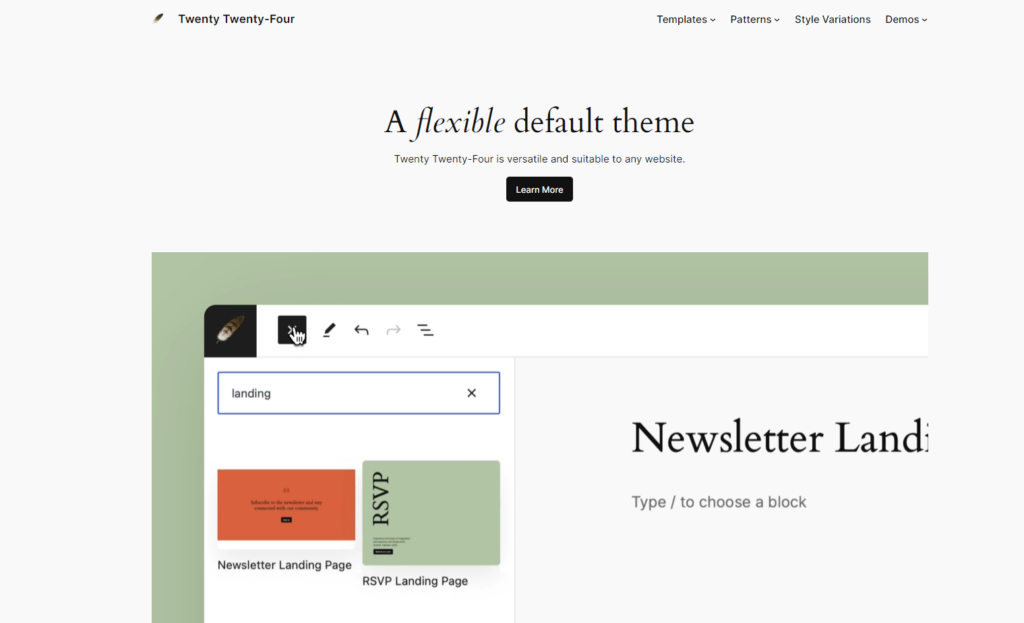
Le nouveau thème par défaut, Twenty Twenty-Four, est conçu pour s’adapter à toutes les utilisations. Que ce soit pour les écrivains, les artistes ou les entrepreneurs, ce template flexible comprend plus de 35 modèles et patrons par section (témoignages, équipes, tarifs…) pour personnaliser au maximum vos sites web.
Basé sur un ensemble de blocs, il facilite la création de pages pour les développeurs confirmés, comme les utilisateurs débutants !
L’arrivée des Block Hooks
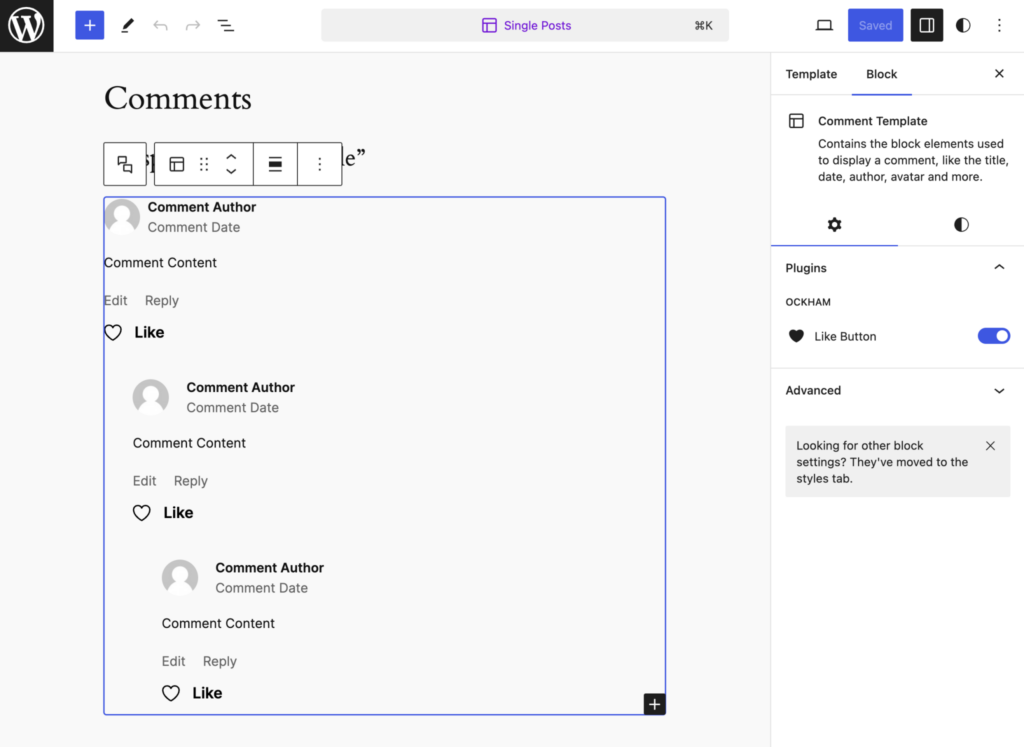
Nouvelle fonctionnalité phare de WordPress 6.4, les Block Hooks permettent aux développeurs d’insérer automatiquement des blocs à des emplacements de contenu choisis, enrichissant ainsi l’extensibilité des thèmes de blocs.
Grâce au concept bien connu de crochets (en anglais hooks), l’utilisateur peut étendre les fonctionnalités des thèmes classiques avec des filtres et des actions.
Par ailleurs, les Block Hooks s’alignent uniquement avec des blocs dynamiques, évitant ainsi des erreurs de validation sur des blocs nécessitant une sauvegarde.
Ci-dessous, un exemple de Block Hooks de bouton “J’aime”, relié à la position “lastChild” du bloc “Comment Template”. Cela permet d’ajouter une option de like sous chaque commentaire.
Un éditeur de contenus amélioré
L’outil d’édition profite aussi d’un lifting et quelques changements notables viennent fluidifier la création de contenus :
- Améliorations de l’écriture : De nouveaux raccourcis clavier ont été ajoutés pour améliorer l’édition de contenu, avec des fusions de listes plus intelligentes et un meilleur contrôle des paramètres des liens.
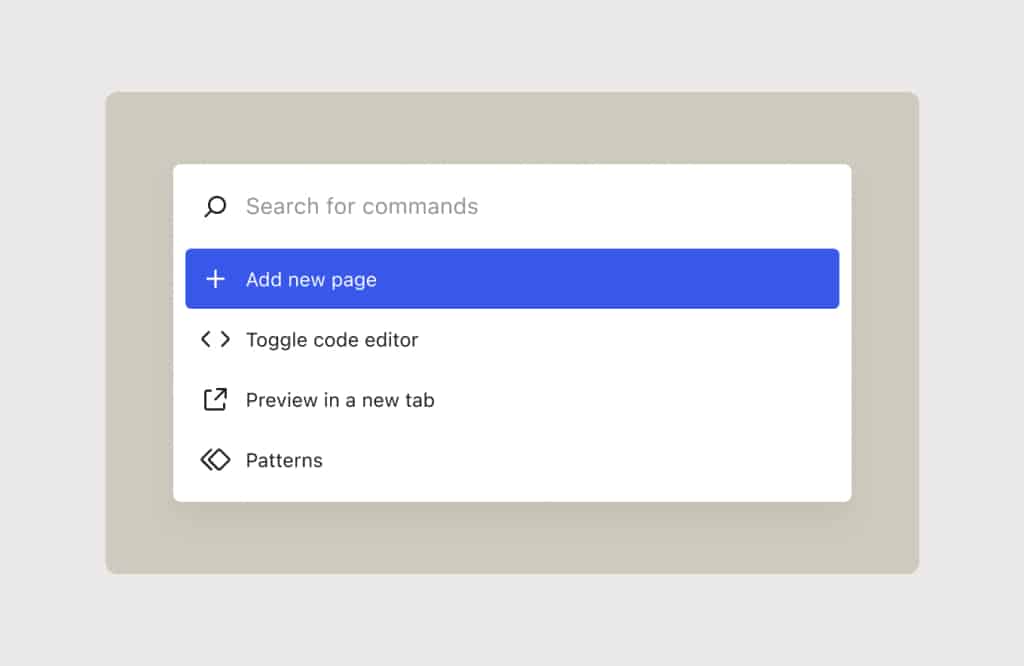
- Palette de commandes améliorée : Introduite dans WordPress 6.3, la palette de commandes a été mise à jour avec un design rafraîchi et de nouvelles commandes pour des actions spécifiques aux blocs.
- Organisation et filtre des patrons : Il est maintenant possible d’organiser les patrons avec des catégories personnalisées et de bénéficier d’un système de filtrage avancé pour les retrouver plus facilement. De plus, les patrons personnalisés peuvent être importés et exportés en tant que fichiers JSON, facilitant leur utilisation sur différents sites.
- Outils de conception étendus : Un ensemble élargi d’outils de conception est disponible, permettant par exemple d’ajouter des images d’arrière-plan dans les blocs de groupe ou d’intégrer des boutons dans le bloc de navigation, sans avoir besoin de coder.
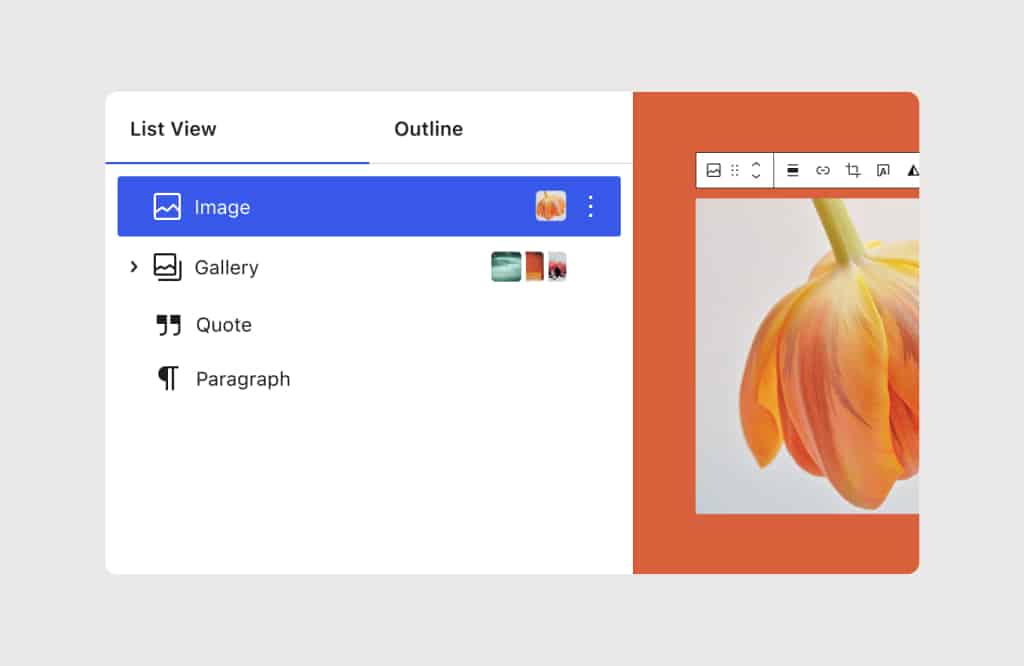
- Gestion des images : La fonctionnalité lightbox a été intégrée pour permettre une visualisation interactive en plein écran des images, et il est désormais possible de prévisualiser les images dans la Vue Liste.
Des performances boostées
Les optimisations de performance ont été au cœur des avancées de WordPress 6.4, avec une attention particulière portée à la gestion du cache objet pour accroître l’efficience du CMS :
- Gestion des options : De nouvelles fonctions telles que get_options(), wp_prime_option_caches(), et wp_set_option_autoload_values() ont été introduites pour une récupération plus efficace des options en base de données.
- Chargement des modèles : Le processus de chargement des fichiers modèles a été optimisé.
- Optimisation des images : La fonction wp_get_loading_optimization_attributes() a été améliorée pour centraliser la gestion de l’optimisation du chargement des images et des iframes.
- Stratégies de chargement des scripts : WordPress 6.4 adopte une approche defer pour les scripts, favorisant un comportement de chargement cohérent et déplacé dans la balise <head>, pour une identification et application plus rapides des ressources lors du chargement de la page.
Ces améliorations visent à rendre WordPress plus rapide et plus réactif, tant pour les administrateurs de sites que pour les visiteurs.
Comment mettre à jour WordPress 6.4 ?
Pour mettre à jour vers WordPress 6.4, voici les étapes à suivre :
- Sauvegarde : Avant de procéder à la mise à jour, sauvegardez tous vos fichiers et bases de données. Cela vous permettra de restaurer votre site en cas de problème.
- Vérification des thèmes et plugins : Vérifiez auprès des développeurs que vos thèmes et plugins sont compatibles avec cette version. Il est possible que certains nécessitent une mise à jour avant de procéder.
- Mise à jour proprement dite : Vous pouvez télécharger WordPress 6.4 depuis le site WordPress.org ou aller dans le tableau de bord de votre WordPress, cliquer sur « Mises à jour », puis sur « Mettre à jour maintenant ».
- Mise à jour des plugins : Après l’installation de WordPress 6.4, n’oubliez pas de mettre à jour vos plugins.
Notre astuce pour mettre à jour WordPress vers la version 6.4
L’actualisation vers WordPress 6.4 est un passage presque obligatoire pour profiter des nouveautés et renforcements sécuritaires. Cependant, patienter quelques jours peut s’avérer sage pour éviter les turbulences liées aux potentiels bugs initiaux…
Si vous souhaitez une mise à jour en douceur et fiable, envisagez de faire appel à un développeur wordpress freelance sur Codeur.com !


