Gérer ses clients, maîtriser la facturation, donner de la visibilité à son activité… Les défis quotidiens d’un auto-entrepreneur sont multiples. Il existe cependant de très nombreux outils pertinents pour les indépendants, souvent créatifs et très complets.
Chez Codeur, nous avons quelques coups de cœur :
- Brevo, un logiciel CRM et d’emailing
- Facture.net, un logiciel de facturation simple et précis
- Trello, le leader en logiciel de gestion de projet
- WordPress, incontournable pour créer le site web de l’auto-entreprise
- Canva, l’outil de graphisme facile et pratique
- LinkedIn, le réseau social indispensable dans la vie professionnelle
Si vous voulez découvrir plus de solutions, voici notre sélection des meilleurs logiciels destinés aux auto-entrepreneurs !
5 logiciels CRM pour auto-entrepreneur
Un système CRM (Customer Relationship Management), c’est l’outil qui permet de gérer la relation client et les données du portefeuille commercial d’une entreprise. Véritable atout pour développer l’activité d’un auto-entrepreneur, il s’avère indispensable de trouver le bon CRM.
Brevo
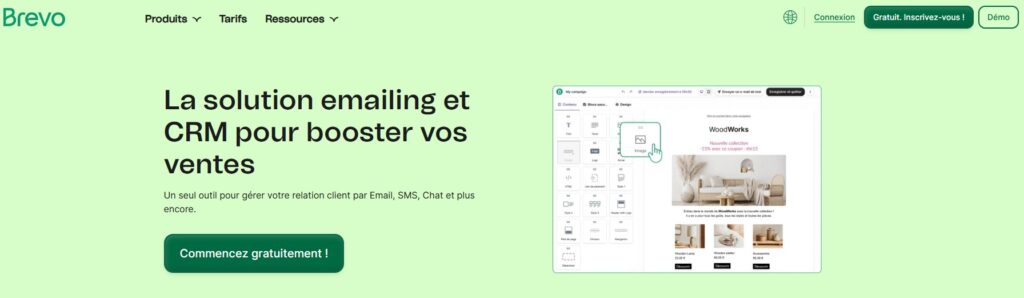
Brevo est un CRM en ligne, couplé à un outil d’emailing. Il est pensé pour booster la relation client grâce à un ensemble de fonctionnalités pertinentes. En utilisant Brevo, un auto-entrepreneur peut facilement centraliser ses données clients et lancer des campagnes marketing adaptées à sa cible, via différents canaux. Brevo mise aussi sur l’intégration de nombreux autres outils du digital marketing (Prestashop, WordPress, Shopify et bien d’autres).
Dolibarr
La suite web open source Dolibarr peut répondre à tous les besoins d’un auto-entrepreneur. Il s’agit non seulement d’un CRM de qualité, quoique moins moderne que d’autres dans son apparence, mais c’est aussi un bon ERP. Polyvalent et flexible, Dolibarr devient un logiciel de vente et de marketing selon les tâches que vous y intégrez. Il est accessible gratuitement et propose des fonctionnalités payantes via des plugins qui peuvent s’acheter selon les besoins.
Pipedrive
Pipedrive s’est fait une belle place sur le marché des CRM. Orienté commercial, il séduit les auto-entrepreneurs ayant une activité de vente. Il permet de se constituer un portefeuille clients et de gérer ses données, mais aussi de développer les interactions avec les acheteurs et de disposer de rapports de ventes précis. Parfait pour analyser ses performances commerciales, il est proposé avec cinq formules d’abonnement.
Hubspot
Derrière son interface intuitive et simple d’utilisation, Hubspot cache de nombreuses fonctionnalités. Il n’est pas surprenant que ce logiciel CRM très complet fasse partie des leaders. Il permet de suivre ses ventes et sa relation client et peut aussi être utilisé dans un but marketing. Hubspot propose une version de base gratuite et d’autres payantes avec un prix évolutif, enrichies de nombreuses options.
Odoo
Odoo réunit beaucoup d’applications en une seule plateforme. En version gratuite, ce CRM tout-en-un dispose d’un tableau de bord complet, mais il est loin de s’y limiter si l’on souscrit à l’offre payante. L’auto-entrepreneur peut retrouver ici des modules de comptabilité, de logistique, de marketing, de reporting… Il est réactif et flexible et s’intègre avec d’autres applications très prisées comme Mailchimp, Outlook ou encore ChatGPT.
5 logiciels de facturation pour auto-entrepreneur
Les démarches administratives ont beau être réduites en auto-entreprise, il faut malgré tout se plier aux normes pour créer devis et factures. Si vous recherchez un bon logiciel de facturation pour vous faciliter la vie au quotidien, voici nos recommandations.
Facture.net

Conçu par les équipes de Codeur.com, Facture.net est parfaitement adapté aux freelances. Sa première mission est de générer des factures et devis, mais cet outil en ligne gratuit est un précieux allié pour les auto-entrepreneurs puisqu’il permet aussi de gérer sa base de clients et de prospects. C’est un logiciel de facturation simple d’utilisation, grâce auquel on est certain de faire apparaître les bonnes mentions légales sur les factures.
Henrri
Henrri est un outil de gestion de gratuit, pensé pour générer factures et devis. Il est collaboratif, et ce de façon illimitée, ce qui permet d’intervenir à plusieurs sur les documents comptables. Les auto-entrepreneurs l’apprécient pour son côté intuitif et simple d’utilisation, ainsi que des fonctions intéressantes comme la relance automatique des factures impayées et le journal de ventes.
Indy
Indy est un logiciel de facturation qui s’adresse aux freelances. Grâce à lui, créez vos devis et générez des factures personnalisées. Avec la synchronisation du compte bancaire et ses différentes fonctionnalités, c’est aussi un bon outil pour gérer sa trésorerie et suivre les contrats réglés ou en attente de paiement. Il existe une formule gratuite et certaines fonctionnalités payantes.
Zervant
En ligne ou sur appli, Zervant est un autre logiciel destiné à la création de factures et de devis. Son point fort est d’être facile à utiliser et de ne nécessiter que quelques clics pour produire les documents comptables, ce qui est parfait pour les auto-entrepreneurs. Plus basique que d’autres logiciels de facturation, il a le mérite d’être très clair.
Freebee
Freebee est parfait pour gérer l’ensemble de l’activité de l’auto-entreprise. Il centralise les documents de trésorerie, qu’il s’agisse des ventes, des cotisations sociales, des impôts et de tout ce qui impacte le chiffre d’affaires. Parmi les fonctionnalités proposées, la synchronisation avec le compte bancaire est très pratique. Surtout, Freebee est spécialement pensé pour les indépendants et les auto-entrepreneurs en particulier, dont il indique le plafond à ne pas dépasser.
5 logiciels d’auto-entrepreneur pour la gestion de projet
L’un des défis des auto-entrepreneurs est de réussir à organiser son activité sans se laisser déborder par les échéances à tenir. Il existe pour cela de très bons logiciels de gestion de projet qui aident à améliorer sa productivité et à faire preuve d’une efficacité maximale dans son activité.
Trello
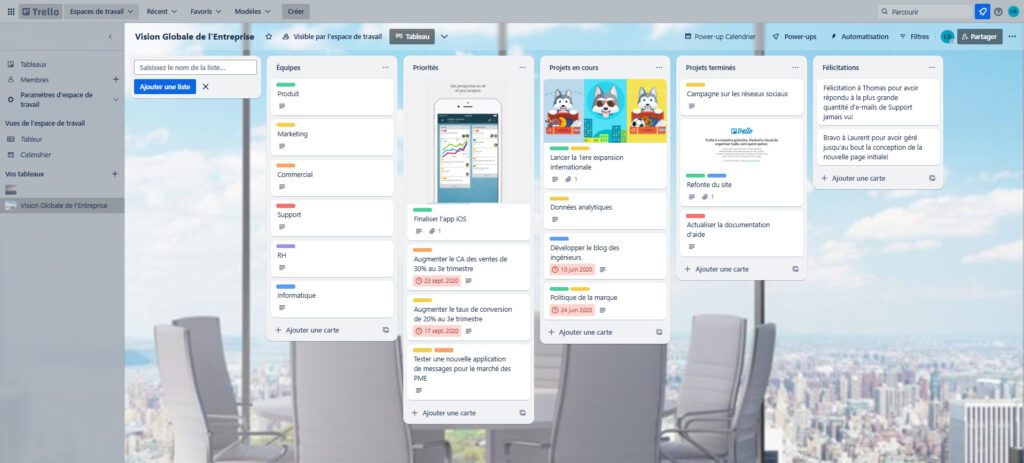
Outil gratuit et très populaire en gestion de projet, Trello permet de s’organiser comme on le souhaite. Il est parfaitement adapté aux auto-entrepreneurs puisque chacun peut créer le tableau de bord qui correspond à son activité, en utilisant les fonctionnalités les plus adaptées : listes de tâches, échéances à respecter, briefs et documents supports, l’utilisation est totalement flexible. Et, avantage non négligeable, Trello est gratuit !
Asana
Asana est un autre logiciel de gestion de projet présentant des atouts intéressants. Accessible en ligne et gratuitement, il permet d’organiser les tâches d’un auto-entrepreneur et d’éventuellement les répartir auprès de prestataires externes en intégrant des briefs et des deadlines. Il propose aussi l’automatisation de certaines tâches et s’avère pratique à utiliser.
Notion
En matière de gestion de projet, Notion fait dans la clarté. Le tableau de bord est très bien organisé et permet de facilement suivre les tâches en cours. On peut aussi segmenter le travail en différents espaces et ouvrir certains projets, voire uniquement certains documents, à des collaborateurs. L’utilisateur peut aussi s’appuyer sur l’IA pour améliorer ses textes.
ClickUp
ClickUp centralise les travaux de tout genre. Entièrement gratuite, cette plateforme apporte un gain de productivité en organisant les tâches de façon claire. Elle est surtout appréciée pour la possibilité offerte de travailler à plusieurs sur une mission, à l’aide de documents collaboratifs et d’alertes.
Wrike
La plateforme Wrike simplifie les processus en centralisant les tâches et en offrant une vision précise du temps dédié à chacune. Par le biais d’une stratégie agile et de fonctionnalités boostées par l’IA, ce logiciel offre une gestion de projet puissante et à 360°.
5 logiciels d’auto-entrepreneur pour créer un site
Il n’est pas toujours évident de se démarquer lorsque l’on est auto-entrepreneur. Dans certains secteurs d’activité, créer un site web s’avère indispensable pour se faire connaître. Pour y parvenir à moindre coût, il existe des logiciels de qualité et simples d’accès.
WordPress

Leader de la création de site web, WordPress s’est imposé grâce à sa facilité d’utilisation. La banque de thèmes est extrêmement vaste, ce qui permet de correspondre aux besoins de tous les auto-entrepreneurs, quel que soit leur domaine d’activité. Certains templates de sites sont gratuits et de nombreux plugins payants peuvent venir enrichir votre création.
Shopify
Shopify est l’outil idéal pour créer un site vitrine et permettre à un auto-entrepreneur de trouver des clients. Pour utiliser Shopify, il faut souscrire un abonnement, mais cela inclut des fonctionnalités intéressantes comme la gestion de stock et la sécurité du site. Prenez le temps d’étudier toutes ces options pour vous assurer qu’elles vous sont utiles, sans quoi une alternative moins chère peut être un meilleur choix.
PrestaShop
Souvent mis en concurrence avec Shopify, PrestaShop permet lui aussi de créer une boutique en ligne et un site vitrine. PrestaShop est un outil open-source et gratuit, mais avec des thèmes et modules payants. Cela signifie qu’il est largement personnalisable, en revanche chaque utilisateur doit lui-même résoudre les éventuels bugs.
Figma
Pour les auto-entrepreneurs qui souhaitent aller plus loin dans le graphisme de leur site web, Figma est l’outil incontournable. En version gratuite pour un usage ponctuel ou sur abonnement pour bénéficier d’un historique infini, cette plateforme collaborative répond à tous les besoins en design et prototypage. Un designer n’aura aucun mal à faire des maquettes et des graphiques avec Figma, en profitant de tout un tas d’options bien pensées pour l’utilisateur.
ChatGPT
Si ChatGPT est le leader des outils IA, c’est qu’il peut être employé pour de multiples tâches. Pour un auto-entrepreneur, il se révèle un allié très précieux pour créer un site web. On peut en effet consulter le logiciel pour la rédaction, pour corriger les fautes d’orthographe, analyser le marché, trouver de nouvelles idées marketing… Son usage est infini et totalement personnalisable.
5 logiciels pour auto-entrepreneur au quotidien
En 2025, il existe de nombreux logiciels parfaits pour aider les auto-entrepreneurs dans leur activité quotidienne. Gestion de documents, création graphique, production de textes ou de vidéos… Quand on travaille en indépendant, il faut savoir s’entourer des bons outils.
Canva
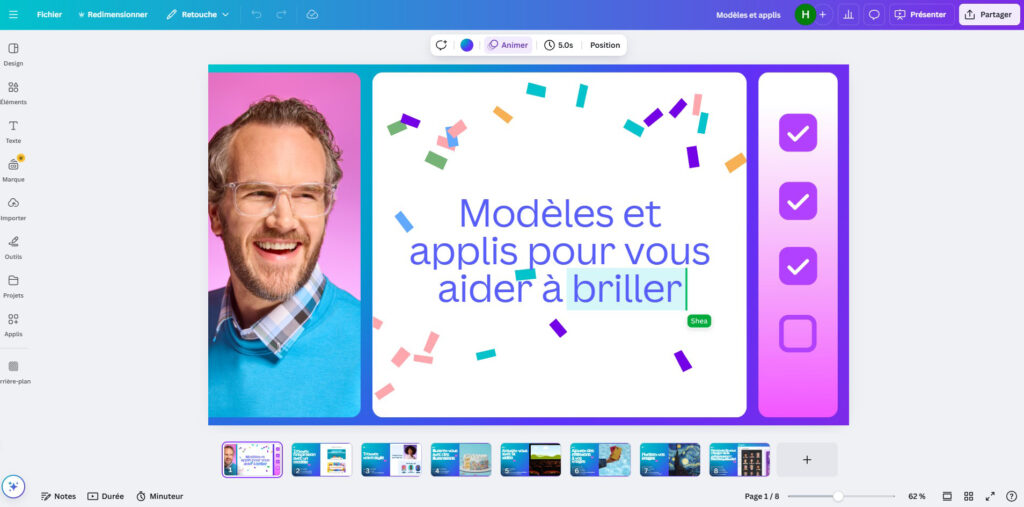
Pour un accès simple et à petit prix au graphisme, Canva est la solution la plus en vue du moment. Chacun peut faire parler son imagination en s’aidant des modèles existants et de nombreux éléments graphiques, dont beaucoup sont utilisables gratuitement. Pour un auto-entrepreneur n’ayant que peu de moyens, c’est un très bon outil pour se créer une identité visuelle et donner de la visibilité à son activité avec des contenus social media de qualité. Il existe cependant des limites dans la personnalisation possible.
Photoshop / Illustrator
Si Canva est une bonne alternative à petit prix, Photoshop et Illustrator sont des logiciels de photo et de création graphique d’un niveau très supérieur. Ils appartiennent au pack Adobe, qui propose différentes formules photographie, créativité et design. La gamme d’outils est extrêmement riche et les fonctionnalités très poussées, ce qui en fait des logiciels polyvalents. Ils sont recommandés pour les pros de l’image ou les auto-entrepreneurs cherchant une identité visuelle pointue.
Google Workspace
Google Workspace est la suite Google réunissant de nombreux outils utiles pour la gestion quotidienne d’une activité professionnelle. Vous pouvez gratuitement générer un calendrier pro (Google Agenda), créer des documents (Google Docs, Google Sheets et Google Slides), les stocker (Google Drive). Il est possible aussi de compartimenter l’accès à certains fichiers pour les partager avec vos clients ou prestataires collaborateurs. Au-delà de la boîte mail déjà très populaire, c’est tout un ensemble d’outils de productivité.
MerciApp
MerciApp (ou MAIA) est un correcteur en ligne gratuit. Basé sur l’IA, le logiciel est d’une grande aide pour l’orthographe, mais aussi pour réaliser des écrits originaux et pertinents. Avec l’optimisation du style et l’autocorrection intelligente, l’outil est capable de corriger et reformuler tout texte. Si vous n’êtes pas à l’aise dans la rédaction ou souhaitez simplement gagner du temps, pensez-y !
Loom
Loom peut à la fois être une solution de créativité et de praticité. Ce logiciel permet en effet de créer des vidéos en enregistrant la webcam et l’écran de l’ordinateur (Mac et PC). On peut donc imaginer qu’un auto-entrepreneur y voie une façon de mettre en avant un service ou de créer des tutoriels pour ses clients. Sinon, c’est un outil apprécié pour partager des captures d’écran vidéo et les envoyer à des collaborateurs, qui peuvent ensuite les commenter. Il existe une version d’essai pour se faire une idée, puis plusieurs formules d’abonnement.
5 outils pour générer du business en tant qu’auto-entrepreneur
Comment faire décoller son business quand on est auto-entrepreneur ? Là aussi, il existe des plateformes très performantes qui sont d’une grande aide pour trouver des clients et donner de la visibilité à son activité.

LinkedIn est le leader incontesté des réseaux sociaux professionnels. Il sert avant tout à réseauter, ce qui est particulièrement précieux quand on est indépendant. L’utilisateur se crée un profil pour mettre en avant sa carrière et ses compétences, après quoi il peut entrer en contact avec des professionnels pertinents pour son activité. La plateforme réunit aussi de nombreuses offres d’emploi et de missions freelances, ainsi que des publications de blog.
Codeur.com
Notre site, Codeur.com, est aujourd’hui le plus vaste portefeuille de freelances en France : c’est LA plateforme sur laquelle il faut s’inscrire pour trouver des clients. Codeur met en relation des prestataires de très nombreux secteurs avec de nouveaux clients. Petites missions d’appoint ou gros contrats, les auto-entrepreneurs peuvent candidater très facilement sur des projets très variés.
Mailjet
Mailjet est une solution fiable et puissante pour l’emailing. Simple d’utilisation, la plateforme est faite pour concevoir des campagnes marketing et envoyer des newsletters, automatisées ou non. Même sans grande expérience, vous créez du contenu attractif, optimisé pour toutes les boîtes mails et les différents types d’écrans. Un bon logiciel pour entretenir le lien avec les clients.
Calendly
Votre activité d’auto-entrepreneur vous mène à organiser beaucoup de réunions ? Alors, Calendly est fait pour vous. Cet outil a pour but de gérer ses rendez-vous et de programmer des réunions de tout type (uniques ou récurrentes, en privé ou en groupe). On peut intégrer plusieurs calendriers externes sur Calendly, bénéficier d’une vision claire de son agenda via le tableau de bord et paramétrer des alertes.
Tally.so
Tally.so est une alternative à Google Forms pour la création de formulaires et de sondages. Ses fonctionnalités sont très intéressantes (notamment le nombre de réponses illimité) et pourtant l’outil est très simple d’utilisation. Tally a par ailleurs développé un autre usage, celui de créer des landing pages, certes basiques mais potentiellement utiles pour un auto-entrepreneur.


