Vous avez envie de gagner du temps, de simplifier votre travail et de booster votre créativité ? Alors, vous allez adorer Microsoft Copilot, le nouvel outil basé sur l’intelligence artificielle qui vous accompagne dans tous vos projets bureautiques.
N’hésitez pas à faire appel à un développeur freelance sur Codeur.com pour gagner en productivité avec les applications Windows !
Que vous soyez développeur, rédacteur, entrepreneur ou simplement curieux, ce copilote intégré aux outils Microsoft vous offre une expérience personnalisée et adaptée à vos besoins. Voici tout ce que vous devez savoir sur cet assistant révolutionnaire !
Qu’est-ce que Microsoft Copilote ?
Dans un article du 21 septembre 2023, Microsoft a révélé le lancement imminent de “Microsoft Copilot”. Un assistant qui utilise l’intelligence artificielle pour vous aider à réaliser vos tâches plus facilement et plus rapidement. Il fonctionne comme un co-pilote (comme son nom l’indique !) qui vous suggère des solutions, des idées, des corrections ou des améliorations en fonction du contexte de travail et de vos objectifs.
Il apprend de vos habitudes, de vos préférences et de vos feedbacks pour suggérer des contenus pertinents qui vont faciliter vos tâches bureautiques quotidiennes.
Comment accéder à Microsoft Copilot ?
Dès le 26 septembre, Copilot sera progressivement introduit dans les mises à jour de Windows 11, suivie de son intégration dans Bing, Edge et Microsoft 365 durant la saison automnale. A cette occasion, l’entreprise fondée par Bill Gates annoncera des innovations et des équipements inédits pour optimiser la productivité des entreprises, éveiller la créativité des professionnels et répondre aux attentes quotidiennes des utilisateurs.
Dès le 1er novembre 2023, Copilot sera mis à disposition des entreprises, conjointement avec Microsoft 365 Chat, un assistant IA novateur qui redéfinira vos méthodes de travail.
D’abord gratuit en version bêta, le copilote de Microsoft devrait être proposé sous forme d’abonnement à 30 $ par mois et par utilisateur.
Que peut-on faire avec Microsoft Copilote ?
Beaucoup de choses ! L’IA de Microsoft Copilot sera incorporée dans la suite bureautique de Windows. Ainsi, Word, Excel, PowerPoint, Outlook et Teams se verront dotés d’un assistant virtuel bien utile pour améliorer votre productivité et exécuter vos missions quotidiennes plus efficacement.
Voici quelques exemples de ce que Microsoft Copilot peut faire pour ses utilisateurs :
Assistant Windows
Microsoft Copilote peut vous aider à utiliser votre ordinateur plus efficacement en vous suggérant des raccourcis, des paramètres, des applications ou des astuces en fonction de ce que vous faites. Il vous permet d’enrichir vos connaissances bureautiques pour gagner en productivité, jour après jour.
Avec Word
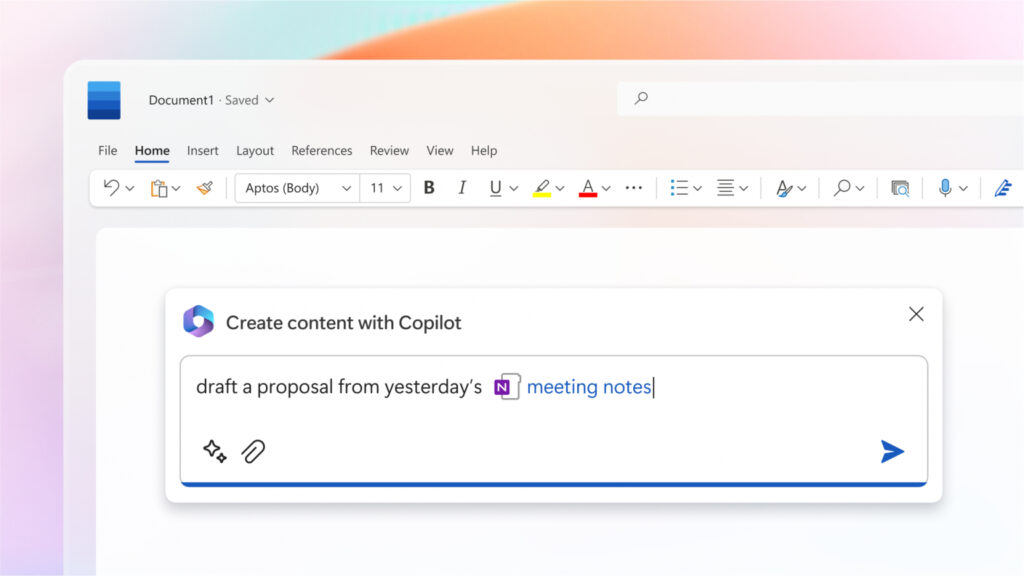
Dans Word, Copilot devient votre assistant de rédaction ! Il vous aide à générer du texte de qualité et à formater votre document en fonction de vos préférences stylistiques (car il garde en mémoire vos habitudes !).
Par ailleurs, l’outil facilite l’ajout d’éléments graphiques tels que des en-têtes ou des illustrations pertinentes à vos fichiers.
Avec Outlook
L’intelligence artificielle prochainement intégrée à Windows sera capable de trier ou purger votre messagerie en un instant, mais aussi de structurer votre agenda et de réaliser une synthèse de vos rendez-vous ou tâches de la journée.
Vous avez besoin de rédiger un email, mais vous ne trouvez pas les mots ? Copilot vous épaule dans la rédaction.
Avec Excel
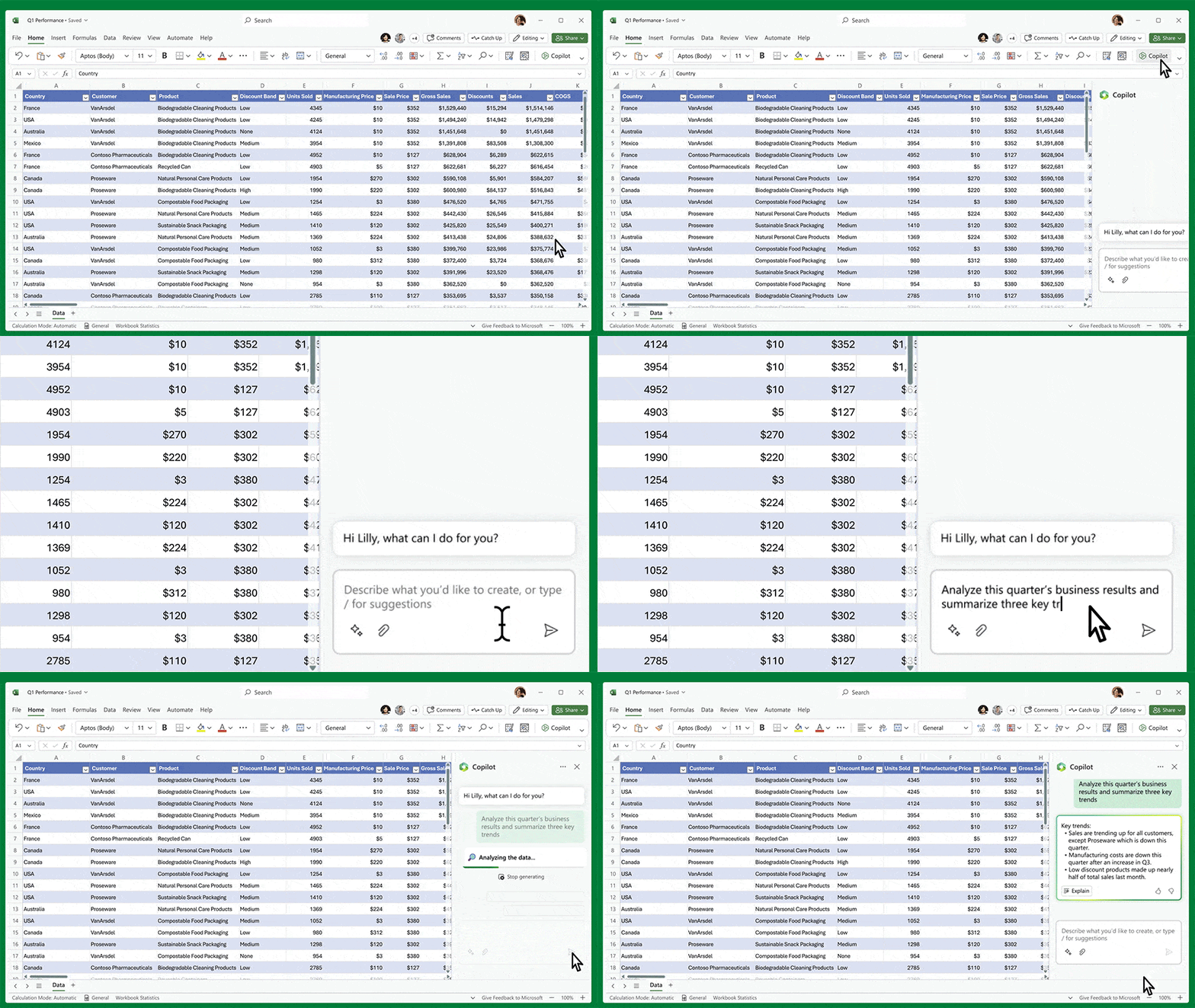
Devez-vous traiter des tableaux aux données complexes ? Avec Copilot, vous pouvez obtenir un résumé des informations essentielles ou mettre en lumière des données clés.
De plus, Microsoft a introduit du code Python dans Excel. Une bonne nouvelle pour les utilisateurs qui ont besoin d’effectuer des études approfondies, d’élaborer des rendus graphiques et de classifier rapidement les informations.
Avec PowerApps
Vous utilisez PowerApps pour créer des applis qui facilitent votre métier ? Vous allez adorer utiliser Microsoft Copilot pour concevoir des outils, même complexes, pour générer des workflows efficaces. Grâce au chatbot, il vous suffira de converser avec l’IA pour décrire vos besoins et obtenir une app performante.
Dall-E et PowerPoint
L’IA générative d’images, Dall-E d’OpenAI, est disponible dans Microsoft Bing, Microsoft Designer… et dans Copilot. L’outil peut donc s’utiliser pour améliorer vos présentations PowerPoint grâce à des visuels uniques et personnalisés.
Avec Power Automate
Vous aimez automatiser vos flux de travail avec Power Automate ? Là encore, l’IA de Copilot vous accompagne pour relier efficacement vos différents outils Microsoft avant d’automatiser certains process.
Copilote et Teams

Grâce à la fonction Business Chat disponible dans Teams, Copilot peut extraire des données depuis la messagerie instantanée, les emails, les notes, et ensuite synthétiser les conversations. Si un utilisateur part en vacances ou s’absente quelques jours, il n’aura plus à parcourir des dizaines de conversations et de documents pour se mettre à jour !
Par ailleurs, l’intelligence artificielle est capable de rédiger un résumé détaillé d’une réunion ou d’une présentation. L’assistant va comprendre et transcrire les échanges conversationnels pour élaborer une synthèse. Copilot peut aussi annexer les fichiers échangés ou affichés durant la visio.
Notre astuce pour utiliser Microsoft Copilot
Microsoft Copilot va révolutionner la productivité des utilisateurs de Windows 11 ! Pour profiter de la puissance de cet outil dopé à l’IA, l’idéal est de vous familiariser avec la suite Microsoft Office. Notamment les logiciels que vous utilisez le plus souvent comme Excel, Word, PowerPoint, Teams… C’est la clé pour transformer cette intelligence artificielle en véritable assistant de travail !
Vous avez besoin d’aide pour développer des applications ou paramétrer vos outils de bureautique ? Faites appel à un freelance sur Codeur.com, dès maintenant !


