En quête d’un générateur de mot de passe pour créer une suite de caractères robuste et difficile à pirater ? Vous êtes au bon endroit ! L’importance d’un password fort et complexe n’est plus à démontrer. Si vous voulez protéger vos données personnelles, il est indispensable d’utiliser des chiffres, lettres et symboles aléatoires.
Afin de vous faire gagner du temps et de renforcer la sécurité de vos comptes web, découvrez 10 générateurs de mot de passe en ligne, 100% gratuits !
Notre sélection de générateurs de mots de passe
Découvrez notre top 10 des générateurs de mots de passe pour vous simplifier la vie et vous aider à renforcer l’accès à vos comptes, applications et autres sites web.
Le générateur de mot de passe de la CNIL
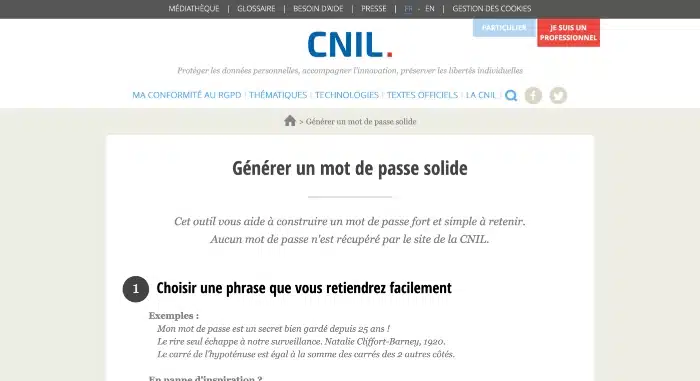
Commençons par le générateur de mot de passe de la CNIL en personne ! On le rappelle, la CNIL est la Commission Nationale de l’Informatique et des Libertés. C’est un organisme officiel qui veille à la protection des informations personnelles et de la vie privée. Son rôle est de faire respecter la loi Informatique et Libertés, qui définit les règles relatives à la collecte, au traitement et à l’utilisation des données personnelles.
Son générateur vous permet de créer un mot de passe sécurisé d’après une phrase à retenir. L’outil vous propose de taper une expression comprenant :
- Une majuscule
- Un chiffre
- Un caractère spécial (dollar, dièse, signe de ponctuation…)
- 12 mots minimum
Il propose ensuite un password reprenant la 1ère lettre de chaque mot. Par exemple, pour la phrase : « Mieux vaut prévenir que guérir, cela évite d’avoir 50 problèmes ! », le mot de passe proposé est « Mvpqg,céd’a50p! ».
Le générateur de mots de passe aléatoires d’Avast
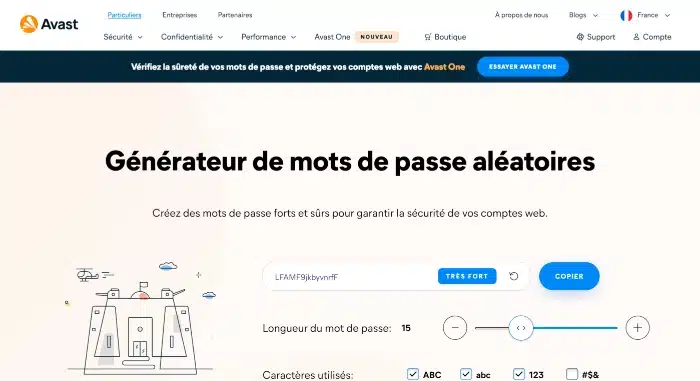
Antivirus reconnu sur le marché, Avast propose aussi un outil pour créer des identifiants et mots de passe sécurisés. Très simple à utiliser, il vous suffit d’indiquer :
- La longueur du mot de passe (certains sites web ou applications ont des exigences précises sur ce point)
- Les caractères et symboles à utiliser (minuscules, majuscules, signes de ponctuation, nombres…)
Avast propose alors une chaîne de valeurs très complexe, difficile à craquer. Vous pouvez générer autant de password que vous le souhaitez, puis les copier très facilement depuis l’outil !
Le générateur de mots de passe complet de Dashlane
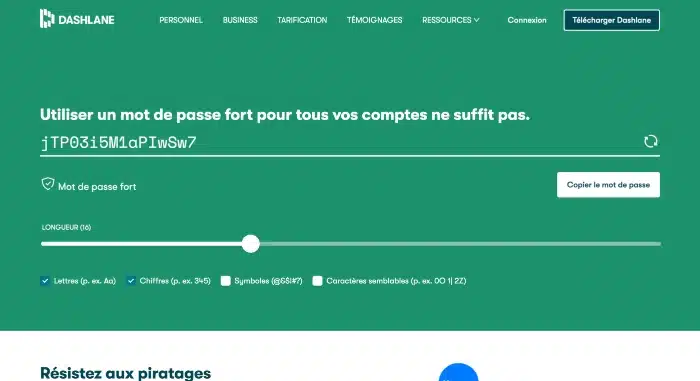
Célèbre gestionnaire de mot de passe, Dashlane propose aussi son générateur.
Étant donné sa connaissance et son expertise dans la gestion et la création de password sécurisé, vous pouvez compter sur son outil pour obtenir une longue suite aléatoire de chiffres, lettres, symboles et caractères spéciaux. Le but est de recevoir un mot de passe complexe, quasiment impossible à craquer même lors d’attaques par force brute.
Pour former un mot de passe, il vous suffit de préciser le nombre et le type de caractères souhaités pour respecter les exigences du site web ou de l’application où vous voulez créer un compte.
Le générateur de mots de passe aléatoires de RoboForm
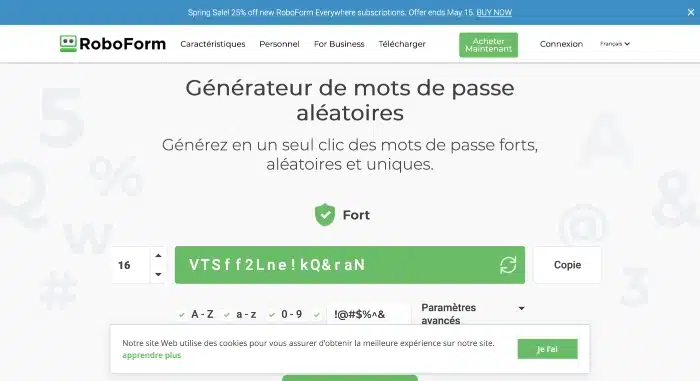
Solution pour gérer, sauvegarder et partager ses mots de passe en toute sécurité, RoboForm propose aussi un générateur en ligne, 100% gratuit. En quelques secondes, vous obtenez un mot de passe formé au hasard, complexe, à utiliser où vous voulez. Vous pouvez aussi vous en servir pour générer un identifiant robuste et ainsi décupler la protection de vos comptes web.
Tout comme les outils d’Avast et Dashlane, vous indiquez des critères de longueur, de symboles et de casse. Vous avez aussi la possibilité d’exclure les caractères similaires pour ajouter une couche de sécurité au mot de passe.
À noter que RoboForm propose aussi son générateur de mot de passe sous forme d’extension Chrome pour vous aider à gagner du temps. Dès que vous devez créer un compte sur un site internet, le plugin s’occupe de créer un password unique et complexe.
Créer un mot de passe sécurisé avec LastPass
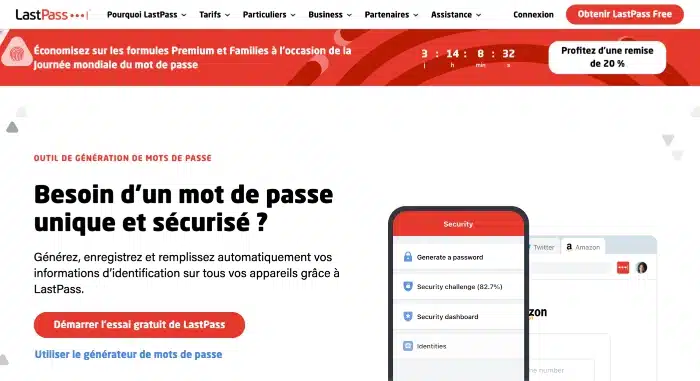
Difficile de retenir et sauvegarder ses mots de passe de manière sécurisée ! Pour vous aider, LastPass propose un gestionnaire en ligne, ainsi qu’un générateur de mot de passe. Ces 2 outils combinés vous aident à renforcer l’accès à vos comptes et applications.
Intuitif, l’outil en ligne de LastPass génère des password aléatoires complexes ou simples à retenir, selon vos exigences. En effet, il est possible de former uniquement une suite de nombres et de lettres, sans caractères spéciaux, afin de conserver vos mots de passe en mémoire. Il vous suffit de cocher l’une des options suivantes :
- Facile à dire
- Facile à lire
Néanmoins, s’il vous faut un terme indéchiffrable, cochez l’option « Tous les caractères ».
Créer un mot de passe fort
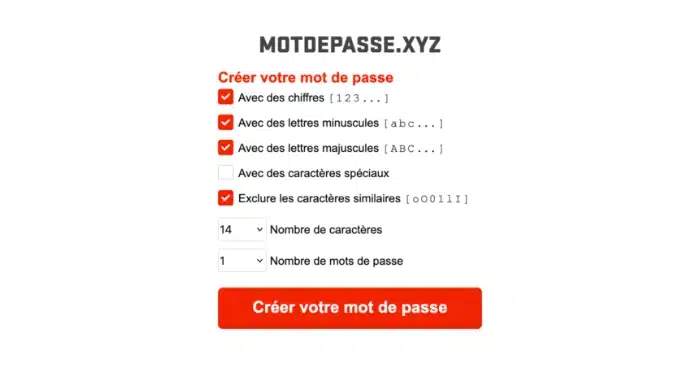
Difficile de trouver plus simple à utiliser que motdepasse.xyz !
Son interface épurée vous aide à créer, en quelques clics, un password ou un identifiant personnalisé et robuste. Indiquez le nombre de caractères, ainsi que les critères de casse, de symboles et de chiffres. Vous obtenez un mot de passe complexe et quasiment impossible à pirater.
Bonus : ce générateur en ligne vous offre la possibilité de créer plusieurs mots de passe en une seule fois !
Générer un mot de passe fiable avec 1Password
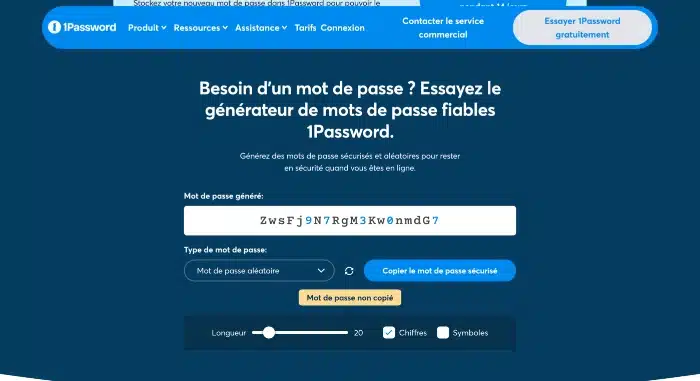
Solution spécialisée dans la sécurisation des documents privés, cartes et applications bancaires, mais aussi des comptes web en général, 1Password propose un générateur de mot de passe performant.
Gratuit et disponible en ligne, cet outil offre 3 options :
- La création d’un mot de passe aléatoire (suite de chiffres, lettres et caractères spéciaux)
- La création d’un mot de passe mémorable (plusieurs mots séparés par un tiret)
- La création d’un code PIN (uniquement des nombres)
Un générateur de mot de passe sécurisé
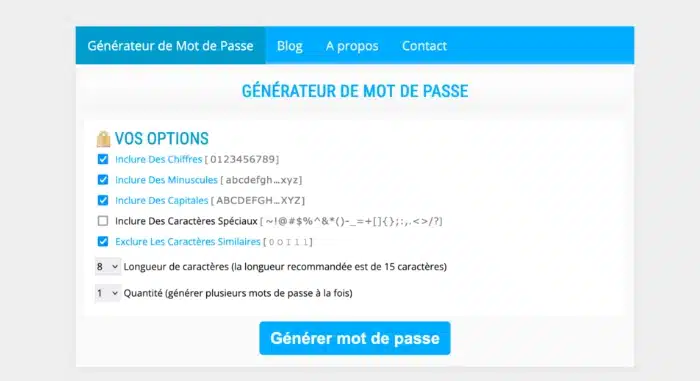
Tout comme motdepasse.xyz, ce générateur de mot de passe dispose d’une interface simplifiée, uniquement dédiée à son outil en ligne. Il vous suffit de préciser :
- La longueur du mot de passe
- Les critères de casse (majuscules et/ou minuscules)
- L’inclusion (ou pas) de chiffres
- L’intégration ou l’exclusion de caractères spéciaux ou symboles
- L’exclusion (ou pas) des caractères similaires
Vous avez la possibilité de générer un ou plusieurs mots de passe en un seul clic.
Générateur de mot de passe en ligne
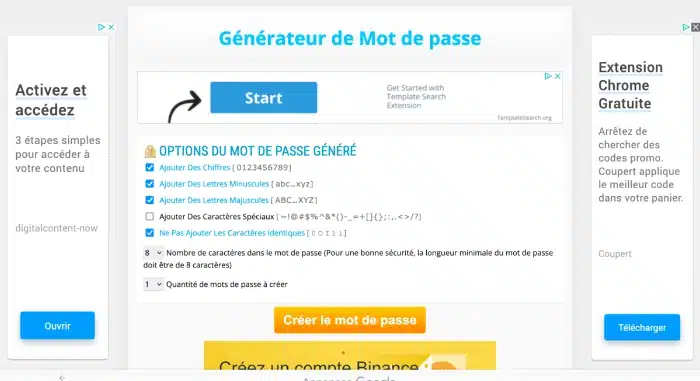
Restons dans les générateurs de mot de passe simplifiés ! Là encore, l’interface est entièrement dédiée à la création d’un ou plusieurs passwords forts. Cochez les options souhaitées concernant les chiffres, majuscules, minuscules, caractères spéciaux, puis indiquez la longueur et la taille du mot de passe à générer.
Vous voilà avec des suites de valeurs aléatoires pour renforcer les accès à vos comptes, sites, boîtes email et applications !
Le générateur de mot de passe de Francelink
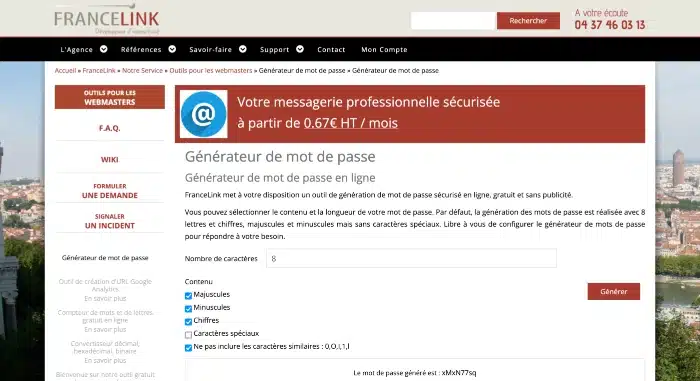
Spécialisée dans l’hébergement web, Francelink met à disposition des internautes un générateur de mot de passe en ligne. Chaque password généré est unique.
Si vous manquez d’inspiration ou si vous n’avez pas envie de perdre du temps à créer un mot de passe complexe, cet outil est fait pour vous ! Indiquez la taille, puis cochez les cases qui correspondent au contenu souhaité :
- Majuscules
- Minuscules
- Chiffres
- Caractères spéciaux
- Caractères similaires
Cliquez sur « Générer » et vous obtenez une suite de caractères formée au hasard, à utiliser sur vos comptes e-commerce, vos logiciels personnels et professionnels, vos applications mobiles et outils de messagerie, entre autres.
Qu’est-ce qu’un générateur de mot de passe ?
Un générateur de mot de passe permet de créer un password fort et totalement aléatoire pour sécuriser l’accès à un compte (bancaire, site e-commerce, administration, messagerie…) ou une application.
Avec ce type d’outil, les mots de passe générés se composent souvent de lettres majuscules et minuscules, de chiffres et de caractères spéciaux, ce qui les rend difficiles à pirater.
Même si chaque solution est différente, il vous suffit souvent d’indiquer la longueur du password, ainsi que vos critères de casse, nombres et symboles. Certains outils vous permettent de créer des mots de passe mémorables (à l’aide d’une suite de mots ou d’une phrase clé) tandis que d’autres génèrent une succession de caractères aléatoires.
Pourquoi utiliser un générateur de mot de passe ?
Un générateur de mot de passe comporte plusieurs avantages :
- Une sécurité renforcée : les mots de passe aléatoires sont plus difficiles à deviner ou à pirater que ceux faisant référence à un proche, une passion ou tout élément de votre environnement.
- Une meilleure protection contre les attaques par force brute : les mots de passe produit via ce type d’outil sont très complexes et donc difficiles à craquer, même par les attaques par force brute.
- Un aspect pratique : les générateurs de mots de passe sont faciles à utiliser et permettent de créer des mots de passe forts en quelques secondes. Idéal si vous manquez d’inspiration ou si vous voulez gagner du temps !
L’utilisation d’un générateur de mot de passe aide à renforcer la sécurité de vos comptes sur le web et à protéger vos informations personnelles contre les pirates ou les cyberattaques. Cela peut vous éviter de perdre vos fichiers et de devoir recourir à des outils de récupération de données.
Notre astuce pour sécuriser vos données
Utiliser un générateur de mot de passe vous permet d’obtenir une suite de valeurs aléatoires, complexes et difficiles à pirater. Cependant, même si un mot de passe généré au hasard est plus sûr, il reste conseillé de prendre des précautions supplémentaires pour protéger vos informations personnelles en utilisant, par exemple, la double authentification.
Vous avez besoin d’aide pour renforcer la cybersécurité de vos données ? Faites appel à un freelance spécialisé en sécurité informatique sur Codeur.com.


